<?xml version="1.0" encoding="UTF-8"?><feed
	xmlns="http://www.w3.org/2005/Atom"
	xmlns:thr="http://purl.org/syndication/thread/1.0"
	xml:lang="vi"
	
	xmlns:georss="http://www.georss.org/georss"
	xmlns:geo="http://www.w3.org/2003/01/geo/wgs84_pos#"
	>
	<title type="text">Facebook Lite &#8211; BlogAnChoi</title>
	<subtitle type="text">Blog giải trí về du lịch, làm đẹp, quán ngon dành cho giới trẻ.</subtitle>

	<updated>2026-04-20T05:16:56Z</updated>

	<link rel="alternate" type="text/html" href="https://bloganchoi.com" />
	<id>https://bloganchoi.com/feed/atom/</id>
	<link rel="self" type="application/atom+xml" href="https://bloganchoi.com/tag/facebook-lite/feed/atom/" />

	
	<entry>
		<author>
			<name>aozora</name>
					</author>

		<title type="html"><![CDATA[Ứng dụng Messenger Lite sẽ bị “khai tử”, người dùng sẽ phải làm gì?]]></title>
		<link rel="alternate" type="text/html" href="https://bloganchoi.com/ung-dung-messenger-lite-se-bi-khai-tu/" />

		<id>https://bloganchoi.com/?p=755550</id>
		<updated>2023-09-02T02:57:06Z</updated>
		<published>2023-09-02T02:57:06Z</published>
		<category scheme="https://bloganchoi.com" term="Ứng dụng - Phần mềm" /><category scheme="https://bloganchoi.com" term="Facebook Lite" /><category scheme="https://bloganchoi.com" term="Messenger Facebook" /><category scheme="https://bloganchoi.com" term="Messenger Lite" /><category scheme="https://bloganchoi.com" term="meta" /><category scheme="https://bloganchoi.com" term="ứng dụng" />
		<summary type="html"><![CDATA[Nếu bạn thường xuyên sử dụng Messenger Lite để nhắn tin với bạn bè thì hãy chuẩn bị nói lời tạm biệt vì Meta sẽ loại bỏ ứng dụng này vào cuối năm 2023. Vậy sự kết thúc của Messenger Lite có ảnh hưởng gì đến người dùng và có lựa chọn nào để thay]]></summary>

					<content type="html" xml:base="https://bloganchoi.com/ung-dung-messenger-lite-se-bi-khai-tu/"><![CDATA[<p><strong>Nếu bạn thường xuyên sử dụng Messenger Lite để nhắn tin với bạn bè thì hãy chuẩn bị nói lời tạm biệt vì Meta sẽ loại bỏ ứng dụng này vào cuối năm 2023. Vậy sự kết thúc của Messenger Lite có ảnh hưởng gì đến người dùng và có lựa chọn nào để thay thế hay không? Hãy cùng khám phá nhé!</strong></p>
<p><span id="more-755550"></span></p>
<h2><strong>Meta sắp “khai tử” ứng dụng Messenger Lite</strong></h2>
<p>Theo trang tin TechCrunch, ứng dụng Messenger Lite sẽ không còn hoạt động kể từ ngày 18/9/2023. Hiện vẫn chưa rõ lý do tại sao ứng dụng này bị loại bỏ, nhưng thực tế là chuyện đó sẽ sớm xảy ra và người dùng Messenger Lite cũng đã nhận được tin nhắn thông báo. Những người đang dùng vẫn có thể tiếp tục sử dụng cho đến tháng 9, nhưng người dùng mới sẽ không thể tải xuống ứng dụng này trên Google Play nữa.</p>
<blockquote class="twitter-tweet" data-width="550" data-dnt="true">
<p lang="en" dir="ltr"><a href="https://bloganchoi.com/redirect/?gzv=H4sIAAAAAAACAyXO3W6CMABA4XfhHtFaI5osCz_RtiId2aasN2TUgloRbEGLy95dl52b7_b8WJ01t_Zt2-i543wXxcC06smBD0x_d17L-_UFQY29_wIPjKlOLuHaf1_AlBMQLVnqfTQjKhKBumOdg4ls-iRJzTjajVYnFbsZ8sGna8pNFUbldFt7wh8SkypULLV9hnJ2imm8IgJkmzcb1UriiucB1Jzdsk7t8QWyqx3SGOJyG-SzQDImo68Kkp04Zy7mpO-Hx5pO_wat3wd7OU-E0gAAAA..&nofollow=1&noindex=1&outlink=1&ref_src=twsrc%5Etfw&wbac=1"   rel="nofollow" target="_blank">@facebook</a> <a href="https://bloganchoi.com/redirect/?gzv=H4sIAAAAAAACAyXOzW6CQBRA4XdhL1DDWGtiGsQYnbnx7yooGyMUqRmQAS7q0Pju1ng23_b8GY0xMH6JVD2wrOPpZN6p-uccm3fdWt9pex1OnXrmvvPcHgUiC_S2LgqBsiCCHejLEryMww-Htj74X7ZNGK2uKLsAmgk622rERKlKJzsmfqkwYP04580q4HmSMZKSdZKcJ7EMO6FMN2uPHUDjB9wwmghWYh6q6LIPZ1WLToPbzyl3591xJRdqknrxuGqQbq890zQeT1vYvePSAAAA&nofollow=1&noindex=1&outlink=1&ref_src=twsrc%5Etfw&wbac=1"   rel="nofollow" target="_blank">@Meta</a> this is a true bummer. It will probably be the end of using messenger for me. I don&#39;t live in a high network signal zone and messenger lite works 100% when regular messenger can&#39;t even load a single thing . Smh stupid <a href="https://bloganchoi.com/xredirect/?afflink=0&nofollow=1&noindex=1&outlink=1&rdtp=header&utm_campaign=bloganchoi.com%7C%7Cbloganchoi.com%7C%7Cbloganchoi.com&utm_content=bloganchoi.com&utm_medium=%7C%7Chttps%3A%2F%2Ft.co%2FimqQ5WtErG%7C%7C&utm_source=https%3A%2F%2Fbloganchoi.com%2Fdang-nhap-facebook%2F&utm_term=bloganchoi.com&wafx=1&wpaflt=80c08a46&wpaflt_url_domain=&wpaflt_url_host=t.co&wppepvndtecrv=E4o9RJa2-cID3Avck-aRVJ0PqBnrLHzNpG_LWwdENQvV9_zS0Sqv0iUSZeHuRqTw8UJ11BJqZEB3LVjrcPjLnjYZGMGrDMzpYmjh9ltzGkPI8pAw6L23Mx5Ch4m8nUv7nIGez6L1pdEBXdXTRnTfddBj57aefk3tpjBcXVloPnLPizq-7ffyRkfJMgy-KcXQjJg8Hx6125urFCibj2qc85TGL-v44WDRNdtIyxKNC3IIa09xxoENrnxBQ8j8h4AQxLjmDlxRz1emdOPhnwXCHqYdtjDQdgJfceTj_9ZmyRYX92bksYOgHc6obO1RWryw74GnkVnTpT_WzoVWuUNU3K96F8nOkhgv878NDsSr8DdClrtf958VfvKWFitQSsFa0t6tvwO00i-XFwYsBpHFX0kgrnaDrmtsItVY2yadf3qeAcLLi9PHQ8dwqfs_gUxw7ntO6z6pOwLCRL1lxL8iRSV8JcblUaN1IPon1rN8FY-LODLnnzZHSDtt_InLZ7BXEmrHYVK-eWSgNRH2gJWWHh7Ch4KAUuulLeer6pTysICqsAxooQcbBktJut4XYi5_Ds3LsmO2CffVre1MyEabq-64XVpYqyNR2nrkQHj1Je2a6hku8KOvkuhbQefDJ8dpnomVzDuhu5ExRGcSESlEDXANaeRbfl4YPwpJKdOePxVUBUOnBgK__2kSVJWvj5YskfXll3wfmsr7XybZQKZUIH2A" target="_blank" rel="nofollow">pic.twitter.com/imqQ5WtErG</a></p>
<p>&mdash; J nonya (@Joshua2Jared) <a href="https://twitter.com/Joshua2Jared/status/1694516345038102801?ref_src=twsrc%5Etfw" target="_blank" rel="nofollow">August 24, 2023</a></p></blockquote>
<p><script async src="https://platform.twitter.com/widgets.js" charset="utf-8"></script></p>
<p>Ứng dụng Messenger Lite ra mắt vào năm 2016 thuộc Facebook (hiện là Meta) và được coi là một giải pháp phù hợp cho những người dùng thiết bị Android đời cũ hoặc những người sống ở nơi có kết nối Internet không tốt.</p>
<p>Sau đó Messenger Lite phát hành phiên bản dành cho iOS vào năm 2018 nhưng đã ngừng hoạt động từ năm 2020. Trung tâm hỗ trợ của Facebook cho biết rằng: người dùng Messenger Lite trên iOS có thể giữ ứng dụng này trong <strong><a href="https://bloganchoi.com/tin/cong-nghe/dien-thoai/"  target="_bank"   title="điện thoại">điện thoại</a></strong> của mình để xem lịch sử trò chuyện nhưng không thể tải app lại từ App Store sau khi đã xóa nó.</p>
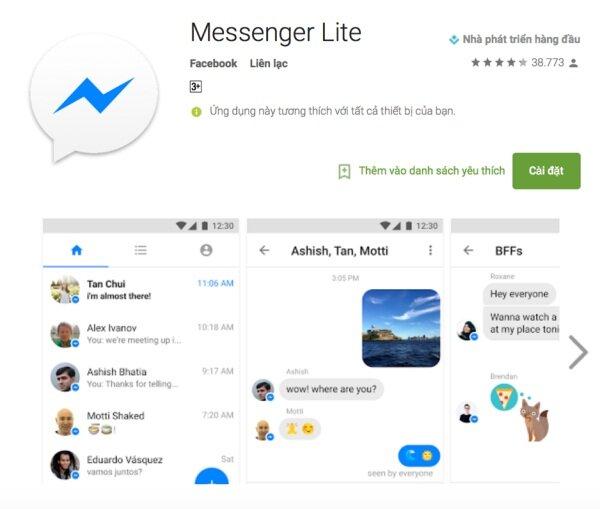
<figure id="attachment_756326" aria-describedby="caption-attachment-756326" style="width: 600px" class="wp-caption aligncenter"><img loading="lazy" class="wp-image-756326 size-full" title="Messenger Lite là phiên bản thu gọn của Messenger (Ảnh: Internet)" src="https://bloganchoi.com/wp-content/uploads/2023/08/messenger-lite.jpg" alt="Messenger Lite là phiên bản thu gọn của Messenger (Ảnh: Internet)" width="600" height="509" srcset="https://bloganchoi.com/wp-content/uploads/2023/08/messenger-lite.jpg 600w, https://bloganchoi.com/wp-content/uploads/2023/08/messenger-lite-300x255.jpg 300w, https://bloganchoi.com/wp-content/uploads/2023/08/messenger-lite-495x420.jpg 495w" sizes="(max-width: 600px) 100vw, 600px" /><figcaption id="caption-attachment-756326" class="wp-caption-text">Messenger Lite là phiên bản thu gọn của Messenger (Ảnh: Internet)</figcaption></figure>
<p>Ứng dụng Messenger Lite là phiên bản thu gọn của ứng dụng Messenger, chỉ cung cấp một số tính năng chính và ít tốn bộ nhớ hơn đáng kể so với Messenger thông thường, dung lượng cụ thể tùy thuộc vào thiết bị và phiên bản ứng dụng.</p>
<h2><strong>Người dùng phải làm gì khi Messenger Lite ngưng hoạt động?</strong></h2>
<p>Nếu bạn đang sử dụng Messenger Lite thì có 2 cách giải quyết theo gợi ý của Meta. Đầu tiên là chuyển sang dùng ứng dụng Messenger chính. Tất nhiên cách này phụ thuộc vào nhiều yếu tố, ví dụ như điện thoại của bạn có đủ sức mạnh xử lý và đủ bộ nhớ để chạy được ứng dụng đầy đủ hay không. Nếu bạn đã chọn Messenger Lite vì điện thoại của bạn không đáp ứng được cấu hình thì chuyển sang ứng dụng Messenger có lẽ không phải là cách phù hợp. Một số người không thích ứng dụng đầy đủ như Messenger, đặc biệt là những người không dùng các ứng dụng đó thường xuyên hoặc không cần nhiều tính năng phức tạp.</p>
<figure id="attachment_756327" aria-describedby="caption-attachment-756327" style="width: 876px" class="wp-caption aligncenter"><img loading="lazy" class="wp-image-756327 size-full" title="Ứng dụng Messenger đầy đủ có dung lượng lớn hơn và đòi hỏi cấu hình máy cao hơn (Ảnh: Internet)" src="https://bloganchoi.com/wp-content/uploads/2023/08/messenger-lite-1.jpg" alt="Ứng dụng Messenger đầy đủ có dung lượng lớn hơn và đòi hỏi cấu hình máy cao hơn (Ảnh: Internet)" width="876" height="512" srcset="https://bloganchoi.com/wp-content/uploads/2023/08/messenger-lite-1.jpg 876w, https://bloganchoi.com/wp-content/uploads/2023/08/messenger-lite-1-300x175.jpg 300w, https://bloganchoi.com/wp-content/uploads/2023/08/messenger-lite-1-768x449.jpg 768w, https://bloganchoi.com/wp-content/uploads/2023/08/messenger-lite-1-696x407.jpg 696w, https://bloganchoi.com/wp-content/uploads/2023/08/messenger-lite-1-719x420.jpg 719w" sizes="(max-width: 876px) 100vw, 876px" /><figcaption id="caption-attachment-756327" class="wp-caption-text">Ứng dụng Messenger đầy đủ có dung lượng lớn hơn và đòi hỏi cấu hình máy cao hơn (Ảnh: Internet)</figcaption></figure>
<p>Nhưng vẫn còn một cách khác kể cả khi bạn không muốn sử dụng Messenger đầy đủ hay điện thoại không đáp ứng được, đó là chuyển sang dùng Facebook Lite. Một số người thích sử dụng cả phiên bản Messenger Lite và Facebook Lite, các điểm hạn chế của nó cũng tương tự như ứng dụng Messenger Lite. Đây là một trong những ứng dụng ít tốn tài nguyên của máy và không gây quá tải cho hệ thống, nhưng ưu điểm quan trọng nhất là nó có sẵn tính năng chat mà không yêu cầu cài thêm ứng dụng Messenger.</p>
<figure id="attachment_756330" aria-describedby="caption-attachment-756330" style="width: 862px" class="wp-caption aligncenter"><img loading="lazy" class="wp-image-756330 size-full" title="Facebook Lite là phiên bản thu gọn của ứng dụng Facebook (Ảnh: Internet)" src="https://bloganchoi.com/wp-content/uploads/2023/08/facebook-lite.jpg" alt="Facebook Lite là phiên bản thu gọn của ứng dụng Facebook (Ảnh: Internet)" width="862" height="505" srcset="https://bloganchoi.com/wp-content/uploads/2023/08/facebook-lite.jpg 862w, https://bloganchoi.com/wp-content/uploads/2023/08/facebook-lite-300x176.jpg 300w, https://bloganchoi.com/wp-content/uploads/2023/08/facebook-lite-768x450.jpg 768w, https://bloganchoi.com/wp-content/uploads/2023/08/facebook-lite-696x408.jpg 696w, https://bloganchoi.com/wp-content/uploads/2023/08/facebook-lite-717x420.jpg 717w" sizes="(max-width: 862px) 100vw, 862px" /><figcaption id="caption-attachment-756330" class="wp-caption-text">Facebook Lite là phiên bản thu gọn của ứng dụng Facebook (Ảnh: Internet)</figcaption></figure>
<h2><strong>Tóm lại</strong></h2>
<p>Về việc ứng dụng nào phù hợp để thay thế Messenger Lite, câu trả lời tùy thuộc vào nhu cầu và sở thích của người dùng. Có thể ban đầu bạn sử dụng Messenger Lite để hợp với chiếc điện thoại đời cũ mà bạn đã dùng nhiều năm và tiếp tục dùng phiên bản Lite vì đã quen. Nếu đúng như vậy thì bạn có thể dùng thử Messenger, biết đâu bạn sẽ thấy nó phù hợp hơn.</p>
<p>Nhưng nếu điện thoại của bạn không có cấu hình đủ mạnh để xử lý được ứng dụng Messenger đầy đủ thì Facebook Lite có thể là lựa chọn tốt nhất. Nếu bạn đã có Facebook Lite trong điện thoại thì càng tốt vì không cần cài đặt ứng dụng khác sau khi Messenger Lite ngừng hoạt động.</p>
<p><iframe loading="lazy" class="youtube-player" width="640" height="360" src="https://www.youtube.com/embed/Z1Vih8ZeRCY?version=3&#038;rel=1&#038;showsearch=0&#038;showinfo=1&#038;iv_load_policy=1&#038;fs=1&#038;hl=vi&#038;autohide=2&#038;wmode=transparent" allowfullscreen="true" style="border:0;" sandbox="allow-scripts allow-same-origin allow-popups allow-presentation"></iframe></p>
<p><strong>Mời bạn xem thêm các bài viết liên quan:</strong></p>
<ul>
<li><strong><a href="https://bloganchoi.com/cong-cu-ai-bien-hinh-anh-thanh-tranh-ve-nghe-thuat/">10 công cụ AI biến hình ảnh thành tranh vẽ nghệ thuật siêu đẹp</a></strong></li>
<li><strong><a href="https://bloganchoi.com/apple-ra-mat-che-do-choi-game-tren-he-dieu-hanh-macos-sonoma-danh-cho-may-mac/">Apple ra mắt chế độ chơi game trên hệ điều hành macOS Sonoma dành cho máy Mac</a></strong></li>
</ul>
<p>Hãy theo dõi BlogAnChoi để cập nhật nhiều thông tin bổ ích nhé!</p>]]></content>
		
					<link rel="replies" type="text/html" href="https://bloganchoi.com/ung-dung-messenger-lite-se-bi-khai-tu/#comments" thr:count="1" />
			<link rel="replies" type="application/atom+xml" href="https://bloganchoi.com/ung-dung-messenger-lite-se-bi-khai-tu/feed/atom/" thr:count="1" />
			<thr:total>1</thr:total>
			</entry>
		<entry>
		<author>
			<name>aozora</name>
					</author>

		<title type="html"><![CDATA[20 ứng dụng được tải nhiều nhất trên Android hiện nay: Cái tên nào đứng đầu?]]></title>
		<link rel="alternate" type="text/html" href="https://bloganchoi.com/ung-dung-tai-nhieu-nhat-android-app-mang-xa-hoi-game-mobile/" />

		<id>https://bloganchoi.com/?p=564516</id>
		<updated>2022-07-30T00:51:13Z</updated>
		<published>2022-07-30T00:51:13Z</published>
		<category scheme="https://bloganchoi.com" term="Ứng dụng - Phần mềm" /><category scheme="https://bloganchoi.com" term="App Facebook" /><category scheme="https://bloganchoi.com" term="app hay android" /><category scheme="https://bloganchoi.com" term="app instagram" /><category scheme="https://bloganchoi.com" term="app Messenger" /><category scheme="https://bloganchoi.com" term="app tải nhiều nhất Android" /><category scheme="https://bloganchoi.com" term="app whatsapp" /><category scheme="https://bloganchoi.com" term="Facebook Lite" /><category scheme="https://bloganchoi.com" term="facebook messenger" /><category scheme="https://bloganchoi.com" term="Free Fire" /><category scheme="https://bloganchoi.com" term="Garena Free Fire" /><category scheme="https://bloganchoi.com" term="ứng dụng" /><category scheme="https://bloganchoi.com" term="ứng dụng android" />
		<summary type="html"><![CDATA[Nếu bạn đang sử dụng điện thoại Android thì đã quá quen thuộc với các ứng dụng như mạng xã hội Facebook, Instagram, TikTok hay các tựa game mobile được nhiều người yêu thích như Garena Free Fire, Candy Crush Saga. Nhưng đó có phải là những ứng dụng Android được tải nhiều nhất hiện]]></summary>

					<content type="html" xml:base="https://bloganchoi.com/ung-dung-tai-nhieu-nhat-android-app-mang-xa-hoi-game-mobile/"><![CDATA[<p><strong>Nếu bạn đang sử dụng điện thoại Android thì đã quá quen thuộc với các ứng dụng như mạng xã hội Facebook, Instagram, TikTok hay các tựa game mobile được nhiều người yêu thích như Garena Free Fire, Candy Crush Saga. Nhưng đó có phải là những ứng dụng Android được tải nhiều nhất hiện nay không? Hãy cùng xem top 20 gồm những cái tên nào và top 1 có khiến bạn bất ngờ hay không nhé!</strong></p>
<p><span id="more-564516"></span></p>
<p>Một số ứng dụng trong danh sách này có thể không phổ biến với tất cả mọi người, nhưng nhìn chung vẫn được người dùng Android đánh giá cao trên Cửa hàng Google Play. Đây là những ứng dụng mà 2,8 tỷ người dùng tích cực của Android tải xuống thường xuyên nhất hiện nay.</p>
<p><strong>Lưu ý:</strong> danh sách này không bao gồm các ứng dụng được cài sẵn trên các thiết bị Android gốc của Google, ví dụ như Google Play Services (10 tỷ lượt cài đặt), Gmail (9 tỷ lượt), Google Maps (6,9 tỷ lượt), YouTube (10 tỷ lượt) và một số dịch vụ khác. Ngoài ra cũng không tính các ứng dụng được cài sẵn trên điện thoại Samsung.</p>
<p>Số lượt tải của các ứng dụng dưới đây được sắp xếp dựa theo số liệu của AndroidRank.</p>
<h2><strong>20. UC Browser: 1,00 tỷ lượt tải xuống</strong></h2>
<figure id="attachment_564807" aria-describedby="caption-attachment-564807" style="width: 791px" class="wp-caption aligncenter"><img loading="lazy" class="wp-image-564807 size-full" title="Ứng dụng UC Browser trên điện thoại Android (Ảnh: Internet)." src="https://bloganchoi.com/wp-content/uploads/2022/07/ung-dung-android.jpg" alt="Ứng dụng UC Browser trên điện thoại Android (Ảnh: Internet)." width="791" height="507" srcset="https://bloganchoi.com/wp-content/uploads/2022/07/ung-dung-android.jpg 791w, https://bloganchoi.com/wp-content/uploads/2022/07/ung-dung-android-300x192.jpg 300w, https://bloganchoi.com/wp-content/uploads/2022/07/ung-dung-android-768x492.jpg 768w, https://bloganchoi.com/wp-content/uploads/2022/07/ung-dung-android-696x446.jpg 696w, https://bloganchoi.com/wp-content/uploads/2022/07/ung-dung-android-655x420.jpg 655w" sizes="(max-width: 791px) 100vw, 791px" /><figcaption id="caption-attachment-564807" class="wp-caption-text">Ứng dụng UC Browser trên điện thoại Android (Ảnh: Internet).</figcaption></figure>
<p>Đây là một ứng dụng trình duyệt web miễn phí đã được tạo ra từ lâu và có thể là một lựa chọn tuyệt vời thay thế cho Chrome bởi ưu điểm là tốc độ nhanh và dễ sử dụng. Bạn cũng có thể thêm các tiện ích mở rộng giống như Chrome và có chức năng quản lý các file tải xuống hỗ trợ lưu nhiều file một cách dễ dàng. Ứng dụng này được đánh giá ở mức khá cao là 4,34 trên Google Play.</p>
<p><strong><a href="https://bloganchoi.com/xredirect/?afflink=0&amp%3Bgl=US&amp%3Bhl=vi&gl=US&hl=vi&id=com.UCMobile.intl&nofollow=1&noindex=1&outlink=1&rdtp=header&utm_campaign=bloganchoi.com%7C%7Cbloganchoi.com%7C%7Cbloganchoi.com&utm_content=bloganchoi.com&utm_medium=%7C%7Chttps%3A%2F%2Fplay.google.com%2Fstore%2Fapps%2Fdetails%3Fid%3Dcom.UCMobile.intl%26amp%3Bhl%3Dvi%26amp%3Bgl%3DUS%7C%7C&utm_source=https%3A%2F%2Fbloganchoi.com%2Fdang-nhap-facebook%2F&utm_term=bloganchoi.com&wafx=1&wpaflt=80c08a46&wpaflt_url_domain=google.com&wpaflt_url_host=play.google.com&wppepvndtecrv=Q4CVGqa7vv_w_Bjtnp7LdHPpFio76qEve-5oUDJVsm6pIkbZSxFPcGMcJHWNLtJ-xHmV4oLrnUW3aiFvOPiQcLEA9hzxhDu5CDDhhqcGPIXwVUUIMmErlZWZqGCsOtD3AgZ2D8NsWycL5aPDj5KRvSA13wG3GKCRv8bbYPi9mDPRYULlydcu79lWMS12KEdzXPiwa4D_wZtDgA_xFqUwuxWeJKwNTuJBEmQMYERm2WCrCzWZXKCN8N5_AHBz-kEjtrE4GC9iLzrT65vfq5t7v7cwIS81MQSMHQnhT_vEg0vXH0qdy3U1rUFDN9jaK0SFEKIAOINpaRwsO6xFLPEgpuwl23TUdfqWyceqOZE5wViwL60sXgyy_OipNk2vuS5D9ixryHf1XUW1LM1lpRx17bd44BoBmCxjpVjbD1hKr7zHNtSvT9mf_UXCegJM3l8OQStSTOEnIWnwsKhRFEKxTnnuwxuqOp8kA_gxfZy00aOBQGfEZumoQF1g5puNCQrKesUZs0dmi8NbQG7CmRYMF5ycypqVDDcp8WYsRrOVvFAUwKdKmAuRtpLIhaAvdFa5jTciD7_oUKaMXt2fAQV1E7XdajggPG9YsiELAMIxP5h4oxxtAOoRBurzJQwUaloqtFj3hbey7lQOBfrrjj4nwfSugfLGy1ZwL4AvGSjr-V5eaTRuRqggsDiHBhUshBahGn-NaycBamWrzj93sCffxXNcgRo481Cs-RTI6sg4RWo31zLfAPqD2QuFVeX5c03mj38LaC3QMtLIdH_QNLSH8_G0pr0qB8p-_GVFu1Pn72MurrNu1UB-yODVJ4sk_X4hh9FDl8y8HMQf5rQ1zwXuAqGEgdHEyNvwPufo0qAWEnkXZn0AEXw7wVVbpyM16u0ieDYlWXa0Wu24twRlEfK7-r8AukFPvTz5E5Cc19ptWQ9txlCwYKSavEwYAScmywu3HkDG" target="_blank" rel="nofollow">Tải UC Browser cho Android tại đây</a></strong></p>
<p><iframe loading="lazy" class="youtube-player" width="640" height="360" src="https://www.youtube.com/embed/QqXc9npeUqc?version=3&#038;rel=1&#038;showsearch=0&#038;showinfo=1&#038;iv_load_policy=1&#038;fs=1&#038;hl=vi&#038;autohide=2&#038;wmode=transparent" allowfullscreen="true" style="border:0;" sandbox="allow-scripts allow-same-origin allow-popups allow-presentation"></iframe></p>
<h2><strong>19. My Talking Tom: 1,017 tỷ lượt tải xuống</strong></h2>
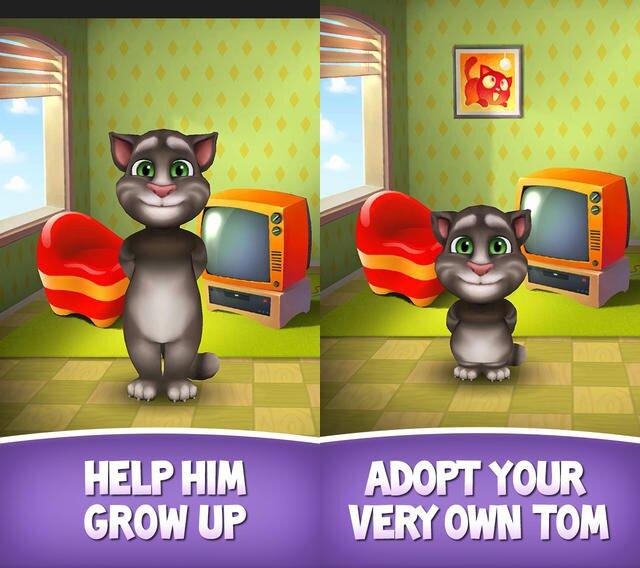
<p>Đây là ứng dụng đã từng gây sốt và cực kỳ viral trên khắp thế giới khoảng vài năm trước. Với nhân vật chú mèo biết nói mà bạn có thể tương tác bằng nhiều trò vui, My Talking Tom đã trở thành app giải trí dành cho tất cả mọi người và đưa “Tom” trở thành một trong những nhân vật hoạt hình trong ứng dụng nổi tiếng nhất.</p>
<figure id="attachment_564809" aria-describedby="caption-attachment-564809" style="width: 640px" class="wp-caption aligncenter"><img loading="lazy" class="wp-image-564809 size-full" title="Ứng dụng My Talking Tom trên điện thoại Android (Ảnh: Internet)." src="https://bloganchoi.com/wp-content/uploads/2022/07/my-talking-tom.jpg" alt="Ứng dụng My Talking Tom trên điện thoại Android (Ảnh: Internet)." width="640" height="568" srcset="https://bloganchoi.com/wp-content/uploads/2022/07/my-talking-tom.jpg 640w, https://bloganchoi.com/wp-content/uploads/2022/07/my-talking-tom-300x266.jpg 300w, https://bloganchoi.com/wp-content/uploads/2022/07/my-talking-tom-473x420.jpg 473w" sizes="(max-width: 640px) 100vw, 640px" /><figcaption id="caption-attachment-564809" class="wp-caption-text">Ứng dụng My Talking Tom trên điện thoại Android (Ảnh: Internet).</figcaption></figure>
<p>Chú mèo có khả năng nghe được những lời bạn nói và nhại lại không ngừng, ngoài ra bạn có thể tương tác với nó bằng nhiều cách như cho ăn, tắm và ru ngủ. Càng chơi với mèo thường xuyên, bạn sẽ kiếm được càng nhiều xu trong app và có thể dùng xu đó để mua thức ăn, quần áo và các đồ dùng khác cho nó.</p>
<p><strong><a href="https://bloganchoi.com/xredirect/?afflink=0&amp%3Bgl=US&amp%3Bhl=vi&gl=US&hl=vi&id=com.outfit7.mytalkingtomfree&nofollow=1&noindex=1&outlink=1&rdtp=header&utm_campaign=bloganchoi.com%7C%7Cbloganchoi.com%7C%7Cbloganchoi.com&utm_content=bloganchoi.com&utm_medium=%7C%7Chttps%3A%2F%2Fplay.google.com%2Fstore%2Fapps%2Fdetails%3Fid%3Dcom.outfit7.mytalkingtomfree%26amp%3Bhl%3Dvi%26amp%3Bgl%3DUS%7C%7C&utm_source=https%3A%2F%2Fbloganchoi.com%2Fdang-nhap-facebook%2F&utm_term=bloganchoi.com&wafx=1&wpaflt=80c08a46&wpaflt_url_domain=google.com&wpaflt_url_host=play.google.com&wppepvndtecrv=h42fDYd2ND2ZNi_x_KSnO9uKEt63ZvdisJBpf6HODIbr037yv_e_g7_X0UYKFT0qYroGEaefxUnWLHx4SuoxTT8uqyyUNataLTV7jl074KUFbtq5JJ8U3hlglIJdLblh9D782X404t3MtN7xbaLUDNAS3BeDEODkj1LZAtQMPKY4xMcyTqnnCbjMQPFH1N2JUbrRrjHBUt_wemh2qF5Qy6kaecrEhePBI7IfOeKee0s0uVr-kYvqXHfvN_dU8o6UCylf7EDt8lZvWisuTj3JCV0U0FnTAtq1UUmSFabGRIn6Cc2RiIsO4TRq3Egger1qHZ8JobSukQnaKjAWPMPNLor4yOAEzyNV2sN2Dl-PkeSPcegONERUKpmlnWb2nJL0lPu5FCuWL1iltDdGSl8cJFYMZTUuWU860S78I_IQ-XWXGi1U-a5zQXxY__nqe37VQP0gb7ejN3HH-HTrjz88QA4H_CF4gqX-5vQiWoWvYkpO9I5na-_a3V59WmOqAKTOfc6VQCa-4DugA71NdDG5dwuDS4xVol-ls-QND57mv6sYr3zCsHQWBYupLRxZuOHzQwL0f_FzHphqZKOjAo4YJzd2zsPY-OEGzlNgtMENDBxpQiKFA8sBx6OQtQaacRFtLi4W0m3sQu-j0plm_BUsfq-p16J4XzVRHydZD3ZJrdzGF2FhBTP9DISmOOy-_gvcHkSojqdTmgu4_vUtALOe4mNnl8yQx_jQ0CZNkimTO3Zw7i8fsf8vIDDos74IDk33pSQYLvUmW2jx6A92gQm2rWDNjXuF08l-33i_WBX8cXq4SCcddvkVrefiaA4aYbNOQ1A3_gRVYyo7_Yh6qNTS1oBuKC5dao4PYpUYUyEGXC0TEFGmUuy9x-BJ3WtnsWkjxf8SGNM40BrurHlXt5qFoX69sZCj-oe4QCWvWOdFOGqtQGTwTBaD8TfylYuOrNm1wWAMHokDmFuoiyOjFm0fK2XpR0YGW-py" target="_blank" rel="nofollow">Tải My Talking Tom cho Android tại đây</a></strong></p>
<p><iframe loading="lazy" class="youtube-player" width="640" height="360" src="https://www.youtube.com/embed/idG-nrKKfE8?version=3&#038;rel=1&#038;showsearch=0&#038;showinfo=1&#038;iv_load_policy=1&#038;fs=1&#038;hl=vi&#038;autohide=2&#038;wmode=transparent" allowfullscreen="true" style="border:0;" sandbox="allow-scripts allow-same-origin allow-popups allow-presentation"></iframe></p>
<h2><strong>18. Viber: 1,048 tỷ lượt tải xuống</strong></h2>
<p>Viber là ứng dụng liên lạc gồm nhiều tính năng như nhắn tin và video call, có thể tạo nhóm tối đa 250 người và sử dụng công nghệ mã hóa dữ liệu. Đây là một trong những ứng dụng được lựa chọn nhiều nhất để thay thế cho WhatsApp ở thị trường châu Âu và Bắc Mỹ, trong khi người dùng ở châu Á thường sử dụng LINE nhiều hơn.</p>
<p><strong><a href="https://bloganchoi.com/xredirect/?afflink=0&amp%3Bgl=US&amp%3Bhl=vi&gl=US&hl=vi&id=com.viber.voip&nofollow=1&noindex=1&outlink=1&rdtp=header&utm_campaign=bloganchoi.com%7C%7Cbloganchoi.com%7C%7Cbloganchoi.com&utm_content=bloganchoi.com&utm_medium=%7C%7Chttps%3A%2F%2Fplay.google.com%2Fstore%2Fapps%2Fdetails%3Fid%3Dcom.viber.voip%26amp%3Bhl%3Dvi%26amp%3Bgl%3DUS%7C%7C&utm_source=https%3A%2F%2Fbloganchoi.com%2Fdang-nhap-facebook%2F&utm_term=bloganchoi.com&wafx=1&wpaflt=80c08a46&wpaflt_url_domain=google.com&wpaflt_url_host=play.google.com&wppepvndtecrv=Jkd2o_FV8L5z2wL6DEdod7vZx5SsiiVrllq9oUuCyblCPZU3UX0lKDVhB9-qWthFHMpt180dojHraJw19Ir5jg675n4NOlikuQ0nj7cKq8dj72OUNMJOOHgJ3JecYQOAMp_CwBosrnaOHjOP6Xt9LpJqW9d-BYs_mDSfpoP_TUTW8_m9mdGggbA0UPPRy4dhH9FIv6K_3mpcltfdKjxbi8TFnsAwPlKcf3IHBBCEDpI9xx6uPsAuwSwndrfMFrFnzWcutA8-Lll-pGJbH51O8oPVQSaQxln4KCvnLnkaMfiiclBHGbPTju2RNQiBrajVAl97Ooq8gO40UZ9SQfUYfruTwGQFhAVK9XL0KdIP0OSCD9E4dZOvewU3md7zxpSdVs5MEBt5w_UOxC7MhTG1-tYllQrO1CtJTTFm4iylnuiAcAuwWWlUIIAE9vbyZ6gZdKGkFfE5TF92BSNUDs_1U0zrOBb1W3lpQoFHgiDd65oNzLApTF6Y6x_1GSzy9dX9_L0mKa7wey5wT8KWsoJit0puXM9-vu-d4cej9X45gLGW5FQ4Ydh-l80jwS0AWqCbJ3JRHtKxZSt-Za---lnmwJoF4yLoyiPmfZ8AOcVMGMzmKSesbzWV9W_Pur0PsSAx6m6eJivMxeRzLhf2SBfLLYCQTxzWIZLHNUyrBZ9i7u9UneLl_uOtYPqg-B5xJ0ZrIAH5MAfSvdzoFD81hg1EISXxU1xp_OXLuJ5PUSP99Q47EGUeMyL_B3fYySlVdz29Ute25ufkj861XRRH5fA-V_7YbPamu-Fj9C6P3MyiMnkipnxKvsGZNEvSUyvvTu2hZ5oGkRnVngGXalToWXywPl7WKUZcw861_aSfJd3kj4FPb3DJ4XXmOAKJUwmHgsSIGOmc5Hawr7uVxmD8O1f2RiHgBnCm1kzcUA0sE6KL5H3d0ybG-iYcl7a_Gbx3" target="_blank" rel="nofollow">Tải Viber cho Android tại đây</a></strong></p>
<p><iframe loading="lazy" class="youtube-player" width="640" height="360" src="https://www.youtube.com/embed/TN5OQkFqAjQ?version=3&#038;rel=1&#038;showsearch=0&#038;showinfo=1&#038;iv_load_policy=1&#038;fs=1&#038;hl=vi&#038;autohide=2&#038;wmode=transparent" allowfullscreen="true" style="border:0;" sandbox="allow-scripts allow-same-origin allow-popups allow-presentation"></iframe></p>
<h2><strong>17. MX Player: 1,086 tỷ lượt tải xuống</strong></h2>
<figure id="attachment_564814" aria-describedby="caption-attachment-564814" style="width: 1024px" class="wp-caption aligncenter"><img loading="lazy" class="wp-image-564814 size-full" title="Ứng dụng MX Player trên điện thoại Android (Ảnh: Internet)." src="https://bloganchoi.com/wp-content/uploads/2022/07/mx-player.jpg" alt="Ứng dụng MX Player trên điện thoại Android (Ảnh: Internet)." width="1024" height="523" srcset="https://bloganchoi.com/wp-content/uploads/2022/07/mx-player.jpg 1024w, https://bloganchoi.com/wp-content/uploads/2022/07/mx-player-300x153.jpg 300w, https://bloganchoi.com/wp-content/uploads/2022/07/mx-player-768x392.jpg 768w, https://bloganchoi.com/wp-content/uploads/2022/07/mx-player-696x355.jpg 696w, https://bloganchoi.com/wp-content/uploads/2022/07/mx-player-822x420.jpg 822w" sizes="(max-width: 1024px) 100vw, 1024px" /><figcaption id="caption-attachment-564814" class="wp-caption-text">Ứng dụng MX Player trên điện thoại Android (Ảnh: Internet).</figcaption></figure>
<p>MX Player là công cụ phát âm thanh hình ảnh được tải nhiều nhất trên các thiết bị Android và được yêu thích vì có nhiều tính năng hữu ích. Giao diện gọn gàng và dễ sử dụng, có thể phát được hầu hết các codec và định dạng media hiện nay. Ứng dụng có cả phiên bản miễn phí và trả phí với giá khoảng 6 USD, trong đó phiên bản miễn phí cũng gần như đầy đủ mọi tính năng nhưng có kèm thêm quảng cáo.</p>
<p><strong><a href="https://bloganchoi.com/xredirect/?afflink=0&amp%3Bgl=US&amp%3Bhl=vi&gl=US&hl=vi&id=com.mxtech.videoplayer.ad&nofollow=1&noindex=1&outlink=1&rdtp=header&utm_campaign=bloganchoi.com%7C%7Cbloganchoi.com%7C%7Cbloganchoi.com&utm_content=bloganchoi.com&utm_medium=%7C%7Chttps%3A%2F%2Fplay.google.com%2Fstore%2Fapps%2Fdetails%3Fid%3Dcom.mxtech.videoplayer.ad%26amp%3Bhl%3Dvi%26amp%3Bgl%3DUS%7C%7C&utm_source=https%3A%2F%2Fbloganchoi.com%2Fdang-nhap-facebook%2F&utm_term=bloganchoi.com&wafx=1&wpaflt=80c08a46&wpaflt_url_domain=google.com&wpaflt_url_host=play.google.com&wppepvndtecrv=g2fj2d3FtfqllEO54SyDTGQpRZ2t1xIntlxpEhfk-ln4OSH8Io0pJZF3Sw-HLI2Z2LDRU97As1FphLmW-4GdWYnNOvvO4NoY1tlHQov8cByXCY109IFo0u_KZ2tSwM9LO72PjkoMwLK05Le6KAODohMIVp527T6CpIA7nnWHB00og7whPWxBlkpUkKeXFPz5WiJdKh032s5ypb1qlJDU5PxzbrsvtBkjc0HGk4iEOAa-d-PvCO8_zc9zZFbOQV3jE4hLeVFKVR6xrBWFhVQf4tWJgIJ5DYLx3urH-tPwq1xGp1Kk2in7_fLe1x7rHaMQ4BWgx1AuvGKu7BBJMMeqZkHB988B_Yhym1z_Dt8fa5U2MtW_6EXOw7G_FyOpWxaWmcTG0EvRlYq-WcMocs2oE3Ecnlp6jzW-xlQtzatcm-16WfmcYjQy3SKaAJGIp2qmabo6oO0unSeo04UM7MHBiHjxub1J_EIgHEG12yduQWm9yIV8vbijEeBfUvZlm92PmiLLcszAAQvcoJfJ_aKiCW67eW9z4qq31L10nQRJ8b3vZzM-1YGU9WFEL-4dRs2MUoopHIF3UQXhpiyQfG21LkWwsZ_01pZ01mjbng1ubpPMKiZV8TtO0qxC-g2cWRW79sjze_BXUjHnVgdlC8JwVP0_gpOxCgg1VAzvESfEOrs9jHopz0t8qHLoqHHqYC3Dpm7i7zpwBZXgo7pIzw8jmGZWR5fGc9pppJnVWlIsb0xluJipAh0gGQevZdJMoPD7kFECC1hOYYlkfqvFHTM2FDn-XzF5g8gX49STNRge5XYwembNlPB6ZTZ5nF7ROR6bm7Ea0MgnZ5tyYhceY6LlBG50j4g5ceJpFdQhJPiJZlJpjoweoWX4hSyH3GrCbIXtXA8Skil9g1b4MMeCAbTyZbDojH7W3yFtA4p4wiLpCu4xs87rtS0HmY1VKhfatoWnSsTG8N0UKHCKvgU_BkFIODsdHQ.." target="_blank" rel="nofollow">Tải MX Player cho Android tại đây</a></strong></p>
<p><iframe loading="lazy" class="youtube-player" width="640" height="360" src="https://www.youtube.com/embed/KKvtlPLDjdw?version=3&#038;rel=1&#038;showsearch=0&#038;showinfo=1&#038;iv_load_policy=1&#038;fs=1&#038;hl=vi&#038;autohide=2&#038;wmode=transparent" allowfullscreen="true" style="border:0;" sandbox="allow-scripts allow-same-origin allow-popups allow-presentation"></iframe></p>
<h2><strong>16. Skype: 1,124 tỷ lượt tải xuống</strong></h2>
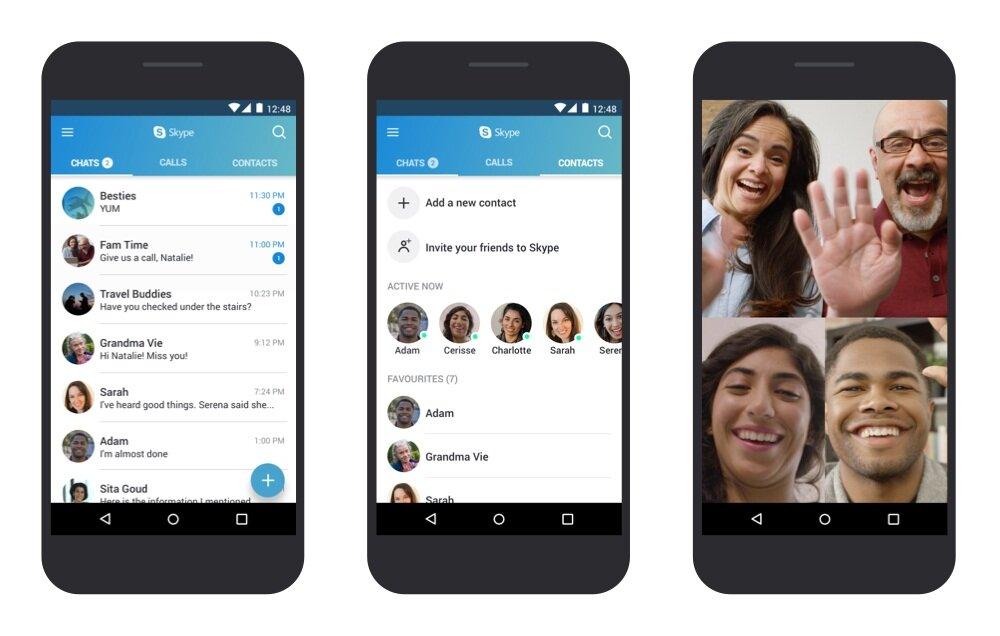
<p>Skype là một ứng dụng từng làm mưa làm gió trong lĩnh vực liên lạc và giao tiếp online, sau đó được Microsoft mua lại nhưng hiện nay đã không còn giữ được vị thế. Kể từ phiên bản Windows 11, ứng dụng này đã không còn được cài sẵn trên hệ điều hành của Microsoft lần đầu tiên sau hơn 10 năm.</p>
<figure id="attachment_564829" aria-describedby="caption-attachment-564829" style="width: 1000px" class="wp-caption aligncenter"><img loading="lazy" class="wp-image-564829 size-full" title="Ứng dụng Skype trên điện thoại Android (Ảnh: Internet)." src="https://bloganchoi.com/wp-content/uploads/2022/07/ung-dung-android-3.jpg" alt="Ứng dụng Skype trên điện thoại Android (Ảnh: Internet)." width="1000" height="636" srcset="https://bloganchoi.com/wp-content/uploads/2022/07/ung-dung-android-3.jpg 1000w, https://bloganchoi.com/wp-content/uploads/2022/07/ung-dung-android-3-300x191.jpg 300w, https://bloganchoi.com/wp-content/uploads/2022/07/ung-dung-android-3-768x488.jpg 768w, https://bloganchoi.com/wp-content/uploads/2022/07/ung-dung-android-3-696x443.jpg 696w, https://bloganchoi.com/wp-content/uploads/2022/07/ung-dung-android-3-660x420.jpg 660w" sizes="(max-width: 1000px) 100vw, 1000px" /><figcaption id="caption-attachment-564829" class="wp-caption-text">Ứng dụng Skype trên điện thoại Android (Ảnh: Internet).</figcaption></figure>
<p>Chi nhánh kinh doanh của Skype dừng hoạt động từ tháng 8/2021 và có vẻ như Microsoft đang tập trung hoàn toàn vào ứng dụng Teams dành cho học tập và làm việc online. Nhiều khả năng đến năm 2023 Skype sẽ rơi khỏi top 20 ứng dụng được tải nhiều nhất trên Android.</p>
<p><strong><a href="https://bloganchoi.com/xredirect/?afflink=0&amp%3Bgl=US&amp%3Bhl=vi&gl=US&hl=vi&id=com.skype.raider&nofollow=1&noindex=1&outlink=1&rdtp=header&utm_campaign=bloganchoi.com%7C%7Cbloganchoi.com%7C%7Cbloganchoi.com&utm_content=bloganchoi.com&utm_medium=%7C%7Chttps%3A%2F%2Fplay.google.com%2Fstore%2Fapps%2Fdetails%3Fid%3Dcom.skype.raider%26amp%3Bhl%3Dvi%26amp%3Bgl%3DUS%7C%7C&utm_source=https%3A%2F%2Fbloganchoi.com%2Fdang-nhap-facebook%2F&utm_term=bloganchoi.com&wafx=1&wpaflt=80c08a46&wpaflt_url_domain=google.com&wpaflt_url_host=play.google.com&wppepvndtecrv=3LxUEL4LoeZ85ybdO-9QbBhdABesgXYLWX3oPUVHVdgFlvN46sRSwoAwJ_52xaiVuVimyqMLwLYWSK2s-32EMg0Gg-NxKvI-Jh6QwCLgwqPsiAyoWXTb2FTCPqII8XBfAoe1RjCzQPf-4I6qX4houdiP7jKR5bpKQZpPJafD19moYrP8DkKnSr4tCwhQEXK2Gy4nyTpOjqU-cExQ4jl_hgqMu7GKRNDBpLaERyZn_zpFWEgNb8REOZ8FsYPt8JR2z7GFfePdASgU3h-oTrx9h2KCvn4KsXfpJXelYT8OaS3a2wmVoNNg0y6JiHiYGIQ4O43d6SbftmgCW4wcVzkjyN0T1oxrdG2Agd3HfHheMvu7OykihxFkjBf7MnmesaQaLpWCciVzBClpu6MgBmjDjCMbx1XKjE2rGWdak_D1EUfPV6Ou4vVSPYsfgmH_U4LtHNIA9ZZvqo45Z8JvGIV2SM28Y9DC-dymTKT6cU05LrdlVPnTX6xUXdtASAPG1cu1tgSfzCtaKumkh8-LmVH9ekI1aSAm5wBGPm3LoH6c-_BYk2QrfkZXeAdyhze2buQiq0NOGApDhQv_0169-xCUpS8f-DaAetQ51RXv1l2JVYDL1kklRAAnF3XfcVmLQtHFdKxlWyoB53VrgAB3DChGqPju5Io2X0p4LajBfgLSNx1VyOzmYxlDKCZC3mmYSIU1DyMv2S42AG4oqAOK2Zrz91jgvNAuBmnyv1hq_J9RRBKU8WjNH6jcTa9kSG1zYI6hP_58g9ZsnrksXpyf4qyVTTVOSbuw6--SeEHOmLTS2AjyPgm2eTXl3eISqryOcTKd3PSPLGIru53vuD_cNZHeNS5yT3zv8CVrE7dkRWl39MAGnqxbPpt2kbSDe96wdu3WzSCGDVZPo9DrPEwSYtf0lN6zpyKWtb7XDdUEWOp2Zhf-1-8ADAlJN404HSak8UBW" target="_blank" rel="nofollow">Tải Skype cho Android tại đây</a></strong></p>
<p><iframe loading="lazy" class="youtube-player" width="640" height="360" src="https://www.youtube.com/embed/0YPwYjaF3Ic?version=3&#038;rel=1&#038;showsearch=0&#038;showinfo=1&#038;iv_load_policy=1&#038;fs=1&#038;hl=vi&#038;autohide=2&#038;wmode=transparent" allowfullscreen="true" style="border:0;" sandbox="allow-scripts allow-same-origin allow-popups allow-presentation"></iframe></p>
<h2><strong>15. Spotify: 1,169 tỷ lượt tải xuống</strong></h2>
<p>Ứng dụng nghe nhạc này đã có sự thăng tiến vượt bậc: mặc dù đến năm 2021 mới được góp mặt trong top 20 và đến nay đã nhảy lên vị trí thứ 16. Thành công của Spotify cũng được đóng góp một phần lớn bởi đại dịch COVID-19, với số lượng người dùng trả phí tăng từ 130 triệu lên 160 triệu trong vòng 12 tháng qua, và nếu so với thời điểm đầu năm 2017 thì đã tăng hơn gấp đôi. Hiện tại ứng dụng có tổng cộng 420 triệu người dùng trên khắp thế giới.</p>
<p><strong><a href="https://bloganchoi.com/xredirect/?afflink=0&amp%3Bgl=US&amp%3Bhl=vi&gl=US&hl=vi&id=com.spotify.music&nofollow=1&noindex=1&outlink=1&rdtp=header&utm_campaign=bloganchoi.com%7C%7Cbloganchoi.com%7C%7Cbloganchoi.com&utm_content=bloganchoi.com&utm_medium=%7C%7Chttps%3A%2F%2Fplay.google.com%2Fstore%2Fapps%2Fdetails%3Fid%3Dcom.spotify.music%26amp%3Bhl%3Dvi%26amp%3Bgl%3DUS%7C%7C&utm_source=https%3A%2F%2Fbloganchoi.com%2Fdang-nhap-facebook%2F&utm_term=bloganchoi.com&wafx=1&wpaflt=80c08a46&wpaflt_url_domain=google.com&wpaflt_url_host=play.google.com&wppepvndtecrv=SJ1GRL67G75gi7MsCF_e8ifkzxa2JJrMltwF8EOS4iNjbX-qaITN7hG_D_et4BFHjmDr3PeE5zTrbE-pmDy0PIdqhEKvPp8LNOzvaxAFW1_btSlSAs_PwrfkVL6iynTHtGu6M-tWBx8-vUPnjiElvu8--SAsC9msf0sLsrBYQrob3QitvBZb2suB3xCBBP9kOiFAxcHCKi59-KE8UnVLTq4WN2Zu56XdRAxbMq-mK_6COfnBld1_WjQTMFd-I8aCgZvzXzxroZT6vnw8zmCtCEGkSL0320MDTHZBBYgFGyon44tpEDxFojUv7R1gxxmq7FHxFJHgmUU06sg8ioMl-mbpGZNavmR9245fcfheysODFQX5GXvKY0_g4I_5zihvCWkNdfTSGXCP0lYAIrMfDm5LOW617TwBecJDbL0OGh3xJ8VCEFlzD1R9RPbF1guhjcuuvblHw27u0U7VtDoG--wWzvD5qIwdd0A6AK8LyGIv-s95-Cn3R1N06PiQRaGTI9oMqSJ_N5XiKlCVpagFXylGeQQxNkWo5sv1eF0uEENHDcDABe3qHUTiTnXy34snQ0B0e00wv6jTcVrtwyb0PVScAf2HWKDJx0aIMZfn8rfnTMH8KmQG7hkAwjHjfK4JUTMxxNz-GxA5K1BJQq-TTmYr15mK6il48WE-6s2ocRg26nxyKxMUwf19Sa6b91y5zbcuQXLbwbWgUNOzwZ7etyriVG0C6G7QXO7o95eagGg_qrcJQ7jjClFaLrIYrWHABQfKjhBcJd3gqKzZQeIw0eO-FTvTAN5OeXNxtCI2rIg6EVUA6XwW-apW1bykOZW5yBHEPWVB9up9X_2TbvH0HBhZgsJYcQz-VcaUVOOZFRv3yMC-0wBmj8RHS4fD9w02C3RbZVcrJn9Adsv2sFR_emG-LemeN85wpD9REnDeFn8t82gjCnMR2_RaSF1z7fjxFEA." target="_blank" rel="nofollow">Tải Spotify cho Android tại đây</a></strong></p>
<h2><strong>14. Garena Free Fire: Rampage: 1,2 tỷ lượt tải xuống</strong></h2>
<p>Garena Free Fire là tựa game mobile chiến đấu ra mắt năm 2017, trong đó người chơi phải chiến đấu với nhau để sinh tồn trong không gian ngày càng bị thu hẹp.</p>
<figure id="attachment_564815" aria-describedby="caption-attachment-564815" style="width: 512px" class="wp-caption aligncenter"><img loading="lazy" class="wp-image-564815 size-full" title="Ứng dụng Garena Free Fire: Rampage trên điện thoại Android (Ảnh: Internet)." src="https://bloganchoi.com/wp-content/uploads/2022/07/ung-dung-android-2.jpg" alt="Ứng dụng Garena Free Fire: Rampage trên điện thoại Android (Ảnh: Internet)." width="512" height="512" srcset="https://bloganchoi.com/wp-content/uploads/2022/07/ung-dung-android-2.jpg 512w, https://bloganchoi.com/wp-content/uploads/2022/07/ung-dung-android-2-300x300.jpg 300w, https://bloganchoi.com/wp-content/uploads/2022/07/ung-dung-android-2-150x150.jpg 150w, https://bloganchoi.com/wp-content/uploads/2022/07/ung-dung-android-2-420x420.jpg 420w" sizes="(max-width: 512px) 100vw, 512px" /><figcaption id="caption-attachment-564815" class="wp-caption-text">Ứng dụng Garena Free Fire: Rampage trên điện thoại Android (Ảnh: Internet).</figcaption></figure>
<p>Khi mới bắt đầu vào game sẽ có 50 người chơi nhảy dù từ trên máy bay đáp xuống một hòn đảo, sau đó mỗi người phải tìm nơi trú ẩn và thu thập các trang thiết bị để sinh tồn cũng như chiến đấu với những người khác. Người cuối cùng còn sót lại trên đảo sẽ giành chiến thắng.</p>
<p>Ngoài ra Free Fire còn có một số tính năng kết nối người chơi với nhau như thêm bạn bè và chat trong game.</p>
<p><strong><a href="https://bloganchoi.com/xredirect/?afflink=0&amp%3Bgl=SA&amp%3Bhl=en_US&gl=SA&hl=en_US&id=com.dts.freefireth&nofollow=1&noindex=1&outlink=1&rdtp=header&utm_campaign=bloganchoi.com%7C%7Cbloganchoi.com%7C%7Cbloganchoi.com&utm_content=bloganchoi.com&utm_medium=%7C%7Chttps%3A%2F%2Fplay.google.com%2Fstore%2Fapps%2Fdetails%3Fid%3Dcom.dts.freefireth%26amp%3Bhl%3Den_US%26amp%3Bgl%3DSA%7C%7C&utm_source=https%3A%2F%2Fbloganchoi.com%2Fdang-nhap-facebook%2F&utm_term=bloganchoi.com&wafx=1&wpaflt=80c08a46&wpaflt_url_domain=google.com&wpaflt_url_host=play.google.com&wppepvndtecrv=HDMmZbCwwxT8mEwsxijwKr6u19GKDANUVgdqhomX-34h_sVORo9UVxoTZMzYHZSGVYRGxuj5l6IuNGELQfcgqcjYEi2zEJ5bTs5ZCK263WFtiO4UTBFGAxKW3V0WfZJ8_p-k0W0noFxPO8TvAJF_JBNr2j5jnp7nkBSYSTw8kVh7zJsJUKKRaTVHABM-3kYaDPKmktQv5afLGuo75FdAn78eArmVArA1S0RhdbyrlxzWnUzAfgCIBxQse36M72XMkJJ_SRPH8G1iqgGtEAdQ5jkfszMDp-t0FVFtNlonu_G52-6-E4xcyECCqClIIwJ0mNHM8gP73pvULYtcTLixREzWXT7JxW6AmXDO7TnJNnzAyTug95a-rNQj3fSX_e1X2tjPVTm5eR0Fj4c0U2j_6-wibme0GpKnOdQnZAjRK9GY9MeRrXgu6dZwnRSCI7GJtNt1tpd2HjSdA_EGbpZCAAEdJ4F6vfJedeIvK0ecptke5X6MreYGBBDj1ihC8I7r0NPYpZgCDMAqv2hcDoZkIwXlgb7psUVnFC138_hQEgX1hGJVEyE0GyX0s2HzQL5virWhsv28jh0nR9mKc-NULPJGya-J-eZQoYAu7y60xoC36V7ZoHuoem0XUG8OQ5OVFeWzupeFRwUAuRaeciFhS_zUzOLO7p4lT7upbTNTT-HQtULMWAxdCJo50_mjx2djSuH-oJhOPYnD7UaPDjVhkeKehCfx9JPlQUBc7baaoH0supvLFB6oAjsWCnuUFmZtqFeFFh_mHHT8mIJf1UypIUfhORuzU5X4Au346EUPVtTd_gtADZchEmCSR5x_PTG630qv6b_v2dNQbKURMzV9gvk9FhJPILLL-NUPAVPaXOCLzl4HlCis5BlYdjoQWmhdtsLjsKe7AHo7AWaZViMTYqYqUesZhRUX5GRZV78KWni4HT5ubTCUulV-jx3uLGN1mCHUCrdkMbVGhk9-fdk." target="_blank" rel="nofollow">Tải Garena Free Fire cho Android tại đây</a></strong></p>
<p><iframe loading="lazy" class="youtube-player" width="640" height="360" src="https://www.youtube.com/embed/VUdbWA_LHN4?version=3&#038;rel=1&#038;showsearch=0&#038;showinfo=1&#038;iv_load_policy=1&#038;fs=1&#038;hl=vi&#038;autohide=2&#038;wmode=transparent" allowfullscreen="true" style="border:0;" sandbox="allow-scripts allow-same-origin allow-popups allow-presentation"></iframe></p>
<h2><strong>13. Candy Crush Saga: 1,214 tỷ lượt tải xuống</strong></h2>
<p>Game xếp kẹo vui nhộn với cách chơi đơn giản nhưng cực kỳ “gây nghiện” vẫn chưa hết độ hot đối với người dùng điện thoại, là 1 trong 3 game lọt vào danh sách top 20 này.</p>
<p><strong><a href="https://bloganchoi.com/xredirect/?afflink=0&amp%3Bgl=US&amp%3Bhl=vi&gl=US&hl=vi&id=com.king.candycrushsaga&nofollow=1&noindex=1&outlink=1&rdtp=header&utm_campaign=bloganchoi.com%7C%7Cbloganchoi.com%7C%7Cbloganchoi.com&utm_content=bloganchoi.com&utm_medium=%7C%7Chttps%3A%2F%2Fplay.google.com%2Fstore%2Fapps%2Fdetails%3Fid%3Dcom.king.candycrushsaga%26amp%3Bhl%3Dvi%26amp%3Bgl%3DUS%7C%7C&utm_source=https%3A%2F%2Fbloganchoi.com%2Fdang-nhap-facebook%2F&utm_term=bloganchoi.com&wafx=1&wpaflt=80c08a46&wpaflt_url_domain=google.com&wpaflt_url_host=play.google.com&wppepvndtecrv=n502AER8hWPNqjEf-4AJgcq4MupwRbiqud7iX9IpsBIbXehInaDXhifTagAVuynVfkeftim6I2IAXf6-P_rS2WlzKaopY3clZu-RDqlwb91CHWTLdBRupSbKdFxTwDLR-eQ0CI_szedOz994lhbeYkZQEISHhRyj_4gCQhL4qklFaNIXlXOLTAehgaAMjjPaElpxkRUYr8HR-hwED_2jZOHNPetvrJyTRIB_P8osF9q0FctpZ8OBFA7LxG3drhED1PA-mELAepGY3a8ncjdcR0jNJ9LdF3njV1V6E8crqf0nBgF_zUTOjTp2ostcMvzJ58cvloSyJlOzKfvaYQR0pvzisQOqCCLSGE48kg0bwKXItRk0hLF0XMJo_6Hy0j9LTKSa1Y_5m9lM9InpPw25rIom9bawcDVgRCpBAkntKwDyCgWEMWRSHZ9gktWAXxkm1u7uj4WcbSwhlmsmQYnoDnbjPr53PobIUGehDMCyDxgg5l82VanVCJnhoZMLFvkxXoc9R7b55RKL0xRNwPMH38sMlJJ8Ys8F0nH6qcv-xMwKGFLkGnCiH4616xSt9DAdhYv9zUiIUp4vSrtDUJZvpTFKVwqIYi4MY-0fX1QSsEpfE1AtL9VWkgk6r5Zju2MC0XxQpMdjPc1njPWwrqqXLhcjlZJUVhbExm4vxaNVe_Di3Cf_jzTN3mSJWcvM3yMeIeVyRjgZobhc6JwYCGJNGW4q2ElLFHHlRyRrplqt6XAl2Uy_NwINJu_QsZMQX1lU_dLfuta9C8p2hZDhxKsQzrh63OZ2MTxtUtm3-RMLcEqJHc84OuTcwgfhaoSWVHFXfTfhXwE_UoGljWQf2YBK6ZiPlkeHCI7ik6SeWwEJmQ8pQjOAFmoik2IzG2KFeHDqrvk8dwxzvMZ2rQU2Tq-2civQFIXyyJ6tOCbeyIUVuEK8QAwCsdRhuIi8jtDX_jI87Kwa8OhtZAmi_DFqhzQ." target="_blank" rel="nofollow">Tải Candy Crush Saga cho Android tại đây</a></strong></p>
<p><iframe loading="lazy" class="youtube-player" width="640" height="360" src="https://www.youtube.com/embed/B5qQwJ6tyzk?version=3&#038;rel=1&#038;showsearch=0&#038;showinfo=1&#038;iv_load_policy=1&#038;fs=1&#038;hl=vi&#038;autohide=2&#038;wmode=transparent" allowfullscreen="true" style="border:0;" sandbox="allow-scripts allow-same-origin allow-popups allow-presentation"></iframe></p>
<h2><strong>12. Subway Surfers: 1,438 tỷ lượt tải xuống</strong></h2>
<p>Đây là tựa game theo hình thức chạy liên tục, bạn phải chạy trên một tuyến đường sắt để trốn thoát khỏi một người cảnh sát cùng với con chó của anh ta đang đuổi theo.</p>
<p><strong><a href="https://bloganchoi.com/xredirect/?afflink=0&amp%3Bgl=US&amp%3Bhl=vi&gl=US&hl=vi&id=com.kiloo.subwaysurf&nofollow=1&noindex=1&outlink=1&rdtp=header&utm_campaign=bloganchoi.com%7C%7Cbloganchoi.com%7C%7Cbloganchoi.com&utm_content=bloganchoi.com&utm_medium=%7C%7Chttps%3A%2F%2Fplay.google.com%2Fstore%2Fapps%2Fdetails%3Fid%3Dcom.kiloo.subwaysurf%26amp%3Bhl%3Dvi%26amp%3Bgl%3DUS%7C%7C&utm_source=https%3A%2F%2Fbloganchoi.com%2Fdang-nhap-facebook%2F&utm_term=bloganchoi.com&wafx=1&wpaflt=80c08a46&wpaflt_url_domain=google.com&wpaflt_url_host=play.google.com&wppepvndtecrv=mXPgOxum7EskLKfRnrBPveuanh3fm0wUx2qZVSM6Xm4rYVfh27bgNklEcve6i4JJdDh6w3SF-IyrAnRzWOJAL3GjRcWt-u93fUICNuc2lDBUMqabIu3nuqHhheGZLRmXvjA8ov_YZbvfwEy6Lwy9PsJA02joqshgGqeTJKh1mSTZK_OOcyvF7zBLkqen4A-YFBy1KEu9Vr5SW4OqlcP1z5e80EMwYD9GMzv9lqK70pwtPX070nsUXEd2q9nOfNKdq6eKNXdQ0KhwNUSBnIp29vCpEl0IBk5BPhdAtO25iVJukp08sibfummcoYXhUQ53Adgy_xJFzPYffzN1MBsPrPP_H5yRsEmboVpBr3t_5ie6IJ2lfeGNzWlGopWy9zG7DMBNZ9l2u5zBew4unAR_f5GtIbGWhqnhYxwQiPxt6EBEHuRnV96rnxGfyMZnNokVRr5xKV_lpsUZoRti9M1RQpOojfkhZ31G9-v8t1PhczdyP1nqyN1cHfn1O9ZSrW8jeI_bCpRN0EYx5_XfIfx4k84Y_Bj_Oj1aqS-ldOzFiezouOzITOSu7EO5E0qqovFYiFSyvshPnEaLYi0MYq4PBuAuobm5uUm_KuVIjjLmLGDDaRIhpqcrSobVfIlsfikc81S1QyD4j6BpVqkqecXc_auGrsv6YqbhG7R0ET0ExxSDzh0XfMnXYoC5lbA1fuJx2F2TuiLb5s7Vfln072m5dimxC0OA7ThF1_ZHBkKZHSNFk5g1ybN6KFXpotaSIg14GYniVWNnYLi0EjNSvKr6QqIR_tPQvd95MjdCiWAJiKNYxOwqfoVzGl1IcyjbU8xtYX-vBiK-26L3asIlv2Ioc2y29t3w0QxlzMWaB12BQ5g_0Os0YE1ihdKzLvtmTY6m1wHQMBFsgQlm84aYk3R4A_XQMJefdq66RSm8BzmkOLbLSRb-8wdvO5k7njG_DhmNQbtsuG8pnsFU" target="_blank" rel="nofollow">Tải Subway Surfers cho Android tại đây</a></strong></p>
<p><iframe loading="lazy" class="youtube-player" width="640" height="360" src="https://www.youtube.com/embed/TkxIi3z_jkM?version=3&#038;rel=1&#038;showsearch=0&#038;showinfo=1&#038;iv_load_policy=1&#038;fs=1&#038;hl=vi&#038;autohide=2&#038;wmode=transparent" allowfullscreen="true" style="border:0;" sandbox="allow-scripts allow-same-origin allow-popups allow-presentation"></iframe></p>
<h2><strong>11. Twitter: 1,440 tỷ lượt tải xuống</strong></h2>
<p>Bên cạnh Facebook thì Twitter là mạng xã hội có sức ảnh hưởng không kém trên thế giới nên cũng không có gì ngạc nhiên khi ứng dụng này chiếm vị trí cao trong danh sách được tải nhiều nhất cho Android. Tuy nhiên Twitter cũng đang gặp phải sự cạnh tranh gay gắt từ các nền tảng mới. Năm 2018 Twitter chỉ đứng sau Facebook và Instagram trong danh sách này, nhưng hiện nay cả Snapchat và TikTok đều đã vượt qua.</p>
<p><strong><a href="https://bloganchoi.com/xredirect/?afflink=0&amp%3Bgl=US&amp%3Bhl=vi&gl=US&hl=vi&id=com.twitter.android&nofollow=1&noindex=1&outlink=1&rdtp=header&utm_campaign=bloganchoi.com%7C%7Cbloganchoi.com%7C%7Cbloganchoi.com&utm_content=bloganchoi.com&utm_medium=%7C%7Chttps%3A%2F%2Fplay.google.com%2Fstore%2Fapps%2Fdetails%3Fid%3Dcom.twitter.android%26amp%3Bhl%3Dvi%26amp%3Bgl%3DUS%7C%7C&utm_source=https%3A%2F%2Fbloganchoi.com%2Fdang-nhap-facebook%2F&utm_term=bloganchoi.com&wafx=1&wpaflt=80c08a46&wpaflt_url_domain=google.com&wpaflt_url_host=play.google.com&wppepvndtecrv=4NSjayKYk5UpmQHSZdnWTRTIOFtJi9DN6SUwT-lxc0xl7HH96xd8_OPq3y8NG0FqquZoekvxEypH9VY71r83IbcNu-zsAqpdYxLxodFOkh0r8dnyqR-QKqiFoKAlShxr8aFq48rtW5T-9gEMgr83AARxd1ZO8dJJ8sOgUR8OfEY2xVXD6HDLug1sAkoqyremwv35j8vu44AU2jGviYJmydyMvk8Po1cLBNlukR0CFU7_7sonr6oDuHtqounBAdaKm_lvOqjCH1sTN7dRtPObhJED444c1CyAORdWydTa2Rb0k0zGX0_RePFHNWQ0JDw_mT0Y027n-k61oOYoju4IwkQtx11N5WeNfTe3Fy2x3MhiGv7Spsr1VgOZxvhea6GwOeCT6bNd66gtPKsIAnpv9Hw2ttQj5bIOIRgBOEVzQE0ebC11ZqknTncDRscDD2g7lTBh08HfFpyxhXhZ-NMXRz0-vzw-LhUWxr_e_ti4Pq-kpFn136vjtKzOsDUyQXCO25ke4AyI4l6JS5eHR7BIWvuqXH5QdRj6tNC8JZNoHTA9Iu29poDmcCk01FR8b7T6D27GgeC6NOFKS-HZbpBPrztLtt4XcAUmxi40YVpq9tCazn19hon35XZXK-0WAkYzfhkmTfm40Cv9mCg3BxxWxfnOpHprNgHxabRUf9wWe9bkOvuh3Xfg05d_Wj9Uvh02EY4R7vHxelnsTZ8OsJ-Umv_dGPG77qNluEjvWqT_H0Svsfwxa8kD6F9aqTfbFfhtcGI-gx8QepVxMmPjwgsnKD3Reen_oA_GqMCVfSOhRNZHA9sww70iLkW7DpUSRu_Hux9a2bAqqiNQmCQBkh9lpp1Td9k9E3AxNpa8743j4cs-GTqwfsJqpo9ZCq3dNRiVofmp-iZ5WXO6KUf2qPlKsMNfaQioMeVnCiabX3EuKbQGkOTyCOnW6LoSMKw-pFmRm95Dn00g" target="_blank" rel="nofollow">Tải Twitter cho Android tại đây</a></strong></p>
<p><iframe loading="lazy" class="youtube-player" width="640" height="360" src="https://www.youtube.com/embed/1iFUcAOBsOg?version=3&#038;rel=1&#038;showsearch=0&#038;showinfo=1&#038;iv_load_policy=1&#038;fs=1&#038;hl=vi&#038;autohide=2&#038;wmode=transparent" allowfullscreen="true" style="border:0;" sandbox="allow-scripts allow-same-origin allow-popups allow-presentation"></iframe></p>
<h2><strong>10. Telegram: 1,48 tỷ lượt tải xuống</strong></h2>
<p>Ứng dụng Telegram được ra mắt vào năm 2013 đã nhanh chóng trở nên nổi tiếng và được nhiều người đánh giá cao nhờ tính bảo mật và đảm bảo quyền riêng tư của người dùng trên không gian mạng. Ứng dụng này cho phép một người có thể tạo nhiều tài khoản và truy cập các tài khoản đó bằng các thiết bị khác nhau.</p>
<figure id="attachment_564833" aria-describedby="caption-attachment-564833" style="width: 1080px" class="wp-caption aligncenter"><img loading="lazy" class="wp-image-564833 size-full" title="Ứng dụng Telegram trên điện thoại Android (Ảnh: Internet)." src="https://bloganchoi.com/wp-content/uploads/2022/07/ung-dung-android-4.jpg" alt="Ứng dụng Telegram trên điện thoại Android (Ảnh: Internet)." width="1080" height="608" srcset="https://bloganchoi.com/wp-content/uploads/2022/07/ung-dung-android-4.jpg 1080w, https://bloganchoi.com/wp-content/uploads/2022/07/ung-dung-android-4-300x169.jpg 300w, https://bloganchoi.com/wp-content/uploads/2022/07/ung-dung-android-4-1024x576.jpg 1024w, https://bloganchoi.com/wp-content/uploads/2022/07/ung-dung-android-4-768x432.jpg 768w, https://bloganchoi.com/wp-content/uploads/2022/07/ung-dung-android-4-696x392.jpg 696w, https://bloganchoi.com/wp-content/uploads/2022/07/ung-dung-android-4-1068x601.jpg 1068w, https://bloganchoi.com/wp-content/uploads/2022/07/ung-dung-android-4-746x420.jpg 746w" sizes="(max-width: 1080px) 100vw, 1080px" /><figcaption id="caption-attachment-564833" class="wp-caption-text">Ứng dụng Telegram trên điện thoại Android (Ảnh: Internet).</figcaption></figure>
<p>Về cơ bản, cách thức hoạt động của Telegram cũng tương tự như các đối thủ cạnh tranh, nhưng ưu điểm nổi bật nhất của nó là mã hóa dữ liệu đầu cuối (end-to-end), tức là chỉ có người gửi và người nhận mới biết được nội dung tin nhắn. Tuy nhiên tính năng này chỉ được thực hiện trong phần &#8220;Trò chuyện bí mật&#8221;, với điều kiện là không được phép chụp ảnh màn hình hoặc chuyển tiếp văn bản.</p>
<p>Tính đến thời điểm tháng 6/2022, Telegram chiếm tỷ lệ thị trường là 6,70%.</p>
<p><strong><a href="https://bloganchoi.com/xredirect/?afflink=0&amp%3Bgl=US&amp%3Bhl=vi&gl=US&hl=vi&id=org.telegram.messenger&nofollow=1&noindex=1&outlink=1&rdtp=header&utm_campaign=bloganchoi.com%7C%7Cbloganchoi.com%7C%7Cbloganchoi.com&utm_content=bloganchoi.com&utm_medium=%7C%7Chttps%3A%2F%2Fplay.google.com%2Fstore%2Fapps%2Fdetails%3Fid%3Dorg.telegram.messenger%26amp%3Bhl%3Dvi%26amp%3Bgl%3DUS%7C%7C&utm_source=https%3A%2F%2Fbloganchoi.com%2Fdang-nhap-facebook%2F&utm_term=bloganchoi.com&wafx=1&wpaflt=80c08a46&wpaflt_url_domain=google.com&wpaflt_url_host=play.google.com&wppepvndtecrv=V8zMjbpakM_ATmzUlq1M1Rn_eo97MnXOtYx3v6zhtJz1o_2J4roF5TEh8s55AYD5NVpKF53UUlw4rj-ubNia6IxEVBt1FUApfAw0sjusHfKUFgXYhBoC9FO-WSAqD4GoX6iSoNlsYW9Uz8pxQ31hIhdV12Y0nyW2iNrZw-KYqkorgPkhSqewRqVNlATwSMbYrV-gdkirO6Q_Os-th2uFlnDsN_deizKY3yuUVnhRHFE05TF5lfYj7rfeISMHzOJdoTTyYnuiitV2ZyX64mfub38zUnTv7p3EEtw_nNq1LEYsGK1fFY8z11F6gxct-D35ZqvAorJc7DYjb3atdExDoBA6n9ncPSL5A61d6RYo_NSfNUXOgy5st62OkLwBIVe45dceHdJzwHfAiAHC9r1uIC8nfKI_v9AdhO_T6l90DQirpKPe1OIDPSLbKFwUlaOEeq13wETgPZcibBROChOSsLZueTNCaU1hSXOK4Cf3OjztfhlF6suyW0rUFiFGE2wFMTuTN56rAJT4YBClAydVu0P73sR_WC6mwjy4B_MddDCCMKmV_9kr_f8DBg6vep3yHdoz-TY0tGFWQB8Yn4t9LKaec9LFFCwlzfTRqq5MPgi_gShRUrysOiJPLn0wqm3me0jyZVtNWk5spUk91KeJpG4yUvSRB0B3uueKELIWubJ49jWcJzkNct6Wn0jkE95qW7xkbCCaZ9XzRFQMzn-u6aOsIoAP93Bt3MK_wjx81SM_4xG6bP0kswL2Bc0dcXEWYRST5kHxagucKRWrXHyTWK77cye4XcIvT0dCwPfjogsGXcU5y3AgwqQxk-GsubwkZWJKpS7J3Itt2s49KQ9xvCjjysyfrGy2EIPr7tJRPgh18ApmBLkqEkKDgVvFmoQemRVEkFCyYDSmN0knw_D14LN4S_LaEEnicaDueFCNjhwBGxsbAnWc-d01gh9EBbIOSTWMgYkE71a56OaR-A.." target="_blank" rel="nofollow">Tải Telegram cho Android tại đây</a></strong></p>
<p><iframe loading="lazy" class="youtube-player" width="640" height="360" src="https://www.youtube.com/embed/q90lz3cBZXI?version=3&#038;rel=1&#038;showsearch=0&#038;showinfo=1&#038;iv_load_policy=1&#038;fs=1&#038;hl=vi&#038;autohide=2&#038;wmode=transparent" allowfullscreen="true" style="border:0;" sandbox="allow-scripts allow-same-origin allow-popups allow-presentation"></iframe></p>
<h2><strong>9. Snapchat: 1,523 tỷ lượt tải xuống</strong></h2>
<p>Mặc dù những tính năng hay nhất của Snapchat đã bị Instagram sao chép trong thời gian qua nhưng ứng dụng nhắn tin này vẫn thu hút được hơn 330 triệu người dùng hàng ngày, trong khi 1 năm trước chỉ có 280 triệu. Tuy nhiên so với tổng số lượt tải trên Android và iOS cộng lại thì con số đó vẫn khá thấp.</p>
<p><strong><a href="https://bloganchoi.com/xredirect/?afflink=0&amp%3Bgl=US&amp%3Bhl=vi&gl=US&hl=vi&id=com.snapchat.android&nofollow=1&noindex=1&outlink=1&rdtp=header&utm_campaign=bloganchoi.com%7C%7Cbloganchoi.com%7C%7Cbloganchoi.com&utm_content=bloganchoi.com&utm_medium=%7C%7Chttps%3A%2F%2Fplay.google.com%2Fstore%2Fapps%2Fdetails%3Fid%3Dcom.snapchat.android%26amp%3Bhl%3Dvi%26amp%3Bgl%3DUS%7C%7C&utm_source=https%3A%2F%2Fbloganchoi.com%2Fdang-nhap-facebook%2F&utm_term=bloganchoi.com&wafx=1&wpaflt=80c08a46&wpaflt_url_domain=google.com&wpaflt_url_host=play.google.com&wppepvndtecrv=xvSbuKTGeuioODH7fBUsxa8h0LyTEw4_dY8WS7z7T_TAxjrH2j9NJWlpAvyFCXhp39TESWoQ9jTUYJw9uvpLa2FOw8VlSNXpNsc_rcUHy1_BuGG0DUqSA-rygMox3elE25sRw9FedkLXFhCHl2kHfp4ylps8SSazQlIFDDNR8Vo6rh_OVlnLs7eW_P6dF7RYX0OmJHAmZKD-56X0mHNonstpai6VjL7ce5pJf9eYQXa-mfzVj-WgmjUgO6wIaCGuNI7wHcp2GLdN4OJ1Q8UFbDYP3VnasL5eziFZB_J4hVIUv8cAkyaHJI3hurKX3VwvlwoU0SuKKwKKF0bI56_wOz-nclOM-lIIRLlivTS3iyyUqC5qHGbrYI5INTwAWMwYkdnFoi-HZ_nATVZ6QoTtLa1SiLtUSMkIHaifKJ3qE8CPH5ubJcFrM9IHrJCYSs0Gosyyn-i2jX0Em18iDu950uGFPk5WsH2J0dOk-3NBb3OUSlOfBelvQLOEYx2KDRG5BY-PHnmMNYVj3Qdi-6Gycx5KSWEkkTcMV5TaX-eyqmVYe6BNJ87N1GDs1nqzSZzsw14c2iz0uKJ3YbzOqiOd-pYTsojxnRYyHua9cLb4c0_mp9MIGFd4Htgoh4GRE4STgRDyhSq0zWPPIWnlykKxX1FFQHP-578_nQbDZB-5cQUahdvAlgBIKZfmkCOHpPtFoB_3QUOtKyQQ2hJvwhU3QNLzZnBf7GfNFBrsG03xOYz0Xay31Q03NDfToIg8ahoRk8JrD1eGruoFrqCQ5qcx6Mqq_hYyGyEt00_4mdZtZui9fXioyUGx9xkAKfxeDCCaM8LOU6zS-eGHBFD1Nx_3xDR6G7-1wfHzed4NYDRRwJmBhaEVdjvtq0IkDFBCELMtv0UdCbzBhImoDi5AnJR5r1MX2eKc9K48xMuwLsSLrKtrDe6RtroSSe91VtJmQn_fmk3a510TiDWL" target="_blank" rel="nofollow">Tải Snapchat cho Android tại đây</a></strong></p>
<p><iframe loading="lazy" class="youtube-player" width="640" height="360" src="https://www.youtube.com/embed/G7t7cdBxbKU?version=3&#038;rel=1&#038;showsearch=0&#038;showinfo=1&#038;iv_load_policy=1&#038;fs=1&#038;hl=vi&#038;autohide=2&#038;wmode=transparent" allowfullscreen="true" style="border:0;" sandbox="allow-scripts allow-same-origin allow-popups allow-presentation"></iframe></p>
<h2><strong>8. Netflix: 1,665 tỷ lượt tải xuống</strong></h2>
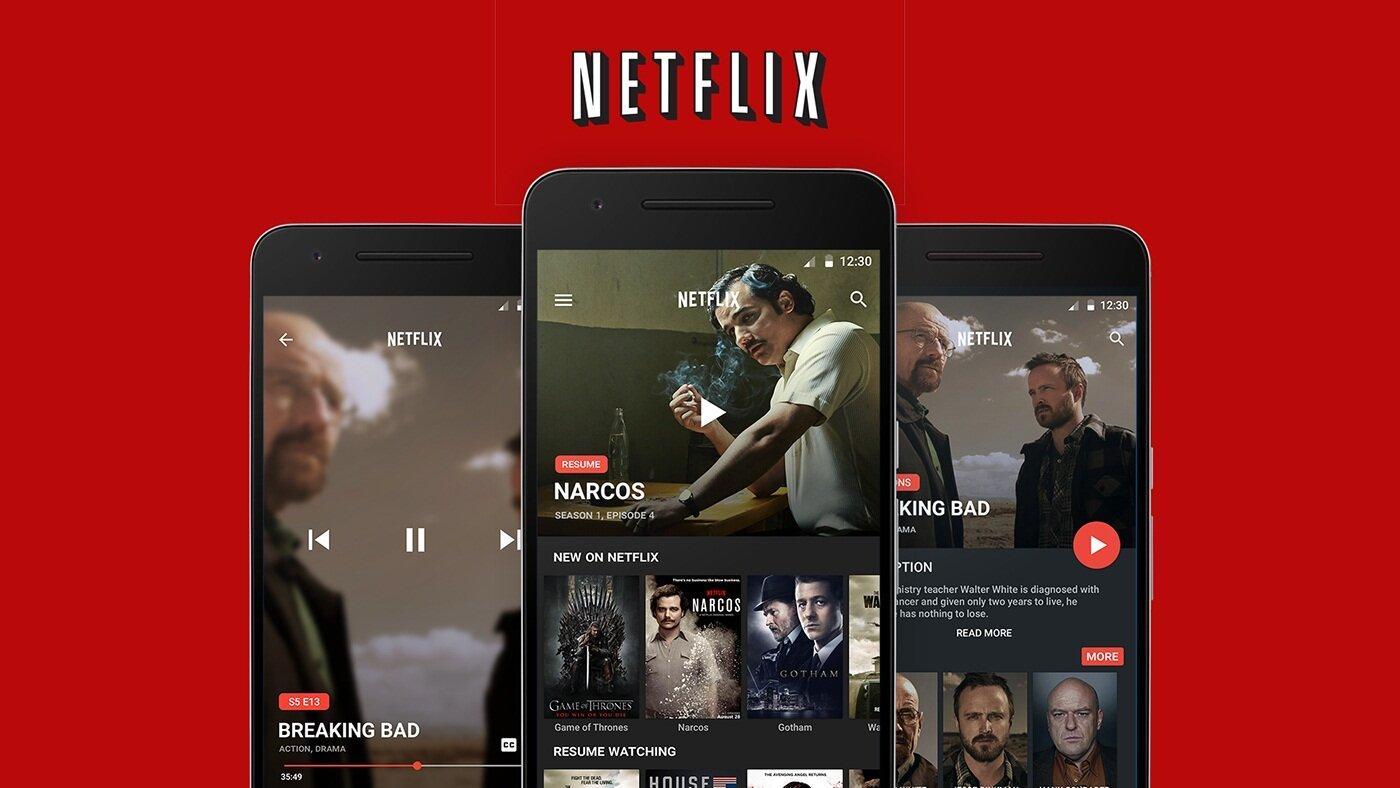
<p>Dịch vụ truyền hình Netflix hiện có gần 220 triệu người đăng ký trên khắp thế giới, trong đó sự tăng trưởng lớn diễn ra trong suốt năm 2020 do nhiều người phải ở nhà trong giai đoạn đại dịch COVID-19. Netflix cũng là ứng dụng video trực tuyến theo yêu cầu duy nhất lọt vào danh sách top 20 này.</p>
<figure id="attachment_564835" aria-describedby="caption-attachment-564835" style="width: 1400px" class="wp-caption aligncenter"><img loading="lazy" class="wp-image-564835 size-full" title="Ứng dụng Netflix trên điện thoại Android (Ảnh: Internet)." src="https://bloganchoi.com/wp-content/uploads/2022/07/ung-dung-android-5.jpg" alt="Ứng dụng Netflix trên điện thoại Android (Ảnh: Internet)." width="1400" height="788" srcset="https://bloganchoi.com/wp-content/uploads/2022/07/ung-dung-android-5.jpg 1400w, https://bloganchoi.com/wp-content/uploads/2022/07/ung-dung-android-5-300x169.jpg 300w, https://bloganchoi.com/wp-content/uploads/2022/07/ung-dung-android-5-1024x576.jpg 1024w, https://bloganchoi.com/wp-content/uploads/2022/07/ung-dung-android-5-768x432.jpg 768w, https://bloganchoi.com/wp-content/uploads/2022/07/ung-dung-android-5-696x392.jpg 696w, https://bloganchoi.com/wp-content/uploads/2022/07/ung-dung-android-5-1068x601.jpg 1068w, https://bloganchoi.com/wp-content/uploads/2022/07/ung-dung-android-5-746x420.jpg 746w" sizes="(max-width: 1400px) 100vw, 1400px" /><figcaption id="caption-attachment-564835" class="wp-caption-text">Ứng dụng Netflix trên điện thoại Android (Ảnh: Internet).</figcaption></figure>
<p>Không chỉ phát các chương trình hay được nhiều người yêu thích suốt nhiều năm qua, Netflix còn tự sản xuất các nội dung gốc có chất lượng cao và góp phần thu hút người xem ngày càng nhiều hơn. Tuy nhiên hiện nay tốc độ tăng trưởng của họ đang bắt đầu chậm lại khi ngày càng có nhiều đối thủ cạnh tranh trong lĩnh vực truyền hình trực tuyến.</p>
<p><strong><a href="https://bloganchoi.com/xredirect/?afflink=0&amp%3Bgl=US&amp%3Bhl=vi&gl=US&hl=vi&id=com.netflix.mediaclient&nofollow=1&noindex=1&outlink=1&rdtp=header&utm_campaign=bloganchoi.com%7C%7Cbloganchoi.com%7C%7Cbloganchoi.com&utm_content=bloganchoi.com&utm_medium=%7C%7Chttps%3A%2F%2Fplay.google.com%2Fstore%2Fapps%2Fdetails%3Fid%3Dcom.netflix.mediaclient%26amp%3Bhl%3Dvi%26amp%3Bgl%3DUS%7C%7C&utm_source=https%3A%2F%2Fbloganchoi.com%2Fdang-nhap-facebook%2F&utm_term=bloganchoi.com&wafx=1&wpaflt=80c08a46&wpaflt_url_domain=google.com&wpaflt_url_host=play.google.com&wppepvndtecrv=C5t-mzX-qdPYChh6LZguGOqIopZNU2lfiH0x0thrBz4_Fz1tkSXl-z9x6C7wrte-6gziwPoCwb0ZPPAEt_psjczC5UbGwqY3dLOvxVfDZkQ-RscOzUH18x27xrUBRPHTgCrJ-rtiNP8CuKa9F_reSBiNYNPvSHIJRMrya8u9hroczR-A8C05jQ3g_CN_0aH-r2Q7bK59ngBjNVmmjFlBQClnx-ArlnF1w3Ycacmusw1EWJfrRbKRaklJgfy6gIiq0g-WZoZ5AJxHUWBGmoVArotcW9HWCDTfoW3Z3rRB7hAAzft-q-hhB6nPWQBK4sRbjEhDOxEM8Qe443DwTGFLy6FUkKzsKZ9Z106Cw4ABhAOTZZFi2vspaHsR-sbXjzlqpon_GyS7Rxspj-4T-z0URjTIDZzGMnd_56QbTSj4FM2Tbw0CQqUgO-niJklPELLFqT9zezBMMRVb7q8vgLdGhCbVrO2iAkKZ40DSWo5MvsFQXLL1aJoCjbhZH3i3fvtmmgjosycVrfP8Gt51lCkDyPLpRyGlhJ_tp8q81FiLrmb-d95bIEG_kxfYhJI0GjgmSiTZY1lp9XciwYdkbfhW4gwfSeK3Ca698IVMALg1cJg4mH39CoITs2M8hju0raOdX384oiPUqwmexh0anHW_AP7g5Fxcd-LrGX1O7S5LIDU4idvc_7lwTsY5d6LEHodVrVfbgw9SCKvRrH0aQUGmp5vZOfOxAjmb-PDORo-b1l4lwkO6D__veszne5jqlMyrFiVVz5pmK4IpLylx5sd_ONPW6JLqSE-GEFQTFg7tyJeokk3jv_59Gyl-3KF6_rUjwNpEOQvzuiV0IXU2MS6C7cCuJP63l9LV-8HA88BXIBwsljE7p5gvzoZHC2h8p6TEe2H2Nhj8QSXcFXd1Lzu80Zm4EzbJ_0GBriYK6vNzEeVh2rwU2Vu01bmzxfrDwkvNgvGEuvyJHJ_Ak3gFWNc4" target="_blank" rel="nofollow">Tải Netflix cho Android tại đây</a></strong></p>
<p><iframe loading="lazy" class="youtube-player" width="640" height="360" src="https://www.youtube.com/embed/T7Nvmbc8Uaw?version=3&#038;rel=1&#038;showsearch=0&#038;showinfo=1&#038;iv_load_policy=1&#038;fs=1&#038;hl=vi&#038;autohide=2&#038;wmode=transparent" allowfullscreen="true" style="border:0;" sandbox="allow-scripts allow-same-origin allow-popups allow-presentation"></iframe></p>
<h2><strong>7. SHAREit: 2,039 tỷ lượt tải xuống</strong></h2>
<p>Bạn nghĩ rằng các ứng dụng được tải nhiều nhất trên điện thoại chỉ là mạng xã hội và game giải trí? SHAREit là một ngoại lệ, đây là ứng dụng hỗ trợ làm việc đầu tiên lọt vào danh sách này mà không phải do Google phát triển.</p>
<figure id="attachment_564837" aria-describedby="caption-attachment-564837" style="width: 782px" class="wp-caption aligncenter"><img loading="lazy" class="wp-image-564837 size-full" title="Ứng dụng SHAREit trên điện thoại Android (Ảnh: Internet)." src="https://bloganchoi.com/wp-content/uploads/2022/07/ung-dung-android-6.jpg" alt="Ứng dụng SHAREit trên điện thoại Android (Ảnh: Internet)." width="782" height="500" srcset="https://bloganchoi.com/wp-content/uploads/2022/07/ung-dung-android-6.jpg 782w, https://bloganchoi.com/wp-content/uploads/2022/07/ung-dung-android-6-300x192.jpg 300w, https://bloganchoi.com/wp-content/uploads/2022/07/ung-dung-android-6-768x491.jpg 768w, https://bloganchoi.com/wp-content/uploads/2022/07/ung-dung-android-6-696x445.jpg 696w, https://bloganchoi.com/wp-content/uploads/2022/07/ung-dung-android-6-657x420.jpg 657w" sizes="(max-width: 782px) 100vw, 782px" /><figcaption id="caption-attachment-564837" class="wp-caption-text">Ứng dụng SHAREit trên điện thoại Android (Ảnh: Internet).</figcaption></figure>
<p>Ứng dụng giúp bạn có thể chuyển các file có dung lượng lớn từ thiết bị này sang thiết bị khác một cách cực kỳ nhanh chóng và đơn giản. Theo thông tin của nhà phát triển, tốc độ của SHAREit nhanh hơn Bluetooth tới 200 lần.</p>
<p><strong><a href="https://bloganchoi.com/xredirect/?afflink=0&amp%3Bgl=US&amp%3Bhl=vi&gl=US&hl=vi&id=com.lenovo.anyshare.gps&nofollow=1&noindex=1&outlink=1&rdtp=header&utm_campaign=bloganchoi.com%7C%7Cbloganchoi.com%7C%7Cbloganchoi.com&utm_content=bloganchoi.com&utm_medium=%7C%7Chttps%3A%2F%2Fplay.google.com%2Fstore%2Fapps%2Fdetails%3Fid%3Dcom.lenovo.anyshare.gps%26amp%3Bhl%3Dvi%26amp%3Bgl%3DUS%7C%7C&utm_source=https%3A%2F%2Fbloganchoi.com%2Fdang-nhap-facebook%2F&utm_term=bloganchoi.com&wafx=1&wpaflt=80c08a46&wpaflt_url_domain=google.com&wpaflt_url_host=play.google.com&wppepvndtecrv=d_lM9NTf1XMooqPQqnDePrBSp6TQ_KOMONpC17n5MzDjkMbo_VTEwC9pTe4E66MDd_tl7pis9ErJcNzB3ZgLoULlbvdouOanYDdG2nmXRBwF914G1HoDocdzEXdyXRi1L2ZhvqC9_hzLqRcwZK8WleMEvh0_e4eqdfVjCoLxkmStEeAFCSP_NpS_5tFL7jZVbDpJN_p44t-MZbWU9_lMixsK9xD1T5ieDEhrA9_039ZQf5eUojHr3oHtRHh0BSkLsO8wOTCh8HYabrAGYLlr9nB5mn0jZPungy6atHugfm0e7sKeas4JAmrY72GBx2Yl1nN5J6fiW18ayaYIJQuXDxt9pKfBa10P-Rf1SEf_EV9RJ7eXki5VmDTCywibU21ORAf8T1jdkw45JL6mYA0lIvS79xyNa63mDUw7JmunUCZV7bMivPddh6ueT0IMHwSbGtCmLzTeeZRCDgDSTEh9F6g9TMkbg76YCOKpkUmxEkz6HzTC8zUX6ewWLIgs_1h5MKNNgwegd9yrwXuerc_13qtB4UKIZ-6YldtUVbErWoaYQU_dmWtSUM9r7M8yE5E_84WnZ51_voPWOzJ5zUWh0Ic7-Yjk2A0tAumneqsURKGotknyoBrLMkUL89QSANMaXEdkyxL-nYisMnfZHv5xIaMoWhskGYXjguSWM2fwb-wKtrQyrWBeeSjKrknfM_DMrBlJS5wLYgmj1MTrgOyhsyvRD3cAqO-ZD-mxhfpShnpuUbXV5ciwZRJR4XzEInpRn-iBltK4Pj6ZXxsON3C1BoNnp9N0dddaCRw-9Bhl5y-0z-V_ybquxH3rQSmYh-xWE1xboTcngangwyklpYP-tBON7mKa0NI6s-WKqjFWO4f7xVNCgMu6L4J44r4UJBAjBw4wGFkjiazE7I78SkDzBvB8VzQQrD_Cl0NPUKwJGnm1RUeLU5QXSVCDdR7lrlE4InhgAah4Bq-QN2v565OT" target="_blank" rel="nofollow">Tải SHAREit cho Android tại đây</a></strong></p>
<p><iframe loading="lazy" class="youtube-player" width="640" height="360" src="https://www.youtube.com/embed/moFJUwMAYWQ?version=3&#038;rel=1&#038;showsearch=0&#038;showinfo=1&#038;iv_load_policy=1&#038;fs=1&#038;hl=vi&#038;autohide=2&#038;wmode=transparent" allowfullscreen="true" style="border:0;" sandbox="allow-scripts allow-same-origin allow-popups allow-presentation"></iframe></p>
<h2><strong>6. Facebook Lite: 2,537 tỷ lượt tải xuống</strong></h2>
<p>Đây là phiên bản Lite của ứng dụng Facebook được thiết kế gọn nhẹ hơn để phù hợp với các điện thoại có thông số không quá mạnh, ví dụ như RAM 1-2GB hay điện thoại đời cũ chỉ dùng được mạng 2G.</p>
<figure id="attachment_564840" aria-describedby="caption-attachment-564840" style="width: 1007px" class="wp-caption aligncenter"><img loading="lazy" class="wp-image-564840 size-full" title="Ứng dụng Facebook Lite trên điện thoại Android (Ảnh: Internet)." src="https://bloganchoi.com/wp-content/uploads/2022/07/ung-dung-android-7.jpg" alt="Ứng dụng Facebook Lite trên điện thoại Android (Ảnh: Internet)." width="1007" height="506" srcset="https://bloganchoi.com/wp-content/uploads/2022/07/ung-dung-android-7.jpg 1007w, https://bloganchoi.com/wp-content/uploads/2022/07/ung-dung-android-7-300x151.jpg 300w, https://bloganchoi.com/wp-content/uploads/2022/07/ung-dung-android-7-768x386.jpg 768w, https://bloganchoi.com/wp-content/uploads/2022/07/ung-dung-android-7-696x350.jpg 696w, https://bloganchoi.com/wp-content/uploads/2022/07/ung-dung-android-7-836x420.jpg 836w" sizes="(max-width: 1007px) 100vw, 1007px" /><figcaption id="caption-attachment-564840" class="wp-caption-text">Ứng dụng Facebook Lite trên điện thoại Android (Ảnh: Internet).</figcaption></figure>
<p>Có một vài tính năng của Facebook ở phiên bản Lite khác với phiên bản đầy đủ, nhưng về cơ bản các tính năng chính mà chúng ta thường dùng đều giống nhau và hoạt động trơn tru.</p>
<p><strong><a href="https://bloganchoi.com/xredirect/?afflink=0&amp%3Bgl=US&amp%3Bhl=vi&gl=US&hl=vi&id=com.facebook.lite&nofollow=1&noindex=1&outlink=1&rdtp=header&utm_campaign=bloganchoi.com%7C%7Cbloganchoi.com%7C%7Cbloganchoi.com&utm_content=bloganchoi.com&utm_medium=%7C%7Chttps%3A%2F%2Fplay.google.com%2Fstore%2Fapps%2Fdetails%3Fid%3Dcom.facebook.lite%26amp%3Bhl%3Dvi%26amp%3Bgl%3DUS%7C%7C&utm_source=https%3A%2F%2Fbloganchoi.com%2Fdang-nhap-facebook%2F&utm_term=bloganchoi.com&wafx=1&wpaflt=80c08a46&wpaflt_url_domain=google.com&wpaflt_url_host=play.google.com&wppepvndtecrv=BEyfnJwVeSw6lvcwlMDKP8vYVRbzy9FdE0H67jnDCC9vh08a9xyLKaA5e6QnSs1LPPLsu3Ghne96n-uZDl485ZJBCuzCK69bdJNvWdtLmaah_BmiMqPm1BLSb4vLq06tkG9KtVCLNXd5Ap4r5BqBr2TDEv-nVnNRXkiSQvBNtmYISUjYZGnnGv887POlBW0fXrXleZeXGqIA2YeKhxN4g9qZjL0NrWSYN92UhePD6gf03p4lB5-4IVKCfbhaCQJuD1tPe2CTRquvB1FauH10hHXP22iNrTzUIXJ3Gxm96SKZ8nx5TtTHwWf_MfRGzRRv1bCLyfBPMrN3S77lNP74c6EKe86lJZNy6JFNDM_KrjFTw3nE3xiIMtVjgatmMISCyXfqkQwDBAfXCsF_CSG6TGZClSWdToymRegvtqjJpqRkyDanJe-WqtaCMLc7x39hc-euNPJznzQklARXNggqedsotmnxUzkVsvf_hlbJfFQgeBQalxybnMRxlO1VAkGlDMKAi-NZyJm7JJN0026e6rrlbAzo0je7L9sghP9YgrsztfcZWELUU67RnICQV8rkY4T3NLUDMmD4b5bTXVzA8VuXeGPB4GPz59ztmzNJqEoW7xOBWe8HtrJaByl_hVSut4KT7CHkRSh3fUpjILTDCGXqhZeHBPDrkBK4zibRrrpTv1kNFnvcs-oGCqQTiN6QdESItXl6TD2QDfC032hBZpcTUe0snPt_Z9Fl5VYLKUUALvaN75cZioHoBvGtjb-jWXzWoG6p0bw4aFuoDFLo2V_pGTYpuwdRNYLFIDOtzUP9h9nd5jg_X89E0j5n7gUqJeUkcOHRAz-fqAFoB2Ouk19X0_4aOp1jB3ARw0GGpauMLYf6KnhEz3Co66aodX4nXlhv4Mu7Uw3CGM0ztl8VLGZ5iWpjROvY4tuKWb-WbRxU2QiXtqn3QYRRQ9Z0DwuNEWVD" target="_blank" rel="nofollow">Tải Facebook Lite cho Android tại đây</a></strong></p>
<p><iframe loading="lazy" class="youtube-player" width="640" height="360" src="https://www.youtube.com/embed/9AKB2Hj0NFc?version=3&#038;rel=1&#038;showsearch=0&#038;showinfo=1&#038;iv_load_policy=1&#038;fs=1&#038;hl=vi&#038;autohide=2&#038;wmode=transparent" allowfullscreen="true" style="border:0;" sandbox="allow-scripts allow-same-origin allow-popups allow-presentation"></iframe></p>
<h2><strong>5. TikTok: 2,843 tỷ lượt tải xuống</strong></h2>
<p>Sự tăng trưởng không ngừng của TikTok dường như ngày càng mạnh hơn và không có dấu hiệu dừng lại. Chức năng chính của ứng dụng này là tạo các video clip thời lượng ngắn và chia sẻ lên mạng xã hội. TikTok đã được rất nhiều người sử dụng và trở thành trend cực hot trong khoảng nửa đầu năm 2020, do đại dịch COVID-19 buộc mọi người phải ở nhà nhiều hơn.</p>
<p>TikTok đã vượt mốc 1 tỷ lượt tải xuống vào tháng 7/2019 và chỉ 2 năm sau đã tăng hơn gấp đôi con số đó.</p>
<p><strong><a href="https://bloganchoi.com/xredirect/?afflink=0&amp%3Bgl=US&amp%3Bhl=vi&gl=US&hl=vi&id=com.zhiliaoapp.musically&nofollow=1&noindex=1&outlink=1&rdtp=header&utm_campaign=bloganchoi.com%7C%7Cbloganchoi.com%7C%7Cbloganchoi.com&utm_content=bloganchoi.com&utm_medium=%7C%7Chttps%3A%2F%2Fplay.google.com%2Fstore%2Fapps%2Fdetails%3Fid%3Dcom.zhiliaoapp.musically%26amp%3Bhl%3Dvi%26amp%3Bgl%3DUS%7C%7C&utm_source=https%3A%2F%2Fbloganchoi.com%2Fdang-nhap-facebook%2F&utm_term=bloganchoi.com&wafx=1&wpaflt=80c08a46&wpaflt_url_domain=google.com&wpaflt_url_host=play.google.com&wppepvndtecrv=RiH1Gqipksf_SvPujA118qg1y8-1T1fWEqDCte19qLx2ipa45k4N84j33Y9sXl6y2v__wIdJK1nKl7BY8TbLWSNWYzCqlULZ_YwNWSeBqjaYQCGam83Ayxpi2tUmzb6PR1jCkDM-rhNv67rWlI4RKjqMicstPU3icCVSI6Nns4uEl57AknUKSYneVWGEqKYqE4foLH2YLmWDiYN8e2wlHQqndCVz-VBJ7MbhLYFLHtY0EcKNtxidzhkbyxbUFCkpoHInIw_3wFM_5efGFpQVGUOS7aJ-ZzUBZWdmQ8e6J8CzozRPg-HtHcdSRkCGGFQBZr4DRYQBjlZ-y7sbsZcj2U5sCAOfelV_WRemqEJcpSsnErtstGXjUl8iP0JFM3T-odriZpJKoS72DZdqDmQcjuKplGecr7OYMPr7RP8NoLjlx_yuzu2SZMyiBbz4WUa3zw4C5naq7nUC3fFiZcMuDZQDQHbkhZYJ7iJsHZghQgJJ-C6GZrdqyZDmhs75KQW2uojbVHTKEJNQSay7bjmiBcCVi5e32sApdhvav6ouqi28ov9NucRzyQIV7tAtiSLrwSxU4NkOCF77pSZwcV-Z1tpVaqKLmLD0KlpTditLv51NR7-xpmpDt5Llpdb88rJmx0_8HUh5b4BLge2OLSs7aHH1urJThxbhFqzZ-tBk-dRdxayuHtw4SaiDIJQHToOldWXDBu-_d9j2GXpP84JVNVYfnUqReJDs60n2lc2_opnOjxv12El-_TfzqCIR7UshDLpkD94huwR9q7KznLBLWTY_tn2xghaftMKjHwkiP_c9hWwTp9B6_o8K92uG6BoLX2hvk8hK0yxMlyr24mETxaZFUUHx-Hbs2bf2z7FqNaELxPLMDqymeVwzDkA3aRcHtEs7Fcyz0iKJS24wH0yTHYpPqyaEoLbg1u-y6eHr99VHTod0OfgmIGYYLqI8oZ_p6iaqrSWWgLqTf5Z4SNgGjWI." target="_blank" rel="nofollow">Tải TikTok cho Android tại đây</a></strong></p>
<p><iframe loading="lazy" class="youtube-player" width="640" height="360" src="https://www.youtube.com/embed/dDt5MVeBzsg?version=3&#038;rel=1&#038;showsearch=0&#038;showinfo=1&#038;iv_load_policy=1&#038;fs=1&#038;hl=vi&#038;autohide=2&#038;wmode=transparent" allowfullscreen="true" style="border:0;" sandbox="allow-scripts allow-same-origin allow-popups allow-presentation"></iframe></p>
<h2><strong>4. Instagram: 4,197 tỷ lượt tải xuống</strong></h2>
<p>Thuộc sở hữu của Meta từ năm 2012, Instagram là ứng dụng mạng xã hội chia sẻ hình ảnh hàng đầu hiện nay và điều đặc biệt là nó ít nhận được đánh giá tiêu cực trên Cửa hàng Google Play so với ứng dụng Facebook. Với các tính năng mới được bổ sung như Reels, Instagram chắc chắn sẽ còn được phổ biến rộng rãi hơn nữa trong tương lai.</p>
<p><strong><a href="https://bloganchoi.com/xredirect/?afflink=0&amp%3Bgl=US&amp%3Bhl=vi&gl=US&hl=vi&id=com.instagram.android&nofollow=1&noindex=1&outlink=1&rdtp=header&utm_campaign=bloganchoi.com%7C%7Cbloganchoi.com%7C%7Cbloganchoi.com&utm_content=bloganchoi.com&utm_medium=%7C%7Chttps%3A%2F%2Fplay.google.com%2Fstore%2Fapps%2Fdetails%3Fid%3Dcom.instagram.android%26amp%3Bhl%3Dvi%26amp%3Bgl%3DUS%7C%7C&utm_source=https%3A%2F%2Fbloganchoi.com%2Fdang-nhap-facebook%2F&utm_term=bloganchoi.com&wafx=1&wpaflt=80c08a46&wpaflt_url_domain=google.com&wpaflt_url_host=play.google.com&wppepvndtecrv=Sx3V1cmhUTMVvGanu4LiZi4I3srJ9uvtELF02xaIQIPVtDuMV2nrhlQVOflIvLSdKieEzgSOLj-7-lx6edjZRnYgLhL8lgvDu0eNFgIPP4vt1xJ2M91Op0fKvSmgxX4I5Kfn8In4zvnFkXeJ2i85whZrYEIEyXk_NKsZyKZ2N3EzIuTdoQ4CB3lnXPzCm7M7fHsnHJ4bl2l6VEYy0_1_xZy1JPNZaCY9EkllqS9p0R0kcSE8IUe3CY1R0qE2jauzySbGdSD6oah39E6DdJN2CJDBjefxhGOVyNrfkq43fsQYVV6c2g2DYYLi_P54FpGilFWjTRVkkUiQ2p-ZziurR236SlTx-UogVN-v42KC1Djfmzchr8yd6YjT5q8Gfao2K7QQkdX-_nv3F2vywEMwj8rD4lx4lNKKj9MLtaHWA7_gUlC5YfWmHN7CjAnFEzQlU44uqQ7maNQvf8H6gR8ZH5_nqoxFRZ2qPFnfDQkz-HhaaijDEHApGgYAkK7uouDFL5zgVTBckjrSx_yhuUON7iRXzVxcvKIdp8KRUkQfqNCOtreikrDJmuqp-FtddHoZjhu84Q4tbPAZItBJJzQKSUUw2VBpa37myuPznfkp5xm-JN0q_cWp-tAStzkNWdTPL1AM1s4lOST6xVttAX0rR8rh-yQ3EZr3cQsNJVOV9EQ2eLVxtarYZ66Oo1ro7Un4KF4EAA64noaonNACnd7R8oLDrj4gejEmbAyfbtdoWDT8J5E70l-N5onPiw6v2Ucj6c3KKjvS_N4YyNtN8AXrwavX3gx5NrMy_v6VTxxT5MMx98T1w0Ox5Avn1vQ-bwygWA_vi5AeiXr3EZjD0QwPb3x76BUtas4f553H_Jl01FnPJJDkfhvrPXLlpkcZmWMpRwBLpOMcFVWB0YOGV96cP0q0M8VGkWH3Q4cHuQR-nuMgFzTBbA-6V3xWxZJi_EiSKC7jlwm-YplAjwQ." target="_blank" rel="nofollow">Tải Instagram cho Android tại đây</a></strong></p>
<p><iframe loading="lazy" class="youtube-player" width="640" height="360" src="https://www.youtube.com/embed/n0LSIyR0UdI?version=3&#038;rel=1&#038;showsearch=0&#038;showinfo=1&#038;iv_load_policy=1&#038;fs=1&#038;hl=vi&#038;autohide=2&#038;wmode=transparent" allowfullscreen="true" style="border:0;" sandbox="allow-scripts allow-same-origin allow-popups allow-presentation"></iframe></p>
<h2><strong>3. Facebook Messenger: 5,67 tỷ lượt tải xuống</strong></h2>
<p>Ứng dụng nhắn tin Messenger là một công cụ lợi hại của Facebook và Meta nói chung để duy trì vị thế “bá chủ” của mình trên các nền tảng di động. Messenger ngày càng được sử dụng phổ biến trên khắp thế giới và cũng được tăng cường tính an toàn cho trẻ em. Người lớn có thể dễ dàng chỉnh sửa thông tin của con em mình trên app và sử dụng chế độ ngủ của Messenger để không ảnh hưởng đến trẻ trong thời gian học bài hoặc đi ngủ.</p>
<p><strong><a href="https://bloganchoi.com/xredirect/?afflink=0&amp%3Bgl=US&amp%3Bhl=vi&gl=US&hl=vi&id=com.facebook.orca&nofollow=1&noindex=1&outlink=1&rdtp=header&utm_campaign=bloganchoi.com%7C%7Cbloganchoi.com%7C%7Cbloganchoi.com&utm_content=bloganchoi.com&utm_medium=%7C%7Chttps%3A%2F%2Fplay.google.com%2Fstore%2Fapps%2Fdetails%3Fid%3Dcom.facebook.orca%26amp%3Bhl%3Dvi%26amp%3Bgl%3DUS%7C%7C&utm_source=https%3A%2F%2Fbloganchoi.com%2Fdang-nhap-facebook%2F&utm_term=bloganchoi.com&wafx=1&wpaflt=80c08a46&wpaflt_url_domain=google.com&wpaflt_url_host=play.google.com&wppepvndtecrv=56ZYmwwxIOlH74WmPx5FK3lNc3pEy0RNIjJVlmsNbBPEL4cto9VoSkhpspDYp5VjBskQ7pxBQJz5EqlgeZhULZLD18d1CxPXeAlL_pf3nZAQ4ZEJv2xpYSLpalPtSAWyUOdkoFOCtt9zu6W-fYkr1quGH2U4tVTkWrIueVhY33S4RwJxfn1OxEddUNQcN6lO9XMhTTEZu8fag3TlIg21sjToI5MBW1yZTebj0dJDrQEF7frkQn4rws3wBz-6J1H5Trc7-UatbDact-AUpBxScEEtkZDJR8i2WqGvo_fZJWzNeOxmgLdcFMg15WeRh4u1J6FKZsiYoK0lShCxCSkMwnXt4kPj6RgesWlygSOGUrFaFaQi93XB-ViArSa6B2gv1C0zVJlgZBQKgnZxNeFgZ1OsM-z4rAhm71p8M-KS31NEC7-3z6hK_DUeH1mlbDn4Fv2llyJxyoMD7nt03Z57BUrk5bScfa02fLaLq2QOug2gesWWXD4ZHRqva9LSmf6KVxPKQLu2i78MjfduIqAGp7qvXxvDF8WgWI7kWFUC4d5yFlA4Lr9qi0bT3KQn-X03xjkO4PrW4ujRYCJI1U6PoRTEgGCEosXBcG051Cl6kMHZM2cD99qkRjDZsuS8ONCu3DPjTOrZV0mhMAXoC8NavXNXhtxKRdHR_EKrpQl-l6hiwRjvgAfdJkbyFJryU88H3EeLaH8on5YaJh0kpUGbE7OmXn5ejxu21kBabSB98uyDD86zpvzZD63o9lE-O3f09SaOiGotM0CYJZCGquRnH2PFnSSG2E5xGCXNno_x262KNIb2c3pMeQr01cXTnXKe_bUse9MISDzhlCSXPKifVmCGJU7HlNPbOVFpGPXXqK36M0LkgXxGyeRyt6Nxkctt5_PKiMVWPnbMX0WdwoXPZDkJC1dKR31J3NYUgnypppx1AsPakP_O8Gc4atek-KtE_oU." target="_blank" rel="nofollow">Tải Facebook Messenger cho Android tại đây</a></strong></p>
<p><iframe loading="lazy" class="youtube-player" width="640" height="360" src="https://www.youtube.com/embed/UsUrzBNwp-s?version=3&#038;rel=1&#038;showsearch=0&#038;showinfo=1&#038;iv_load_policy=1&#038;fs=1&#038;hl=vi&#038;autohide=2&#038;wmode=transparent" allowfullscreen="true" style="border:0;" sandbox="allow-scripts allow-same-origin allow-popups allow-presentation"></iframe></p>
<h2><strong>2. Facebook: 6,95 tỷ lượt tải xuống</strong></h2>
<p>Chắc chắn Facebook luôn là một trong những ứng dụng được tải nhiều nhất trên thế giới, bất chấp những vụ bê bối đầy tai tiếng liên quan đến bảo mật dữ liệu người dùng và tác động xấu đến tâm lý khiến nhiều người kêu gọi tẩy chay và xóa app trên điện thoại.</p>
<p>Tuy nhiên trên Facebook cũng nhận tới 76 triệu lượt đánh giá xếp hạng 1 sao trên Google Play chứng tỏ ứng dụng này thực sự đang khiến nhiều người cảm thấy khó chịu.</p>
<p><strong><a href="https://bloganchoi.com/xredirect/?afflink=0&amp%3Bgl=US&amp%3Bhl=vi&gl=US&hl=vi&id=com.facebook.katana&nofollow=1&noindex=1&outlink=1&rdtp=header&utm_campaign=bloganchoi.com%7C%7Cbloganchoi.com%7C%7Cbloganchoi.com&utm_content=bloganchoi.com&utm_medium=%7C%7Chttps%3A%2F%2Fplay.google.com%2Fstore%2Fapps%2Fdetails%3Fid%3Dcom.facebook.katana%26amp%3Bhl%3Dvi%26amp%3Bgl%3DUS%7C%7C&utm_source=https%3A%2F%2Fbloganchoi.com%2Fdang-nhap-facebook%2F&utm_term=bloganchoi.com&wafx=1&wpaflt=80c08a46&wpaflt_url_domain=google.com&wpaflt_url_host=play.google.com&wppepvndtecrv=jpzE6oC2rVkcyRmETwfjubyxkOfOWmDbtuOgzeN4EhHLVrKsgK3Jx6eN__xW0aSC4QTJDQkwWPY8eRCnyguaebvWz8toj7WlA83Ad_nRRE-Noqhj1oGZT-kKQglNSUU18owGUfNzrTrtYi4uJtVsmfuuQ4WbSWfapVMnToGdJXW90bHSX2gHaD6DCyq0XoQX2uba1d0YamK4GUYqffnFvAPjo3sTpaY3uYfCxIkZgMRSk_YccYi3DtTJ-0-0o7RG9mUQAiOG_zsbsctxUeF9M8GxZgc_u8nTPL23Q3gCt6_gMD32Mjx15ExYkinegp5vSb4l2hhnl7zza2MEOgMOaVWNH-Z8NvRkx3fQTnRCQd6pn7yqrpb9m2QgBTutuoEAXd1H5CrOsVzGQ1vxVMgCqRTCt3RF06HVjXgfOTzbbSkTFsXiJCT5Q4FoFeoUnPXrpCr-pDCp3FXVIVTQqYYMaKX8QOZvvsHqdwy2aRuCZsn_Ocss4-l342G9M-rUNrA6ljWHBB98YZ-J4myKEuoQjN18aDSXKRpsfxvSsf2H5ywDk340qO-6r1rLeEoGEqso7HYCc-YhdnzfmqL7Zy_UihWEqEMZIg4MpnN83pwTJ6aA94raNFHUhK43Zg3j9HlpVnZkGu2qoF1RelQCPG6VlzXl0QyCvVFKZ6n_rs1m7nr1aT2NGovDQ75zuE8hgXy-NXpQ4hn0kfyr6NgXtiHes66cPE3fFCFvyss_7fwwdNYDSKTU3e2J9xpIcJkQK8IyrvPBHbbxC6E5tUEQ_sS2-Ab69fiBhKUJamu71R2oGHb9JdOAxTlG6Wk0CvR7u6MPRHuPahYJaY4LOP-1YYxDZLWtCmOP8zRnQ7_TWVRb8PH6ibdxBevJkKnlEwrWwsOhrrwJP0MMXgr2Nb16wl0XBcRYYq128JkB3ssFguLd_xY93ZOI91lDfFQqnM7smPACtKYqtPexiA.." target="_blank" rel="nofollow">Tải Facebook cho Android tại đây</a></strong></p>
<p><iframe loading="lazy" class="youtube-player" width="640" height="360" src="https://www.youtube.com/embed/9UxjuSpobQM?version=3&#038;rel=1&#038;showsearch=0&#038;showinfo=1&#038;iv_load_policy=1&#038;fs=1&#038;hl=vi&#038;autohide=2&#038;wmode=transparent" allowfullscreen="true" style="border:0;" sandbox="allow-scripts allow-same-origin allow-popups allow-presentation"></iframe></p>
<h2><strong>1. WhatsApp: 8,413 tỷ lượt tải xuống</strong></h2>
<p>Ứng dụng nhắn tin này đã có sự bứt phá ngoạn mục bởi vào tháng 7/2018 chỉ đứng thứ 3 trong danh sách này với 2,9 tỷ lượt tải xuống, nhưng đến hiện tại năm 2022 nó đã vươn lên vị trí đầu bảng.</p>
<figure id="attachment_564844" aria-describedby="caption-attachment-564844" style="width: 500px" class="wp-caption aligncenter"><img loading="lazy" class="wp-image-564844 size-full" title="Ứng dụng WhatsApp trên điện thoại Android (Ảnh: Internet)." src="https://bloganchoi.com/wp-content/uploads/2022/07/ung-dung-android-8.jpg" alt="Ứng dụng WhatsApp trên điện thoại Android (Ảnh: Internet)." width="500" height="500" srcset="https://bloganchoi.com/wp-content/uploads/2022/07/ung-dung-android-8.jpg 500w, https://bloganchoi.com/wp-content/uploads/2022/07/ung-dung-android-8-300x300.jpg 300w, https://bloganchoi.com/wp-content/uploads/2022/07/ung-dung-android-8-150x150.jpg 150w, https://bloganchoi.com/wp-content/uploads/2022/07/ung-dung-android-8-420x420.jpg 420w" sizes="(max-width: 500px) 100vw, 500px" /><figcaption id="caption-attachment-564844" class="wp-caption-text">Ứng dụng WhatsApp trên điện thoại Android (Ảnh: Internet).</figcaption></figure>
<p>WhatsApp là ứng dụng nhắn tin phổ biến nhất thế giới hiện nay, mặc dù ít được sử dụng ở một số thị trường như châu Á và Bắc Mỹ. Nó đã được Meta (trước đây là Facebook) mua lại vào đầu năm 2014 với giá 19 tỷ USD.</p>
<p><strong><a href="https://bloganchoi.com/xredirect/?afflink=0&amp%3Bgl=US&amp%3Bhl=vi&gl=US&hl=vi&id=com.whatsapp&nofollow=1&noindex=1&outlink=1&rdtp=header&utm_campaign=bloganchoi.com%7C%7Cbloganchoi.com%7C%7Cbloganchoi.com&utm_content=bloganchoi.com&utm_medium=%7C%7Chttps%3A%2F%2Fplay.google.com%2Fstore%2Fapps%2Fdetails%3Fid%3Dcom.whatsapp%26amp%3Bhl%3Dvi%26amp%3Bgl%3DUS%7C%7C&utm_source=https%3A%2F%2Fbloganchoi.com%2Fdang-nhap-facebook%2F&utm_term=bloganchoi.com&wafx=1&wpaflt=80c08a46&wpaflt_url_domain=google.com&wpaflt_url_host=play.google.com&wppepvndtecrv=_fWgsjfyUq3Kpb-mSDRUz9TUaIv3YKMk6GgyusCwi83a5rTsCkF8W64uKk55TwXr5ev9_RiFW4Buu6nC5Ae62GmDgs3fGG0UQgMqfIeQHZ_Rt5A78MmTdDm-sAU8ZcWYTqB93rPQlm9PHfU4Qpt-VueRk79ujcPG3C1i7rY5SGyrqnoHde4NRXH6yCbWnkhBCJDa5Inq5b4ZGOdRoVGfxt7uL8VBOvbhIWTr-I0FKEq5fXFkgTAXOUCZSFPVreX0jg45w7p-kKvTgqaHDxEI2l-Z9HiVHCCYOq8dYipf93ZsLwj_RhNc2PYN9ra19mFwETmbr2NEc3ONIili3lRh6Xa1k78AHBKNnFGqe3Pk0rHh9zG5NVekMqgq5Q7UdKNvvAHYeuM74FkwId2aBd-mX6FjQgJSmo-OdoiNfQPIirZTWhrQCfvPxoJhmshNm3xOxx0jBhkKgqGPMw7wwQ9cgGcRxqNy8nuFm7YvU-y8gZSCmb4s0wfr7mjq6n7mbcOSgKm3tL2IO5BJJ-5oinUC-RbltYRtD0yjxaUTdz51tMUy-lyutJzyhwssU9tzY0smVLZpDxNNF4hFns3kyq9TCw9wfjc_8GiX7ILWItd6ZZ73FhbrUoFLNW5pUO2yt43R5yHcEYTIw2pQ9pCLFahf1xt6H5hFKm8fbb0eE_rWFiL9gbXB2g4CQkIxpIr3j68VbWfVA324e_m2FLOaYAeyA0kf5L-bwzGr9w3hxr22XW3hsTV6HIu11ndxy_sL3BZnbIBh0-OJGkk1XJKZsuO_jUr_-xSYJqvQw-XpUrrzs5kFC5s8cgu6WgrlbD4w1OqthuOZPV3h8JcKxgT1femv662OdtLaB_r1o5AzTNposQ_B6_FTAO9XMNpi_jC_3hP9ZjjJaSkSOWdYGFzsjs5hVQWqoyrpfTdJG3ffCU-4-7ikdxSSFJ7Na6M." target="_blank" rel="nofollow">Tải WhatsApp cho Android tại đây</a></strong></p>
<p><iframe loading="lazy" class="youtube-player" width="640" height="360" src="https://www.youtube.com/embed/BTPivZhKpWc?version=3&#038;rel=1&#038;showsearch=0&#038;showinfo=1&#038;iv_load_policy=1&#038;fs=1&#038;hl=vi&#038;autohide=2&#038;wmode=transparent" allowfullscreen="true" style="border:0;" sandbox="allow-scripts allow-same-origin allow-popups allow-presentation"></iframe></p>
<p>Trên đây là top 20 ứng dụng được tải nhiều nhất trên Android hiện nay. Bạn đang sử dụng những app nào trong số này? Hãy để lại ý kiến dưới phần bình luận nhé!</p>
<p><strong>Mời bạn xem thêm các bài viết liên quan:</strong></p>
<ul>
<li><strong><a href="https://bloganchoi.com/top-10-game-mobile-mien-phi-hay-nhat-tren-android/">Top 10 game mobile miễn phí hay nhất trên Android hiện nay để bạn không bao giờ buồn chán lúc rảnh rỗi!</a></strong></li>
<li><strong><a href="https://bloganchoi.com/huong-dan-tai-va-su-dung-app-xingtu-cho-android-va-ios-phien-ban-moi-nhat/">Hướng dẫn tải và sử dụng app Xingtu phiên bản mới nhất cho Android và iOS</a></strong></li>
</ul>
<p>Hãy theo dõi BlogAnChoi để cập nhật nhiều thông tin bổ ích nhé!</p>]]></content>
		
					<link rel="replies" type="text/html" href="https://bloganchoi.com/ung-dung-tai-nhieu-nhat-android-app-mang-xa-hoi-game-mobile/#comments" thr:count="0" />
			<link rel="replies" type="application/atom+xml" href="https://bloganchoi.com/ung-dung-tai-nhieu-nhat-android-app-mang-xa-hoi-game-mobile/feed/atom/" thr:count="0" />
			<thr:total>0</thr:total>
			</entry>
		<entry>
		<author>
			<name>thanhlong</name>
					</author>

		<title type="html"><![CDATA[8 mẹo giúp điện thoại chạy nhanh mượt như mới, cực đơn giản mà có thể bạn chưa biết]]></title>
		<link rel="alternate" type="text/html" href="https://bloganchoi.com/meo-giup-dien-thoai-chay-nhanh-muot-nhu-moi/" />

		<id>https://bloganchoi.com/?p=495968</id>
		<updated>2022-03-18T03:19:22Z</updated>
		<published>2022-03-09T00:45:10Z</published>
		<category scheme="https://bloganchoi.com" term="Điện thoại" /><category scheme="https://bloganchoi.com" term="Cách để điện thoại chạy nhanh" /><category scheme="https://bloganchoi.com" term="chế độ tiết kiệm dữ liệu chrome" /><category scheme="https://bloganchoi.com" term="Dọn dẹp" /><category scheme="https://bloganchoi.com" term="dọn dẹp điện thoại" /><category scheme="https://bloganchoi.com" term="điện thoại" /><category scheme="https://bloganchoi.com" term="điện thoại bị chậm" /><category scheme="https://bloganchoi.com" term="đơn giản" /><category scheme="https://bloganchoi.com" term="Facebook Lite" /><category scheme="https://bloganchoi.com" term="khởi động lại điện thoại" /><category scheme="https://bloganchoi.com" term="Messenger Lite" /><category scheme="https://bloganchoi.com" term="nâng cấp" /><category scheme="https://bloganchoi.com" term="nhiệt độ" /><category scheme="https://bloganchoi.com" term="phần mềm" /><category scheme="https://bloganchoi.com" term="phiên bản" /><category scheme="https://bloganchoi.com" term="tăng tốc điện thoại" /><category scheme="https://bloganchoi.com" term="tiết kiệm" /><category scheme="https://bloganchoi.com" term="ứng dụng" />
		<summary type="html"><![CDATA[Sau một thời gian sử dụng, chiếc điện thoại của bạn đã bắt đầu “rùa bò” khiến bạn khó chịu khi lướt web, chơi game. Vậy làm thế nào để điện thoại chạy nhanh như mới? Có phải cập nhật phần mềm thường xuyên là tốt? Dưới đây là 8 mẹo đơn giản giúp tăng]]></summary>

					<content type="html" xml:base="https://bloganchoi.com/meo-giup-dien-thoai-chay-nhanh-muot-nhu-moi/"><![CDATA[<p><strong>Sau một thời gian sử dụng, chiếc điện thoại của bạn đã bắt đầu “rùa bò” khiến bạn khó chịu khi lướt web, chơi game. Vậy làm thế nào để điện thoại chạy nhanh như mới? Có phải cập nhật phần mềm thường xuyên là tốt? Dưới đây là 8 mẹo đơn giản giúp tăng tốc cho điện thoại có thể bạn chưa biết.</strong></p>
<p><span id="more-495968"></span></p>
<h2><strong>1. Tắt máy khởi động lại điện thoại 3 lần một tuần</strong></h2>
<p>Theo thời gian sử dụng, RAM (bộ nhớ truy cập ngẫu nhiên) của điện thoại ngày càng bị đầy do chúng ta liên tục sử dụng và tải xuống các ứng dụng mới. Cách tốt nhất để giải phóng dung lượng để điện thoại hoạt động nhanh hơn là khởi động lại máy thường xuyên, khoảng 3 lần một tuần. Bằng cách này, toàn bộ RAM sẽ được xóa sạch và bạn sẽ có một chiếc điện thoại gần như mới.</p>
<figure id="attachment_497213" aria-describedby="caption-attachment-497213" style="width: 728px" class="wp-caption aligncenter"><img loading="lazy" class="wp-image-497213 size-full" title="Khởi động lại điện thoại để chạy mượt hơn (Nguồn: Internet)" src="https://bloganchoi.com/wp-content/uploads/2022/03/meo-dien-thoai-chay-nhanh.jpg" alt="Khởi động lại điện thoại để chạy mượt hơn (Nguồn: Internet)" width="728" height="728" srcset="https://bloganchoi.com/wp-content/uploads/2022/03/meo-dien-thoai-chay-nhanh.jpg 728w, https://bloganchoi.com/wp-content/uploads/2022/03/meo-dien-thoai-chay-nhanh-300x300.jpg 300w, https://bloganchoi.com/wp-content/uploads/2022/03/meo-dien-thoai-chay-nhanh-150x150.jpg 150w, https://bloganchoi.com/wp-content/uploads/2022/03/meo-dien-thoai-chay-nhanh-696x696.jpg 696w, https://bloganchoi.com/wp-content/uploads/2022/03/meo-dien-thoai-chay-nhanh-420x420.jpg 420w" sizes="(max-width: 728px) 100vw, 728px" /><figcaption id="caption-attachment-497213" class="wp-caption-text">Khởi động lại điện thoại để chạy mượt hơn (Nguồn: Internet)</figcaption></figure>
<p>Để thuận tiện hơn, bạn có thể cài đặt chế độ tự khởi động lại điện thoại vào ngày giờ tùy ý muốn, không cần phải làm thủ công.</p>
<p><iframe loading="lazy" class="youtube-player" width="640" height="360" src="https://www.youtube.com/embed/Nk4KxxgYkC4?version=3&#038;rel=1&#038;showsearch=0&#038;showinfo=1&#038;iv_load_policy=1&#038;fs=1&#038;hl=vi&#038;autohide=2&#038;wmode=transparent" allowfullscreen="true" style="border:0;" sandbox="allow-scripts allow-same-origin allow-popups allow-presentation"></iframe></p>
<h2><strong>2. Chỉ cập nhật ứng dụng trên điện thoại bằng Wi-Fi bên ngoài</strong></h2>
<p>Chúng ta đều biết cập nhật ứng dụng cho điện thoại là điều cần thiết, nhưng bạn không nên làm điều đó khi đang sử dụng dữ liệu mạng của điện thoại. Lý do là vì nhiều ứng dụng có dung lượng quá lớn và ngốn dữ liệu rất nhanh, làm chậm hiệu suất của điện thoại.</p>
<figure id="attachment_497215" aria-describedby="caption-attachment-497215" style="width: 800px" class="wp-caption aligncenter"><img loading="lazy" class="wp-image-497215 size-full" title="Cập nhật phần mềm tốn nhiều dung lượng mạng (Nguồn: Internet)" src="https://bloganchoi.com/wp-content/uploads/2022/03/meo-dien-thoai-chay-nhanh-1.jpg" alt="Cập nhật phần mềm tốn nhiều dung lượng mạng (Nguồn: Internet)" width="800" height="600" srcset="https://bloganchoi.com/wp-content/uploads/2022/03/meo-dien-thoai-chay-nhanh-1.jpg 800w, https://bloganchoi.com/wp-content/uploads/2022/03/meo-dien-thoai-chay-nhanh-1-300x225.jpg 300w, https://bloganchoi.com/wp-content/uploads/2022/03/meo-dien-thoai-chay-nhanh-1-768x576.jpg 768w, https://bloganchoi.com/wp-content/uploads/2022/03/meo-dien-thoai-chay-nhanh-1-80x60.jpg 80w, https://bloganchoi.com/wp-content/uploads/2022/03/meo-dien-thoai-chay-nhanh-1-265x198.jpg 265w, https://bloganchoi.com/wp-content/uploads/2022/03/meo-dien-thoai-chay-nhanh-1-696x522.jpg 696w, https://bloganchoi.com/wp-content/uploads/2022/03/meo-dien-thoai-chay-nhanh-1-560x420.jpg 560w" sizes="(max-width: 800px) 100vw, 800px" /><figcaption id="caption-attachment-497215" class="wp-caption-text">Cập nhật phần mềm tốn nhiều dung lượng mạng (Nguồn: Internet)</figcaption></figure>
<p>Để khắc phục điều đó, bạn hãy vào phần cài đặt của điện thoại và chọn Wi-Fi làm cách duy nhất để cập nhật ứng dụng. Tốt nhất là không nên sử dụng dữ liệu mạng của điện thoại để cập nhật các ứng dụng nặng hơn 100 MB.</p>
<p>Một lý do khác nên hạn chế dùng dữ liệu mạng là vì nó thường làm chậm điện thoại. Tùy theo khoảng cách của bạn với trạm phát sóng di động hoặc các vật cản xung quanh như tường nhà, dữ liệu mạng có thể bị yếu và chậm, vì vậy bạn không chỉ mất nhiều thời gian chờ tải dữ liệu mà toàn bộ chiếc điện thoại cũng phải hoạt động “mệt” hơn, do đó tốn nhiều pin hơn.</p>
<h2><strong>3. Không bật chế độ màn hình xung quanh (ambient)</strong></h2>
<figure id="attachment_497216" aria-describedby="caption-attachment-497216" style="width: 1229px" class="wp-caption aligncenter"><img loading="lazy" class="wp-image-497216 size-full" title="Màn hình ambient hiện thông báo không cần mở khóa (Nguồn: Internet)" src="https://bloganchoi.com/wp-content/uploads/2022/03/meo-dien-thoai-chay-nhanh-2.jpg" alt="Màn hình ambient hiện thông báo không cần mở khóa (Nguồn: Internet)" width="1229" height="761" srcset="https://bloganchoi.com/wp-content/uploads/2022/03/meo-dien-thoai-chay-nhanh-2.jpg 1229w, https://bloganchoi.com/wp-content/uploads/2022/03/meo-dien-thoai-chay-nhanh-2-300x186.jpg 300w, https://bloganchoi.com/wp-content/uploads/2022/03/meo-dien-thoai-chay-nhanh-2-1024x634.jpg 1024w, https://bloganchoi.com/wp-content/uploads/2022/03/meo-dien-thoai-chay-nhanh-2-768x476.jpg 768w, https://bloganchoi.com/wp-content/uploads/2022/03/meo-dien-thoai-chay-nhanh-2-356x220.jpg 356w, https://bloganchoi.com/wp-content/uploads/2022/03/meo-dien-thoai-chay-nhanh-2-696x431.jpg 696w, https://bloganchoi.com/wp-content/uploads/2022/03/meo-dien-thoai-chay-nhanh-2-1068x661.jpg 1068w, https://bloganchoi.com/wp-content/uploads/2022/03/meo-dien-thoai-chay-nhanh-2-678x420.jpg 678w" sizes="(max-width: 1229px) 100vw, 1229px" /><figcaption id="caption-attachment-497216" class="wp-caption-text">Màn hình ambient hiện thông báo không cần mở khóa (Nguồn: Internet)</figcaption></figure>
<p>Màn hình ambient là một tính năng tuyệt vời cho phép bạn xem các thông báo trên điện thoại mà không cần mở khóa màn hình. Tuy nhiên nhược điểm của nó là cực kỳ hao pin điện thoại, gây hại về lâu dài. Không chỉ vậy, màn hình ambient luôn duy trì trạng thái bật 24/24, kể cả khi điện thoại đang sạc, do đó có thể khiến điện thoại lâu đầy pin hơn.</p>
<h2><strong>4. Bật chế độ tiết kiệm dữ liệu trong trình duyệt Chrome</strong></h2>
<p>Thực tế có khoảng 90% người dùng điện thoại chọn Chrome làm trình duyệt web thường xuyên, do đó việc cài đặt chế độ tiết kiệm dữ liệu sẽ giúp điện thoại ít bị tốn pin hơn. Chế độ này làm giảm 30% dung lượng các trang web hiển thị trên điện thoại và giảm 50% dung lượng video mà chúng ta xem, do đó điện thoại ít tốn dữ liệu hơn và có thể lướt web với tốc độ nhanh hơn nhiều.</p>
<p>Cách bật chế độ này rất đơn giản, bạn chỉ cần vào phần cài đặt của Chrome và bật tính năng tiết kiệm dữ liệu.</p>
<p><iframe loading="lazy" class="youtube-player" width="640" height="360" src="https://www.youtube.com/embed/fI-TTiuuS6s?version=3&#038;rel=1&#038;showsearch=0&#038;showinfo=1&#038;iv_load_policy=1&#038;fs=1&#038;hl=vi&#038;autohide=2&#038;wmode=transparent" allowfullscreen="true" style="border:0;" sandbox="allow-scripts allow-same-origin allow-popups allow-presentation"></iframe></p>
<h2><strong>5. Dọn dẹp bộ nhớ hệ thống thường xuyên</strong></h2>
<p>Thông thường, hệ điều hành Android được lập trình để tự đóng các ứng dụng không cần thiết, nhưng bạn cũng có thể tự làm việc này thủ công. Dọn sạch bộ nhớ hệ thống thường xuyên sẽ giúp tăng tốc độ điện thoại.</p>
<figure id="attachment_497219" aria-describedby="caption-attachment-497219" style="width: 896px" class="wp-caption aligncenter"><img loading="lazy" class="wp-image-497219 size-full" title="Đóng các ứng dụng không cần thiết để điện thoại chạy mượt hơn (Nguồn: Internet)" src="https://bloganchoi.com/wp-content/uploads/2022/03/meo-dien-thoai-chay-nhanh-3.jpg" alt="Đóng các ứng dụng không cần thiết để điện thoại chạy mượt hơn (Nguồn: Internet)" width="896" height="504" srcset="https://bloganchoi.com/wp-content/uploads/2022/03/meo-dien-thoai-chay-nhanh-3.jpg 896w, https://bloganchoi.com/wp-content/uploads/2022/03/meo-dien-thoai-chay-nhanh-3-300x169.jpg 300w, https://bloganchoi.com/wp-content/uploads/2022/03/meo-dien-thoai-chay-nhanh-3-768x432.jpg 768w, https://bloganchoi.com/wp-content/uploads/2022/03/meo-dien-thoai-chay-nhanh-3-696x392.jpg 696w, https://bloganchoi.com/wp-content/uploads/2022/03/meo-dien-thoai-chay-nhanh-3-747x420.jpg 747w" sizes="(max-width: 896px) 100vw, 896px" /><figcaption id="caption-attachment-497219" class="wp-caption-text">Đóng các ứng dụng không cần thiết để điện thoại chạy mượt hơn (Nguồn: Internet)</figcaption></figure>
<p>Có nhiều ứng dụng giúp bạn làm việc này, nhưng chúng lại chiếm dung lượng trong điện thoại và đôi khi làm hao pin. Dọn dẹp bằng cách thủ công sẽ chính xác hơn bất kỳ ứng dụng nào.</p>
<h2><strong>6. Cài đặt phiên bản “lite” của các ứng dụng</strong></h2>
<p>Ngay cả những chiếc điện thoại mới mua cũng có thể gặp khó khăn khi chạy các ứng dụng nặng, do đó làm chậm tốc độ. Giải pháp là hãy tải các phiên bản “lite” của ứng dụng, đó là phiên bản có dung lượng nhẹ hơn nhiều so với phiên bản chính thức, ví dụ như Facebook Lite hay Messenger Lite, bạn vẫn có thể sử dụng bình thường mà không làm điện thoại bị chậm.</p>
<figure id="attachment_497221" aria-describedby="caption-attachment-497221" style="width: 822px" class="wp-caption aligncenter"><img loading="lazy" class="wp-image-497221 size-full" title="Phiên bản lite có dung lượng nhẹ hơn (Nguồn: Internet)" src="https://bloganchoi.com/wp-content/uploads/2022/03/meo-dien-thoai-chay-nhanh-3-1.jpg" alt="Phiên bản lite có dung lượng nhẹ hơn (Nguồn: Internet)" width="822" height="501" srcset="https://bloganchoi.com/wp-content/uploads/2022/03/meo-dien-thoai-chay-nhanh-3-1.jpg 822w, https://bloganchoi.com/wp-content/uploads/2022/03/meo-dien-thoai-chay-nhanh-3-1-300x183.jpg 300w, https://bloganchoi.com/wp-content/uploads/2022/03/meo-dien-thoai-chay-nhanh-3-1-768x468.jpg 768w, https://bloganchoi.com/wp-content/uploads/2022/03/meo-dien-thoai-chay-nhanh-3-1-696x424.jpg 696w, https://bloganchoi.com/wp-content/uploads/2022/03/meo-dien-thoai-chay-nhanh-3-1-689x420.jpg 689w" sizes="(max-width: 822px) 100vw, 822px" /><figcaption id="caption-attachment-497221" class="wp-caption-text">Phiên bản lite có dung lượng nhẹ hơn (Nguồn: Internet)</figcaption></figure>
<p>Điều này đặc biệt quan trọng nếu điện thoại của bạn đã cũ và bộ nhớ bị đầy. Một số phiên bản ứng dụng lite nhẹ đến mức có thể chạy được trên các điện thoại chỉ có RAM 1GB.</p>
<h2><strong>7. Không nên cập nhật và nâng cấp phần mềm quá nhiều</strong></h2>
<p>Cách này nghe có vẻ vô lý, vì mọi người thường nói rằng cập nhật phần mềm giúp điện thoại chạy mượt hơn. Nhưng nếu điện thoại của bạn không còn mới thì việc nâng cấp các phiên bản phần mềm mới sẽ làm chậm điện thoại. Ngoài ra, nếu bộ nhớ của điện thoại đã gần đầy thì việc tải thêm các bản cập nhật sẽ càng làm chậm điện thoại.</p>
<p>Hãy nhớ rằng bạn có thể tiếp tục sử dụng điện thoại Android như bình thường mà không cần cập nhật, chỉ có nhược điểm duy nhất là bạn sẽ không nhận được các tính năng mới do nhà phát triển phần mềm bổ sung thêm. Vì vậy nếu bạn chỉ cần chức năng cơ bản thì không nhất thiết phải cập nhật quá nhiều.</p>
<h2><strong>8. Tránh để điện thoại tiếp xúc với nhiệt độ quá nóng hoặc quá lạnh</strong></h2>
<figure id="attachment_497225" aria-describedby="caption-attachment-497225" style="width: 764px" class="wp-caption aligncenter"><img loading="lazy" class="wp-image-497225 size-full" title="Nhiệt độ quá nóng hay quá lạnh đều không tốt (Nguồn: Internet)" src="https://bloganchoi.com/wp-content/uploads/2022/03/meo-dien-thoai-chay-nhanh-3-5.jpg" alt="Nhiệt độ quá nóng hay quá lạnh đều không tốt (Nguồn: Internet)" width="764" height="504" srcset="https://bloganchoi.com/wp-content/uploads/2022/03/meo-dien-thoai-chay-nhanh-3-5.jpg 764w, https://bloganchoi.com/wp-content/uploads/2022/03/meo-dien-thoai-chay-nhanh-3-5-300x198.jpg 300w, https://bloganchoi.com/wp-content/uploads/2022/03/meo-dien-thoai-chay-nhanh-3-5-696x459.jpg 696w, https://bloganchoi.com/wp-content/uploads/2022/03/meo-dien-thoai-chay-nhanh-3-5-637x420.jpg 637w" sizes="(max-width: 764px) 100vw, 764px" /><figcaption id="caption-attachment-497225" class="wp-caption-text">Nhiệt độ quá nóng hay quá lạnh đều không tốt (Nguồn: Internet)</figcaption></figure>
<p>Các thiết bị điện tử rất dễ bị hư pin nếu tiếp xúc với nhiệt độ quá lạnh hoặc quá nóng. Đây là lý do tại sao chúng ta không nên để điện thoại bị nắng chiếu trực tiếp vào những ngày quá nóng, và cũng không nên mang điện thoại ra ngoài trời lạnh. Nguyên tắc quan trọng cần nhớ là giữ cho điện thoại hơi ấm nhưng không đến mức quá nóng.</p>
<p>Trên đây là những cách giúp điện thoại của bạn chạy mượt như mới. Bạn có đang áp dụng những cách này cho điện thoại của mình không? Hãy để lại ý kiến dưới phần bình luận nhé!</p>
<p><strong>Mời bạn xem thêm các bài viết liên quan:</strong></p>
<ul>
<li><strong><a href="https://bloganchoi.com/iphone-14-co-gi-lieu-day-co-phai-chiec-dien-thoai-dang-duoc-cho-doi/">iPhone 14 có gì đặc biệt? Liệu đây có phải chiếc điện thoại đáng được chờ đợi?</a></strong></li>
<li><strong><a href="https://bloganchoi.com/tuyet-chieu-cay-game-dien-thoai-android/">8 tuyệt chiêu giúp điện thoại Android cày game mượt hơn gấp nhiều lần khiến bạn phải kinh ngạc</a></strong></li>
</ul>
<p>Hãy theo dõi BlogAnChoi để cập nhật nhiều thông tin bổ ích nhé!</p>]]></content>
		
					<link rel="replies" type="text/html" href="https://bloganchoi.com/meo-giup-dien-thoai-chay-nhanh-muot-nhu-moi/#comments" thr:count="0" />
			<link rel="replies" type="application/atom+xml" href="https://bloganchoi.com/meo-giup-dien-thoai-chay-nhanh-muot-nhu-moi/feed/atom/" thr:count="0" />
			<thr:total>0</thr:total>
			</entry>
		<entry>
		<author>
			<name>Dũng Nguyễn</name>
					</author>

		<title type="html"><![CDATA[10 cách bật Dark Mode Facebook trên iPhone, Android và PC]]></title>
		<link rel="alternate" type="text/html" href="https://bloganchoi.com/cach-bat-dark-mode-facebook-tren-iphone-android-pc/" />

		<id>https://bloganchoi.com/?p=403860</id>
		<updated>2021-08-07T03:33:13Z</updated>
		<published>2021-08-07T03:33:13Z</published>
		<category scheme="https://bloganchoi.com" term="Thủ thuật" /><category scheme="https://bloganchoi.com" term="cách bật chế độ tối" /><category scheme="https://bloganchoi.com" term="cách bật dark mode" /><category scheme="https://bloganchoi.com" term="cài đặt facebook" /><category scheme="https://bloganchoi.com" term="chế độ tối facebook" /><category scheme="https://bloganchoi.com" term="chế độ tối messenger" /><category scheme="https://bloganchoi.com" term="dark mode" /><category scheme="https://bloganchoi.com" term="dark mode facebook" /><category scheme="https://bloganchoi.com" term="dark mode facebook lite" /><category scheme="https://bloganchoi.com" term="dark mode trên android" /><category scheme="https://bloganchoi.com" term="dark mode trên iOS" /><category scheme="https://bloganchoi.com" term="dùng facebook vào buổi tối" /><category scheme="https://bloganchoi.com" term="điện thoại" /><category scheme="https://bloganchoi.com" term="điện thoại Android" /><category scheme="https://bloganchoi.com" term="Facebook Lite" /><category scheme="https://bloganchoi.com" term="thiết bị" /><category scheme="https://bloganchoi.com" term="tính năng facebook" />
		<summary type="html"><![CDATA[Dark Mode, hay chế độ tối là một tính năng được rất nhiều người dùng quan tâm hiện nay. Trong bài viết này, BlogAnChoi sẽ hướng dẫn độc giả 10 cách kích hoạt dark mode Facebook dễ dàng nhất. 1. Bật Dark Mode Facebook bản Web Kể từ đầu năm 2021, Facebook đã triển khai]]></summary>

					<content type="html" xml:base="https://bloganchoi.com/cach-bat-dark-mode-facebook-tren-iphone-android-pc/"><![CDATA[<p><strong>Dark Mode, hay chế độ tối là một tính năng được rất nhiều người dùng quan tâm hiện nay. Trong bài viết này, BlogAnChoi sẽ hướng dẫn độc giả 10 cách kích hoạt dark mode Facebook dễ dàng nhất. </strong></p>
<p><span id="more-403860"></span></p>
<figure style="width: 940px" class="wp-caption aligncenter"><img loading="lazy" title="Chế độ Dark Mode trên Facebook đang được rất nhiều người dùng ưa chuộng (Ảnh: Internet)." src="https://bloganchoi.com/wp-content/uploads/2021/08/dark-mode-facebook-anh-bia.jpg" alt="Chế độ Dark Mode trên Facebook đang được rất nhiều người dùng ưa chuộng (Ảnh: Internet)." width="940" height="627" /><figcaption class="wp-caption-text">Chế độ Dark Mode trên Facebook đang được rất nhiều người dùng ưa chuộng (Ảnh: Internet).</figcaption></figure>
<h2><strong>1. Bật Dark Mode Facebook bản Web</strong></h2>
<p>Kể từ đầu năm 2021, Facebook đã triển khai giao diện mới cho phiên bản Web PC. Một trong những điểm mà người dùng chú ý nhất chính là tính năng giao diện tối. Thao tác để kích hoạt tính năng này rất đơn giản.</p>
<p><strong>Bước 1.</strong> Đăng nhập vào Facebook bản Web</p>
<figure style="width: 1324px" class="wp-caption aligncenter"><img loading="lazy" title="Bước 1. Đăng nhập vào Facebook trên Web (Ảnh: BlogAnChoi)." src="https://bloganchoi.com/wp-content/uploads/2021/07/dark-mode-facebook-1.jpg" alt="Bước 1. Đăng nhập vào Facebook trên Web (Ảnh: BlogAnChoi)." width="1324" height="969" /><figcaption class="wp-caption-text">Bước 1. Đăng nhập vào Facebook trên Web (Ảnh: BlogAnChoi).</figcaption></figure>
<p><strong>Bước 2.</strong> Bạn mở Menu ở góc phải, trên cùng của màn hình. Chọn mục &#8220;Màn hình &amp; trợ năng&#8221;.</p>
<figure style="width: 1325px" class="wp-caption aligncenter"><img loading="lazy" title="Bước 2: Mở menu góc phải, trên cùng của màn hình (Ảnh: BlogAnChoi)." src="https://bloganchoi.com/wp-content/uploads/2021/07/dark-mode-facebook-2.jpg" alt="Bước 2: Mở menu góc phải, trên cùng của màn hình (Ảnh: BlogAnChoi)." width="1325" height="969" /><figcaption class="wp-caption-text">Bước 2: Mở menu góc phải, trên cùng của màn hình (Ảnh: BlogAnChoi).</figcaption></figure>
<p><strong>Bước 3.</strong> Ở phần &#8220;Chế độ tối&#8221;, bạn chọn Bật</p>
<figure style="width: 1326px" class="wp-caption aligncenter"><img loading="lazy" title="Bước 3. Ở trong phần &quot;Màn hình và trợ năng&quot;, bạn chọn &quot;Bật&quot; ở Chế độ tối. (Ảnh: BlogAnChoi)." src="https://bloganchoi.com/wp-content/uploads/2021/07/dark-mode-facebook-3.jpg" alt="Bước 3. Ở trong phần &quot;Màn hình và trợ năng&quot;, bạn chọn &quot;Bật&quot; ở Chế độ tối. (Ảnh: BlogAnChoi)." width="1326" height="970" /><figcaption class="wp-caption-text">Bước 3. Ở trong phần &#8220;Màn hình và trợ năng&#8221;, bạn chọn &#8220;Bật&#8221; ở Chế độ tối. (Ảnh: BlogAnChoi).</figcaption></figure>
<p>Như vậy là toàn bộ giao diện trang Facebook đã được chuyển sang màu tối.</p>
<figure style="width: 1327px" class="wp-caption aligncenter"><img loading="lazy" title="Toàn bộ giao diện đã được chuyển sang chế độ tối (Ảnh: BlogAnChoi)." src="https://bloganchoi.com/wp-content/uploads/2021/07/dark-mode-facebook-4.jpg" alt="Toàn bộ giao diện đã được chuyển sang chế độ tối (Ảnh: BlogAnChoi)." width="1327" height="968" /><figcaption class="wp-caption-text">Toàn bộ giao diện đã được chuyển sang chế độ tối (Ảnh: BlogAnChoi).</figcaption></figure>
<p><iframe loading="lazy" class="youtube-player" width="640" height="360" src="https://www.youtube.com/embed/2OOAcIVuI5w?version=3&#038;rel=1&#038;showsearch=0&#038;showinfo=1&#038;iv_load_policy=1&#038;fs=1&#038;hl=vi&#038;autohide=2&#038;wmode=transparent" allowfullscreen="true" style="border:0;" sandbox="allow-scripts allow-same-origin allow-popups allow-presentation"></iframe></p>
<h2><strong>2. Bật Dark Mode Facebook cho iPhone</strong></h2>
<p>Chế độ Dark Mode Facebook đã được rất nhiều người dùng iPhone mong chờ, bởi lướt Facebook vào ban đêm đã và đang trở thành thói quen khó bỏ của nhiều người dùng. Việc kích hoạt Dark Mode Facebook trên iPhone cũng vô cùng dễ dàng, bất kỳ ai cũng đều có thể làm được.</p>
<p><strong>Bước 1</strong>. Bạn đăng nhập vào Facebook dành cho iPhone.</p>
<figure style="width: 1242px" class="wp-caption aligncenter"><img loading="lazy" title="Giao diện ứng dụng Facebook trên iPhone (Ảnh: BlogAnChoi)." src="https://bloganchoi.com/wp-content/uploads/2021/07/dark-mode-facebook-5.jpg" alt="Giao diện ứng dụng Facebook trên iPhone (Ảnh: BlogAnChoi)." width="1242" height="2208" /><figcaption class="wp-caption-text">Giao diện ứng dụng Facebook trên iPhone (Ảnh: BlogAnChoi).</figcaption></figure>
<p><strong>Bước 2. </strong>Bạn chọn Tab &#8220;Menu&#8221;, kéo xuống menu cuối cùng &#8220;Settings &amp; Privacy&#8221; (Cài đặt và bảo mật), chọn dòng &#8220;Dark Mode&#8221; (Chế độ tối).</p>
<figure style="width: 1242px" class="wp-caption aligncenter"><img loading="lazy" title="Bạn chọn dòng &quot;Cài đặt &amp; Quyền Riêng Tư&quot;, sau đó chọn dòng &quot;Chế độ tối&quot;. (Ảnh: BlogAnChoi)." src="https://bloganchoi.com/wp-content/uploads/2021/08/dark-mode-facebook-6-1.jpg" alt="Bạn chọn dòng &quot;Cài đặt &amp; Quyền Riêng Tư&quot;, sau đó chọn dòng &quot;Chế độ tối&quot;. (Ảnh: BlogAnChoi)." width="1242" height="2208" /><figcaption class="wp-caption-text">Bạn chọn dòng &#8220;Cài đặt &amp; Quyền Riêng Tư&#8221;, sau đó chọn dòng &#8220;Chế độ tối&#8221;. (Ảnh: BlogAnChoi).</figcaption></figure>
<p><strong>Bước 3.</strong> Trong &#8220;Chế độ tối&#8221;, bạn chọn Bật.</p>
<figure style="width: 1242px" class="wp-caption aligncenter"><img loading="lazy" title="Ở trong Chế độ tối, bạn chọn Bật (Ảnh: BlogAnChoi)." src="https://bloganchoi.com/wp-content/uploads/2021/08/dark-mode-facebook-7.jpg" alt="Ở trong Chế độ tối, bạn chọn Bật (Ảnh: BlogAnChoi)." width="1242" height="2208" /><figcaption class="wp-caption-text">Ở trong Chế độ tối, bạn chọn Bật (Ảnh: BlogAnChoi).</figcaption></figure>
<p>Như vậy là toàn bộ giao diện Facebook trên iPhone đã được chuyển sang chế độ tối.</p>
<figure id="attachment_403922" aria-describedby="caption-attachment-403922" style="width: 1242px" class="wp-caption aligncenter"><img loading="lazy" class="wp-image-403922 size-full" title="Giao diện Facebook trên iPhone đã được chuyển sang chế độ tối (Ảnh: BlogAnChoi)." src="https://bloganchoi.com/wp-content/uploads/2021/07/dark-mode-facebook-8.jpg" alt="Giao diện Facebook trên iPhone đã được chuyển sang chế độ tối (Ảnh: BlogAnChoi)." width="1242" height="2208" srcset="https://bloganchoi.com/wp-content/uploads/2021/07/dark-mode-facebook-8.jpg 1242w, https://bloganchoi.com/wp-content/uploads/2021/07/dark-mode-facebook-8-169x300.jpg 169w, https://bloganchoi.com/wp-content/uploads/2021/07/dark-mode-facebook-8-576x1024.jpg 576w, https://bloganchoi.com/wp-content/uploads/2021/07/dark-mode-facebook-8-768x1365.jpg 768w, https://bloganchoi.com/wp-content/uploads/2021/07/dark-mode-facebook-8-864x1536.jpg 864w, https://bloganchoi.com/wp-content/uploads/2021/07/dark-mode-facebook-8-1152x2048.jpg 1152w, https://bloganchoi.com/wp-content/uploads/2021/07/dark-mode-facebook-8-696x1237.jpg 696w, https://bloganchoi.com/wp-content/uploads/2021/07/dark-mode-facebook-8-1068x1899.jpg 1068w, https://bloganchoi.com/wp-content/uploads/2021/07/dark-mode-facebook-8-236x420.jpg 236w" sizes="(max-width: 1242px) 100vw, 1242px" /><figcaption id="caption-attachment-403922" class="wp-caption-text">Giao diện Facebook trên iPhone đã được chuyển sang chế độ tối (Ảnh: BlogAnChoi).</figcaption></figure>
<p><iframe loading="lazy" class="youtube-player" width="640" height="360" src="https://www.youtube.com/embed/YuXQRekTBpg?version=3&#038;rel=1&#038;showsearch=0&#038;showinfo=1&#038;iv_load_policy=1&#038;fs=1&#038;hl=vi&#038;autohide=2&#038;wmode=transparent" allowfullscreen="true" style="border:0;" sandbox="allow-scripts allow-same-origin allow-popups allow-presentation"></iframe></p>
<h2><strong>3. Bật Dark Mode Facebook cho <strong><a href="https://bloganchoi.com/tin/cong-nghe/dien-thoai/"  target="_bank"   title="điện thoại">điện thoại</a></strong> Android</strong></h2>
<p><strong>Bước 1</strong>. Mở và đăng nhập vào ứng dụng Facebook trên điện thoại.</p>
<p><strong>Bước 2</strong>. Nhấn vào biểu tượng &#8220;ba dòng&#8221; ở góc phải thanh menu.</p>
<figure style="width: 970px" class="wp-caption aligncenter"><img loading="lazy" title="Biểu tượng &quot;ba dòng&quot; ở góc phải thanh menu (Ảnh: Internet)." src="https://bloganchoi.com/wp-content/uploads/2021/08/dark-mode-facebook-9.jpg" alt="Biểu tượng &quot;ba dòng&quot; ở góc phải thanh menu (Ảnh: Internet)." width="970" height="663" /><figcaption class="wp-caption-text">Biểu tượng &#8220;ba dòng&#8221; ở góc phải thanh menu (Ảnh: Internet).</figcaption></figure>
<p><strong>Bước 3</strong>. Kéo xuống và bấm vào mục &#8220;Settings &amp; Privacy&#8221; (Thiết lập &amp; Quyền Riêng Tư)</p>
<p><strong>Bước 4</strong>. Chọn Mục &#8220;Dark Mode&#8221; (Chế độ tối).</p>
<p><strong>Bước 5</strong>. Bấm vào nút &#8220;On&#8221; (Bật).</p>
<figure style="width: 970px" class="wp-caption alignnone"><img loading="lazy" title="Chọn &quot;On&quot; trong &quot;Dark Mode&quot; (Ảnh: Internet)." src="https://bloganchoi.com/wp-content/uploads/2021/08/dark-mode-facebook-10.jpg" alt="Chọn &quot;On&quot; trong &quot;Dark Mode&quot; (Ảnh: Internet)." width="970" height="546" /><figcaption class="wp-caption-text">Chọn &#8220;On&#8221; trong &#8220;Dark Mode&#8221; (Ảnh: Internet).</figcaption></figure>
<p><iframe loading="lazy" class="youtube-player" width="640" height="360" src="https://www.youtube.com/embed/yW4u3j6Jnd0?version=3&#038;rel=1&#038;showsearch=0&#038;showinfo=1&#038;iv_load_policy=1&#038;fs=1&#038;hl=vi&#038;autohide=2&#038;wmode=transparent" allowfullscreen="true" style="border:0;" sandbox="allow-scripts allow-same-origin allow-popups allow-presentation"></iframe></p>
<h2><strong>4. Bật Dark Mode Facebook cho điện thoại Android (cách 2)</strong></h2>
<p>Nếu thiết bị của bạn không thể kích hoạt Dark Mode Facebook bằng cách trên, bạn có sử dụng bên thứ 3 tên là Maki, cho phép bật Dark Mode trên mọi điện thoại Android.</p>
<p><strong>Bước 1</strong>. Bạn tải ứng dụng <em>Maki cho Facebook và Messenger </em>cho điện thoại Android và đăng nhập tài khoản Facebook của mình.</p>
<figure style="width: 800px" class="wp-caption aligncenter"><img loading="lazy" title="Tải ứng dụng và đăng nhập Facebook (Ảnh: Internet)." src="https://bloganchoi.com/wp-content/uploads/2021/08/dark-mode-facebook-11.jpg" alt="Tải ứng dụng và đăng nhập Facebook (Ảnh: Internet)." width="800" height="838" /><figcaption class="wp-caption-text">Tải ứng dụng và đăng nhập Facebook (Ảnh: Internet).</figcaption></figure>
<p><strong>Bước 2</strong>. Từ giao diện chính Maki, bạn vào phần người dùng ở dưới cùng bên phải sau đó nhấn chọn &#8220;Cài đặt&#8221; và đến phần &#8220;Chung&#8221;.</p>
<figure style="width: 800px" class="wp-caption aligncenter"><img loading="lazy" title="Chọn &quot;Cài đặt&quot; rồi tới &quot;Chung&quot; (Ảnh: Internet)." src="https://bloganchoi.com/wp-content/uploads/2021/08/dark-mode-facebook-12.jpg" alt="Chọn &quot;Cài đặt&quot; rồi tới &quot;Chung&quot; (Ảnh: Internet)." width="800" height="843" /><figcaption class="wp-caption-text">Chọn &#8220;Cài đặt&#8221; rồi tới &#8220;Chung&#8221; (Ảnh: Internet).</figcaption></figure>
<p><strong>Bước 3</strong>. Trong phần &#8220;Chủ đề&#8221; bạn chọn màu AMOLED.</p>
<figure style="width: 800px" class="wp-caption aligncenter"><img loading="lazy" title="Chọn màu AMOLED (Ảnh: Internet)." src="https://bloganchoi.com/wp-content/uploads/2021/08/dark-mode-facebook-13.jpg" alt="Chọn màu AMOLED (Ảnh: Internet)." width="800" height="829" /><figcaption class="wp-caption-text">Chọn màu AMOLED (Ảnh: Internet).</figcaption></figure>
<p>Cuối cùng bạn thoát ra màn hình chính thì ứng dụng sẽ chuyển thành chế độ Dark Mode.</p>
<p><iframe loading="lazy" class="youtube-player" width="640" height="360" src="https://www.youtube.com/embed/q-LD-zDoDh4?version=3&#038;rel=1&#038;showsearch=0&#038;showinfo=1&#038;iv_load_policy=1&#038;fs=1&#038;hl=vi&#038;autohide=2&#038;wmode=transparent" allowfullscreen="true" style="border:0;" sandbox="allow-scripts allow-same-origin allow-popups allow-presentation"></iframe></p>
<h2><strong>5. Bật Dark Mode Facebook trên Messenger</strong></h2>
<p><strong>Bước 1. </strong>Bạn truy cập vào Messenger.</p>
<figure style="width: 1242px" class="wp-caption aligncenter"><img loading="lazy" title="Giao diện Facebook Messenger (Ảnh: BlogAnChoi)." src="https://bloganchoi.com/wp-content/uploads/2021/08/dark-mode-facebook-31.jpg" alt="Giao diện Facebook Messenger (Ảnh: BlogAnChoi)." width="1242" height="2208" /><figcaption class="wp-caption-text">Giao diện Facebook Messenger (Ảnh: BlogAnChoi).</figcaption></figure>
<p><strong>Bước 2: </strong>Bạn bấm vào ảnh đại diện của của mình ở góc trên cùng bên trái để mở menu, sau đó bấm vào dòng <strong>Chế độ tối. </strong></p>
<figure style="width: 1242px" class="wp-caption aligncenter"><img loading="lazy" title="Giao diện cài đặt của Messenger (Ảnh: BlogAnChoi)." src="https://bloganchoi.com/wp-content/uploads/2021/08/dark-mode-facebook-32.jpg" alt="Giao diện cài đặt của Messenger (Ảnh: BlogAnChoi)." width="1242" height="2208" /><figcaption class="wp-caption-text">Giao diện cài đặt của Messenger (Ảnh: BlogAnChoi).</figcaption></figure>
<p><strong>Bước 3. </strong>Bạn bấm vào <strong>Bật</strong>.</p>
<figure style="width: 1242px" class="wp-caption aligncenter"><img loading="lazy" title="Giao diện thiết lập chế độ tối (Ảnh: BlogAnChoi)." src="https://bloganchoi.com/wp-content/uploads/2021/08/dark-mode-facebook-33.jpg" alt="Giao diện thiết lập chế độ tối (Ảnh: BlogAnChoi)." width="1242" height="2208" /><figcaption class="wp-caption-text">Giao diện thiết lập chế độ tối (Ảnh: BlogAnChoi).</figcaption></figure>
<p>Dark Mode đã được kích hoạt thành công.</p>
<figure style="width: 1242px" class="wp-caption aligncenter"><img loading="lazy" title="Giao diện Dark Mode đã được kích hoạt thành công trên Messenger (Ảnh: BlogAnChoi)." src="https://bloganchoi.com/wp-content/uploads/2021/08/dark-mode-facebook-34.jpg" alt="Giao diện Dark Mode đã được kích hoạt thành công trên Messenger (Ảnh: BlogAnChoi)." width="1242" height="2208" /><figcaption class="wp-caption-text">Giao diện Dark Mode đã được kích hoạt thành công trên Messenger (Ảnh: BlogAnChoi).</figcaption></figure>
<h2><strong>6. Bật Dark Mode Facebook ở trên Messenger Lite</strong></h2>
<p>Để có thể bật Dark Mode cho <em>Messenger Lite</em>, thiết bị của bạn phải sử dụng từ Android 10 trở đi.</p>
<p><strong>Bước 1. </strong>Bạn kích hoạt tuỳ chọn <em>Developer Options </em>(Tuỳ chọn nhà phát triển) bằng cách vào <strong>Settings (Cài đặt) -&gt; About Phone (Thông tin điện thoại) -&gt; Software Information (Thông tin phần mềm).</strong> Tại đây, bạn nhấp liên tục vào dòng <strong>Build Number (Số hiệu bản tạo) </strong>7 lần cho đến khi hiện thông báo &#8220;<strong>You are now a developer</strong>&#8220;. Mục đích của hoạt động này đó chính là cho phép bạn được can thiệp sâu hơn vào thiết bị với tư cách là nhà phát triển.</p>
<figure style="width: 703px" class="wp-caption aligncenter"><img loading="lazy" title="Chế độ dành cho nhà phát triển đã được kích hoạt (Ảnh: Internet)." src="https://bloganchoi.com/wp-content/uploads/2021/08/dark-mode-facebook-22.jpg" alt="Chế độ dành cho nhà phát triển đã được kích hoạt (Ảnh: Internet)." width="703" height="662" /><figcaption class="wp-caption-text">Chế độ dành cho nhà phát triển đã được kích hoạt (Ảnh: Internet).</figcaption></figure>
<p><strong>Bước 2:</strong> Bạn trở lại <strong>Cài đặt</strong>, truy cập vào <strong>Developer Options (Cài đặt cho người phát triển).</strong> Tại đây, bạn nhấp vào dòng <strong>Override Force-Dark (Buộc sử dụng chế độ Tối)</strong>, gạt <strong>On</strong> là hoàn thành.</p>
<figure style="width: 1024px" class="wp-caption aligncenter"><img loading="lazy" title="Kích hoạt chế độ Override Force-Dark (Ảnh: Internet)." src="https://bloganchoi.com/wp-content/uploads/2021/08/dark-mode-facebook-23.jpg" alt="Kích hoạt chế độ Override Force-Dark (Ảnh: Internet)." width="1024" height="887" /><figcaption class="wp-caption-text">Kích hoạt chế độ Override Force-Dark (Ảnh: Internet).</figcaption></figure>
<p><strong>Bước 3</strong>: Sau khi hoàn thành, hệ thống sẽ tự động kích hoạt chế độ tối trên mọi ứng dụng, bao gồm cả Messenger Lite. Việc này rất có ích nếu bạn muốn tiết kiệm bộ nhớ, không muốn cài đặt Messenger gốc nhưng vẫn muốn trải nghiệm giao diện tối ưu trên thiết bị của mình.</p>
<figure style="width: 784px" class="wp-caption aligncenter"><img loading="lazy" title="Messenger Lite đã được chuyển sang chế độ tối sau khi thiết lập (Ảnh: Internet)." src="https://bloganchoi.com/wp-content/uploads/2021/08/dark-mode-facebook-24.jpg" alt="Messenger Lite đã được chuyển sang chế độ tối sau khi thiết lập (Ảnh: Internet)." width="784" height="657" /><figcaption class="wp-caption-text">Messenger Lite đã được chuyển sang chế độ tối sau khi thiết lập (Ảnh: Internet).</figcaption></figure>
<p><iframe loading="lazy" class="youtube-player" width="640" height="360" src="https://www.youtube.com/embed/oH1dquZLYD0?version=3&#038;rel=1&#038;showsearch=0&#038;showinfo=1&#038;iv_load_policy=1&#038;fs=1&#038;hl=vi&#038;autohide=2&#038;wmode=transparent" allowfullscreen="true" style="border:0;" sandbox="allow-scripts allow-same-origin allow-popups allow-presentation"></iframe></p>
<h2><strong>7. Bật Dark Mode Facebook ở trên Facebook Lite</strong></h2>
<p><strong>Bước 1. </strong>Bạn truy cập vào Facebook Lite.</p>
<figure id="attachment_408561" aria-describedby="caption-attachment-408561" style="width: 896px" class="wp-caption aligncenter"><img loading="lazy" class="wp-image-408561 size-full" title="Giao diện Messenger Lite (Ảnh: Internet)." src="https://bloganchoi.com/wp-content/uploads/2021/08/che-do-toi-1.jpg" alt="Giao diện Messenger Lite (Ảnh: Internet)." width="896" height="504" srcset="https://bloganchoi.com/wp-content/uploads/2021/08/che-do-toi-1.jpg 896w, https://bloganchoi.com/wp-content/uploads/2021/08/che-do-toi-1-300x169.jpg 300w, https://bloganchoi.com/wp-content/uploads/2021/08/che-do-toi-1-768x432.jpg 768w, https://bloganchoi.com/wp-content/uploads/2021/08/che-do-toi-1-696x392.jpg 696w, https://bloganchoi.com/wp-content/uploads/2021/08/che-do-toi-1-747x420.jpg 747w" sizes="(max-width: 896px) 100vw, 896px" /><figcaption id="caption-attachment-408561" class="wp-caption-text">Giao diện Messenger Lite (Ảnh: Internet).</figcaption></figure>
<p><strong>Bước 2.</strong> Bạn chọn tab &#8220;Menu&#8221;. Bạn kéo xuống mục &#8220;Dark Mode&#8221; và gạt sang <strong>On.</strong> Giao diện sẽ được chuyển sang chế độ tối.</p>
<figure style="width: 2560px" class="wp-caption aligncenter"><img loading="lazy" title="Giao diện Facebook Lite thay đổi ngay lập tức (Ảnh: Internet)." src="https://bloganchoi.com/wp-content/uploads/2021/08/dark-mode-facebook-36.jpg" alt="Giao diện Facebook Lite thay đổi ngay lập tức (Ảnh: Internet)." width="2560" height="1440" /><figcaption class="wp-caption-text">Giao diện Facebook Lite thay đổi ngay lập tức (Ảnh: Internet).</figcaption></figure>
<p><iframe loading="lazy" class="youtube-player" width="640" height="360" src="https://www.youtube.com/embed/xw_hgfNEl_k?version=3&#038;rel=1&#038;showsearch=0&#038;showinfo=1&#038;iv_load_policy=1&#038;fs=1&#038;hl=vi&#038;autohide=2&#038;wmode=transparent" allowfullscreen="true" style="border:0;" sandbox="allow-scripts allow-same-origin allow-popups allow-presentation"></iframe></p>
<h2><strong>8. Bật Dark Mode Facebook trên Messenger bằng Emoji</strong></h2>
<p>Một trong những cách thú vị để kích hoạt Dark Mode Facebook trong Messenger, đó chính là gửi một emoji có hình trăng khuyết.</p>
<p><strong>Bước 1. </strong>Bạn vào một cuộc hội thoại bất kỳ với bạn bè. Chọn <strong>biểu tượng cảm xúc</strong> -&gt; <strong>Chọn biểu tượng trăng khuyết ? </strong>(bạn có thể sao chép biểu tượng bên cạnh đây) rồi gửi cho họ.</p>
<figure style="width: 2560px" class="wp-caption aligncenter"><img loading="lazy" title="Biểu tượng trăng khuyết (Ảnh: BlogAnChoi)." src="https://bloganchoi.com/wp-content/uploads/2021/08/dark-mode-facebook-17.jpg" alt="Biểu tượng trăng khuyết (Ảnh: BlogAnChoi)." width="2560" height="2560" /><figcaption class="wp-caption-text">Biểu tượng trăng khuyết (Ảnh: BlogAnChoi).</figcaption></figure>
<p><strong>Bước 2: </strong>Sau khi gửi, bạn sẽ nhận được gợi ý từ hệ thống để kích hoạt Chế độ tối. Bạn chọn <strong>Bật trong phần cài đặt</strong>, và kéo sang phải ở mục <strong>Chế độ tối</strong><strong>.</strong></p>
<figure style="width: 2560px" class="wp-caption aligncenter"><img loading="lazy" title="Bật chế độ tối (Ảnh: Internet)." src="https://bloganchoi.com/wp-content/uploads/2021/08/dark-mode-facebook-20.jpg" alt="Bật chế độ tối (Ảnh: Internet)." width="2560" height="1440" /><figcaption class="wp-caption-text">Bật chế độ tối (Ảnh: Internet).</figcaption></figure>
<p>Và đây là giao diện khi bạn đã kích hoạt thành công Dark Mode cho Facebook.</p>
<figure style="width: 730px" class="wp-caption aligncenter"><img loading="lazy" title="Giao diện đã chuyển sang chế độ tối (Ảnh: Internet)." src="https://bloganchoi.com/wp-content/uploads/2021/08/dark-mode-facebook-21.jpg" alt="Giao diện đã chuyển sang chế độ tối (Ảnh: Internet)." width="730" height="615" /><figcaption class="wp-caption-text">Giao diện đã chuyển sang chế độ tối (Ảnh: Internet).</figcaption></figure>
<p><iframe loading="lazy" class="youtube-player" width="640" height="360" src="https://www.youtube.com/embed/VTm3ic0-9yo?version=3&#038;rel=1&#038;showsearch=0&#038;showinfo=1&#038;iv_load_policy=1&#038;fs=1&#038;hl=vi&#038;autohide=2&#038;wmode=transparent" allowfullscreen="true" style="border:0;" sandbox="allow-scripts allow-same-origin allow-popups allow-presentation"></iframe></p>
<h2><strong>9. Kích hoạt hệ thống Dark Mode trên thiết bị của bạn</strong></h2>
<p>Một cách khác để có thể kích hoạt chế độ tối của Facebook là kích hoạt chế độ Dark Mode trên điện thoại của bạn.</p>
<p><strong>Bước 1. </strong>Bạn truy cập vào phần <strong>Menu</strong> trên ứng dụng Facebook.</p>
<figure style="width: 1242px" class="wp-caption aligncenter"><img loading="lazy" title="Menu của Facebook (Ảnh: Internet)." src="https://bloganchoi.com/wp-content/uploads/2021/08/dark-mode-facebook-25.jpg" alt="Menu của Facebook (Ảnh: Internet)." width="1242" height="2208" /><figcaption class="wp-caption-text">Menu của Facebook (Ảnh: Internet).</figcaption></figure>
<p><strong>Bước 2: </strong>Bạn truy cập vào mục <strong>Dark Mode. </strong>Tại đây, thay vì chọn On/Off, bạn bấm vào dòng <strong>System</strong> như trong hình.</p>
<figure style="width: 1242px" class="wp-caption aligncenter"><img loading="lazy" title="Chọn System trong Dark Mode (Ảnh: Internet)." src="https://bloganchoi.com/wp-content/uploads/2021/08/dark-mode-facebook-26.jpg" alt="Chọn System trong Dark Mode (Ảnh: Internet)." width="1242" height="2208" /><figcaption class="wp-caption-text">Chọn System trong Dark Mode (Ảnh: Internet).</figcaption></figure>
<p><strong>Bước 3</strong>: Sau khi hoàn thành, Facebook sẽ tự động kích hoạt Dark Mode khi bạn bật chế độ tối cho điện thoại của mình.</p>
<figure style="width: 1242px" class="wp-caption aligncenter"><img loading="lazy" title="Giao diện đã chuyển sang chế độ tối (Ảnh: Internet)." src="https://bloganchoi.com/wp-content/uploads/2021/08/dark-mode-facebook-27.jpg" alt="Giao diện đã chuyển sang chế độ tối (Ảnh: Internet)." width="1242" height="2208" /><figcaption class="wp-caption-text">Giao diện đã chuyển sang chế độ tối (Ảnh: Internet).</figcaption></figure>
<h2><strong>10. Bật Dark Mode Facebook theo giờ được cài sẵn</strong></h2>
<p>Ngoài việc kích hoạt Dark Mode thủ công bằng tay, bạn có thể kích hoạt tính năng này theo giờ được định sẵn. Hướng dẫn dưới đây được thực hiện trên iPhone 6S Plus. Những thiết bị chạy Android có thể thực hiện bằng cách tương tự.</p>
<p><strong>Bước 1. </strong>Kích hoạt chế độ Dark Mode như cách 9 (dựa vào hệ thống).</p>
<p><strong>Bước 2.</strong> Bạn vào <strong>Cài Đặt</strong>. Tại đây, bấm vào phần <strong>Màn hình &amp; Độ Sáng</strong>.</p>
<figure style="width: 1242px" class="wp-caption aligncenter"><img loading="lazy" title="Bước 1. Bạn truy cập vào phần Màn hình &amp; Độ Sáng (Ảnh: BlogAnChoi)." src="https://bloganchoi.com/wp-content/uploads/2021/08/dark-mode-facebook-28.jpg" alt="Bước 1. Bạn truy cập vào phần Màn hình &amp; Độ Sáng (Ảnh: BlogAnChoi)." width="1242" height="2208" /><figcaption class="wp-caption-text">Bước 1. Bạn truy cập vào phần Màn hình &amp; Độ Sáng (Ảnh: BlogAnChoi).</figcaption></figure>
<p><strong>Bước 2:</strong> Ở phần <strong>Giao diện, </strong>bạn gạt phải dòng <strong>Tự Động</strong>, sau đó bấm vào dòng <strong>Tuỳ chọn</strong> ở ngay phía bên dưới.</p>
<figure style="width: 1242px" class="wp-caption aligncenter"><img loading="lazy" title="Bước 2: Bạn bấm vào dòng Tuỳ chọn như trong hình. (Ảnh: BlogAnChoi)." src="https://bloganchoi.com/wp-content/uploads/2021/08/dark-mode-facebook-29.jpg" alt="Bước 2: Bạn bấm vào dòng Tuỳ chọn như trong hình. (Ảnh: BlogAnChoi)." width="1242" height="2208" /><figcaption class="wp-caption-text">Bước 2: Bạn bấm vào dòng Tuỳ chọn như trong hình. (Ảnh: BlogAnChoi).</figcaption></figure>
<p><strong>Bước 3.</strong> Ở đây, bạn chú ý tới hai dòng là <strong>Sáng</strong> và <strong>Tối.</strong> Khoảng thời gian ở mỗi dòng chính là khoảng thời gian để cài đặt trước. Ở đây, mình đặt cho buổi sáng là 07:00 và tối là 22:00. Điều đó có nghĩa là đến 07:00 sáng điện thoại sẽ kích hoạt giao diện ban ngày. Đến 22:00, điện thoại sẽ trở về giao diện tối.</p>
<figure style="width: 1242px" class="wp-caption aligncenter"><img loading="lazy" title="Bước 3: Thiết lập thời gian (Ảnh: BlogAnChoi)." src="https://bloganchoi.com/wp-content/uploads/2021/08/dark-mode-facebook-30.jpg" alt="Bước 3: Thiết lập thời gian (Ảnh: BlogAnChoi)." width="1242" height="2208" /><figcaption class="wp-caption-text">Bước 3: Thiết lập thời gian (Ảnh: BlogAnChoi).</figcaption></figure>
<p>Trên đây là những cách thiết lập chế độ tối cho Facebook và Messenger. Bạn hãy thử làm ngay và để lại ý kiến dưới phần bình luận nhé!</p>
<p><strong>Mời bạn xem thêm những bài viết liên quan của BlogAnChoi:</strong></p>
<ul>
<li><strong><a href="https://bloganchoi.com/nhung-lam-tuong-sai-ve-che-do-dark-mode-tren-smartphone/#gsc.tab=0" target="_blank" rel="noopener">Những lầm tưởng sai về Dark Mode trên Smartphone</a></strong></li>
<li><a href="https://bloganchoi.com/cach-bat-google-chrome-dark-mode/" target="_blank" rel="noopener"><strong>Cách bật Google Chrome Dark Mode trên Windows 10</strong> </a></li>
</ul>
<p>Hãy đón xem BlogAnChoi mỗi ngày để nhận được nhiều thông tin thú vị cho cuộc sống bạn nhé!</p>]]></content>
		
					<link rel="replies" type="text/html" href="https://bloganchoi.com/cach-bat-dark-mode-facebook-tren-iphone-android-pc/#comments" thr:count="0" />
			<link rel="replies" type="application/atom+xml" href="https://bloganchoi.com/cach-bat-dark-mode-facebook-tren-iphone-android-pc/feed/atom/" thr:count="0" />
			<thr:total>0</thr:total>
			</entry>
		<entry>
		<author>
			<name>Quine</name>
					</author>

		<title type="html"><![CDATA[6 mẹo đăng nhập Facebook vô cùng đơn giản, nhanh chóng: Bạn đã biết chưa?]]></title>
		<link rel="alternate" type="text/html" href="https://bloganchoi.com/dang-nhap-facebook/" />

		<id>https://bloganchoi.com/?p=327643</id>
		<updated>2026-04-20T05:16:56Z</updated>
		<published>2021-01-31T22:47:17Z</published>
		<category scheme="https://bloganchoi.com" term="Thủ thuật" /><category scheme="https://bloganchoi.com" term="Đăng nhập Facebook" /><category scheme="https://bloganchoi.com" term="Đăng nhập Facebook bằng ảnh đại diện" /><category scheme="https://bloganchoi.com" term="Đăng nhập Facebook bằng Gmail" /><category scheme="https://bloganchoi.com" term="Đăng nhập Facebook bằng mã QR" /><category scheme="https://bloganchoi.com" term="Đăng nhập Facebook bằng số điện thoại" /><category scheme="https://bloganchoi.com" term="đăng nhập Facebook trên điện thoại" /><category scheme="https://bloganchoi.com" term="Đăng nhập Facebook trên máy tính" /><category scheme="https://bloganchoi.com" term="Đăng nhập Facebook trên ứng dụng di động" /><category scheme="https://bloganchoi.com" term="đơn giản" /><category scheme="https://bloganchoi.com" term="Facebook" /><category scheme="https://bloganchoi.com" term="Facebook Lite" /><category scheme="https://bloganchoi.com" term="Hướng dẫn" /><category scheme="https://bloganchoi.com" term="hướng dẫn đăng nhập Facebook" /><category scheme="https://bloganchoi.com" term="list" /><category scheme="https://bloganchoi.com" term="nhanh chóng" />
		<summary type="html"><![CDATA[Facebook giờ đây đã là cộng đồng ảo có lượng dân số lớn nhất thế giới. Nếu bạn còn một số khó khăn khi gia nhập cộng đồng này, hoặc đang muốn tìm cách đăng nhập vào Facebook nhanh và dễ dàng hơn thì được quên thử những cách đăng nhập Facebook dưới đây nhé!]]></summary>

					<content type="html" xml:base="https://bloganchoi.com/dang-nhap-facebook/"><![CDATA[<p><strong>Facebook giờ đây đã là cộng đồng ảo có lượng dân số lớn nhất thế giới. Nếu bạn còn một số khó khăn khi gia nhập cộng đồng này, hoặc đang muốn tìm cách đăng nhập vào Facebook nhanh và dễ dàng hơn thì được quên thử những cách đăng nhập Facebook dưới đây nhé!</strong></p>
<p><span id="more-327643"></span></p>
<h2><strong>Cách đăng nhập Facebook trên máy tính</strong></h2>
<p>Sử dụng Facebook cho máy tính cũng thường được sử dụng bởi sự thuận tiện của nó trong việc xem các video giải trí trên Facebook hay xem hình ảnh rõ nét hơn nhiều. Dưới đây là một số của cách đăng nhập Facebook trên máy tính có thể bạn chưa biết, cách chắn sẽ phù hợp với nhu cầu sử dụng Facebook của bạn hoặc giúp tăng độ <strong><a href="https://bloganchoi.com/tin/cong-nghe/bao-mat/"  target="_bank"   title="bảo mật">bảo mật</a></strong> cho tài khoản Facebook của bạn đấy!</p>
<h3><strong>1. Đăng nhập Facebook bằng Gmail</strong></h3>
<h4><strong>Cách đăng nhập Facebook trên máy tính bằng Gmail</strong></h4>
<p>Để đăng nhập Facebook trên máy tính bằng Gmail ta thực hiện như sau:</p>
<ul>
<li><strong>Bước 1:</strong> Truy cập vào <a href="https://bloganchoi.com/xredirect/?afflink=0&nofollow=1&noindex=1&outlink=1&rdtp=header&utm_campaign=bloganchoi.com%7C%7Cbloganchoi.com%7C%7Cbloganchoi.com&utm_content=bloganchoi.com&utm_medium=%7C%7Chttps%3A%2F%2Fwww.facebook.com%2F%7C%7C&utm_source=https%3A%2F%2Fbloganchoi.com%2Fdang-nhap-facebook%2F&utm_term=bloganchoi.com&wafx=1&wpaflt=80c08a46&wpaflt_url_domain=facebook.com&wpaflt_url_host=www.facebook.com&wppepvndtecrv=uPFHmSnze00kM4ppBHKE72JeuGbqPNJDqFPUDGtCrHMNRHIrIxLYwoBWLpPgULu4d2pfSaNlSeey2J32xQjPTp98zKZwqYW7s_BgIfSWnH8dEO9BGIA0mIl5-xthlrjMQrdHU2qwu-nAnhgPT1vkSE_GCptp0ep_lcjDZPa5tSm6q1s42rZxl7IdmGZJSiYna72aXSSm8Ot4uKxTOpXKcdoOI46MS94oSUBIWSHeUycmoZpAdq8UXFXdJOCCfepNBli9LhFWFlNY4m3xqthVMeWBGivdNeU3LgK8Leo-hNWVqLy81KYoLJLmFXa8fneJb5p4iJqNd5dN7Iki-ARSpTm_HPyc0GF-c3pte1wBj7YcszVTc1ILE9YNZlpBP2FyVPZ_S0w9fk_MrLrlrYMiUEXe0TKB2Ou8dZoC4l-UsRH0-82mTTn1H6-CEqvYZZnU8Z7m34sMMji5fgKtBQwXW-gtPkJCWlbccF5of0EPkNeH4vJtuVIG27AMEbFEiVodcjP2sKIJgUdQ43VseDj3Pyedxow1_cJZSuXBQqyo0Yyp1PgbS02mZHA5QrlAHwmQ0vvMWRPspSAnn241-0939w6RWXO53mEc8x5Px4OW62NlKvtZGG-rEEJKm3KOe2C-p0TAxw3Bu6kpINYnVgi8_DUfE4B5P3vhiPUv6McnFgW0Wm5t8GrUzJdbwUjXpolOLcS6UIDCbjy5d77jntxx7yoPFFDywfMGd-FioofatZlCLOZYhFv8qgGqzgqjEw.." target="_blank" rel="nofollow"><strong>Facebook</strong></a></li>
<li><strong>Bước 2:</strong> Nhập Email/Gmail đã đăng ký</li>
<li><strong>Bước 3:</strong> Nhập mật khẩu</li>
<li><strong>Bước 4: </strong>Nhấn đăng nhập để hoàn tất.</li>
</ul>
<figure id="attachment_340023" aria-describedby="caption-attachment-340023" style="width: 2560px" class="wp-caption aligncenter"><img loading="lazy" class="size-full wp-image-340023" src="https://bloganchoi.com/wp-content/uploads/2021/01/dang-nhap-facebook-10-scaled.jpg" alt="Các bước đăng nhập Facebook bằng Email đơn giản. (Nguồn: Internet)" width="2560" height="1265" srcset="https://bloganchoi.com/wp-content/uploads/2021/01/dang-nhap-facebook-10-scaled.jpg 2560w, https://bloganchoi.com/wp-content/uploads/2021/01/dang-nhap-facebook-10-300x148.jpg 300w, https://bloganchoi.com/wp-content/uploads/2021/01/dang-nhap-facebook-10-1024x506.jpg 1024w, https://bloganchoi.com/wp-content/uploads/2021/01/dang-nhap-facebook-10-768x380.jpg 768w, https://bloganchoi.com/wp-content/uploads/2021/01/dang-nhap-facebook-10-1536x759.jpg 1536w, https://bloganchoi.com/wp-content/uploads/2021/01/dang-nhap-facebook-10-2048x1012.jpg 2048w, https://bloganchoi.com/wp-content/uploads/2021/01/dang-nhap-facebook-10-324x160.jpg 324w, https://bloganchoi.com/wp-content/uploads/2021/01/dang-nhap-facebook-10-696x344.jpg 696w, https://bloganchoi.com/wp-content/uploads/2021/01/dang-nhap-facebook-10-1068x528.jpg 1068w, https://bloganchoi.com/wp-content/uploads/2021/01/dang-nhap-facebook-10-850x420.jpg 850w" sizes="(max-width: 2560px) 100vw, 2560px" /><figcaption id="caption-attachment-340023" class="wp-caption-text">Các bước đăng nhập Facebook bằng Email đơn giản. (Nguồn: BlogAnChoi)</figcaption></figure>
<h4><strong>Cách tạo tài khoản Gmail mới</strong></h4>
<p>Nếu bạn chưa có Gmail, đăng ký Gmail dễ dàng và nhanh chóng bằng các bước đơn giản như dưới đây. Để đăng ký được Gmail, bạn chỉ cần số điện thoại để xác nhận tài khoản là đã có ngay một tài khoản mới rồi!</p>
<ul>
<li><strong>Bước 1:</strong> <strong><a href="https://bloganchoi.com/xredirect/?afflink=0&amp%3BflowEntry=SignUp&flowEntry=SignUp&flowName=GlifWebSignIn&nofollow=1&noindex=1&outlink=1&rdtp=header&utm_campaign=bloganchoi.com%7C%7Cbloganchoi.com%7C%7Cbloganchoi.com&utm_content=bloganchoi.com&utm_medium=%7C%7Chttps%3A%2F%2Faccounts.google.com%2Fsignup%2Fv2%2Fwebcreateaccount%3FflowName%3DGlifWebSignIn%26amp%3BflowEntry%3DSignUp%7C%7C&utm_source=https%3A%2F%2Fbloganchoi.com%2Fdang-nhap-facebook%2F&utm_term=bloganchoi.com&wafx=1&wpaflt=80c08a46&wpaflt_url_domain=google.com&wpaflt_url_host=accounts.google.com&wppepvndtecrv=TjUqdI_fUHkAfe2QN7ol9cxMAGoRNmmNBK4tUMzeaDbYPCKeViGF_D6FB2jnUPia88k5ce_pfeKn5ANaJ18OMpDkQhzZje8qxyyE0HJ8AQXa6N5NQ2YZgqdd_o5InmE5rNAkx5uWS8HKBfd3teqc5hsVUdHdmjLJiMhobs508L7xsgv5FK08wwrZN3zt7AVF_m-FE0Odzl9riO-oexojg_nRZEZQ4GsfXfXGlto7DDXxjxYicLX3HHQLrC2dkoi7sTH8Pqj5MENuJ-Rtoa6Ez1aZkjue8NzxJRZ0zmU_p_F99nR14-tL60Gnj4aqy9DzYw5e07k3dXmyQuVPx9uKaX1mcfT-UzsMISEOyTlO-3O12dPZ5203JMv8fIaXunGAu3UJfWXtYjIBjfwOhzJMfwcrggLQlyRz_LS7ufLwWev7565OV-F4Iz8dYYJql-FYSNLgXvIKzj_JXZH3X1korfTsG_gGmFnaTdAp9HKVmtxEXby4n9sOx27zdF4NntCUpBQaVGM81WmEHwixH-zSfVuOVWFe7YB2SZ2YudQ_E63F5I-KWwGQcrbFM7jW2BSoP3kqBeiamMy8TEGx3xY6oQsZAJ0CkEVkW1LwvAlsOFdjCkSkTDsPxnzi-dlCtio-mhokwk0YZof0WZRZ_ee73zbVkuKeafwiUFVZzSIkPl_8DgqHSu96tqt7Op3UErQzg4NNmyImYyyAkE3jwEcVJqUAdzCrVQuigfrJ8wTS4DkH5oLVPV7et6xIDoLpGAandi20mvuu4BLFA_kBU0pIMjk9zfKNW_8LaLqCO8gEqTK9K_sAI-yODIbGai4oThs3rYwkURISI-AeZ-DMG8AfHZ7l_Nz35Zz6uc3dFzdC_bk8FwOKkTRNepsf-HuzX8Pme40I-ZDIZ_KzBKC829PY1vCJbCuR4nXE8zYJ_YDI49cW7BzVtGgMTOfY-cEvnrNjuoe8XijIxtGqa7X5N1U4i1T8q01LDNLm5Kv6XO7tZZkmWQ.." target="_blank" rel="nofollow">truy cập vào trang tạo tài khoản Gmail</a></strong></li>
<li><strong>Bước 2:</strong> Nhập các thông tin yêu cầu</li>
<li><strong>Bước 3:</strong> Nhập số điện thoại</li>
<li><strong>Bước 4:</strong> Xác nhận số điện thoại</li>
</ul>
<figure id="attachment_340014" aria-describedby="caption-attachment-340014" style="width: 2560px" class="wp-caption aligncenter"><img loading="lazy" class="size-full wp-image-340014" src="https://bloganchoi.com/wp-content/uploads/2021/01/dang-nhap-facebook-1-scaled.jpg" alt="Cách tạo tài khoản Gmail. (nguồn: Internet)" width="2560" height="2090" srcset="https://bloganchoi.com/wp-content/uploads/2021/01/dang-nhap-facebook-1-scaled.jpg 2560w, https://bloganchoi.com/wp-content/uploads/2021/01/dang-nhap-facebook-1-300x245.jpg 300w, https://bloganchoi.com/wp-content/uploads/2021/01/dang-nhap-facebook-1-1024x836.jpg 1024w, https://bloganchoi.com/wp-content/uploads/2021/01/dang-nhap-facebook-1-768x627.jpg 768w, https://bloganchoi.com/wp-content/uploads/2021/01/dang-nhap-facebook-1-1536x1254.jpg 1536w, https://bloganchoi.com/wp-content/uploads/2021/01/dang-nhap-facebook-1-2048x1672.jpg 2048w, https://bloganchoi.com/wp-content/uploads/2021/01/dang-nhap-facebook-1-696x568.jpg 696w, https://bloganchoi.com/wp-content/uploads/2021/01/dang-nhap-facebook-1-1068x872.jpg 1068w, https://bloganchoi.com/wp-content/uploads/2021/01/dang-nhap-facebook-1-514x420.jpg 514w" sizes="(max-width: 2560px) 100vw, 2560px" /><figcaption id="caption-attachment-340014" class="wp-caption-text">Cách tạo tài khoản Gmail. (nguồn: BlogAnChoi)</figcaption></figure>
<h4><strong>Cách thêm Email vào tài khoản Facebook</strong></h4>
<p>Nếu bạn đăng ký Facebook bằng số điện thoại, thêm Email bằng cách sau:</p>
<ul>
<li><strong>Bước 1:</strong> <a href="https://bloganchoi.com/xredirect/?afflink=0&nofollow=1&noindex=1&outlink=1&rdtp=header&utm_campaign=bloganchoi.com%7C%7Cbloganchoi.com%7C%7Cbloganchoi.com&utm_content=bloganchoi.com&utm_medium=%7C%7Chttps%3A%2F%2Fwww.facebook.com%2F%7C%7C&utm_source=https%3A%2F%2Fbloganchoi.com%2Fdang-nhap-facebook%2F&utm_term=bloganchoi.com&wafx=1&wpaflt=80c08a46&wpaflt_url_domain=facebook.com&wpaflt_url_host=www.facebook.com&wppepvndtecrv=uPFHmSnze00kM4ppBHKE72JeuGbqPNJDqFPUDGtCrHMNRHIrIxLYwoBWLpPgULu4d2pfSaNlSeey2J32xQjPTp98zKZwqYW7s_BgIfSWnH8dEO9BGIA0mIl5-xthlrjMQrdHU2qwu-nAnhgPT1vkSE_GCptp0ep_lcjDZPa5tSm6q1s42rZxl7IdmGZJSiYna72aXSSm8Ot4uKxTOpXKcdoOI46MS94oSUBIWSHeUycmoZpAdq8UXFXdJOCCfepNBli9LhFWFlNY4m3xqthVMeWBGivdNeU3LgK8Leo-hNWVqLy81KYoLJLmFXa8fneJb5p4iJqNd5dN7Iki-ARSpTm_HPyc0GF-c3pte1wBj7YcszVTc1ILE9YNZlpBP2FyVPZ_S0w9fk_MrLrlrYMiUEXe0TKB2Ou8dZoC4l-UsRH0-82mTTn1H6-CEqvYZZnU8Z7m34sMMji5fgKtBQwXW-gtPkJCWlbccF5of0EPkNeH4vJtuVIG27AMEbFEiVodcjP2sKIJgUdQ43VseDj3Pyedxow1_cJZSuXBQqyo0Yyp1PgbS02mZHA5QrlAHwmQ0vvMWRPspSAnn241-0939w6RWXO53mEc8x5Px4OW62NlKvtZGG-rEEJKm3KOe2C-p0TAxw3Bu6kpINYnVgi8_DUfE4B5P3vhiPUv6McnFgW0Wm5t8GrUzJdbwUjXpolOLcS6UIDCbjy5d77jntxx7yoPFFDywfMGd-FioofatZlCLOZYhFv8qgGqzgqjEw.." target="_blank" rel="nofollow"><strong>Đăng nhập Facebook</strong></a></li>
<li><strong>Bước 2:</strong> Chọn <strong>Cài đặt &amp; quyền riêng tư</strong></li>
<li><strong>Bước 3:</strong> Ở <strong>Cài đặt &amp; quyền riêng tư </strong>chọn <strong>Chung</strong></li>
<li><strong>Bước 4:</strong> Chọn mục <strong>liên hệ </strong>tại mục <strong>Chung</strong></li>
<li><strong>Bước 5:</strong> Nhấn vào phần <strong>Thêm Email</strong> <strong>và số di động khác</strong> và điền Email mới của bạn</li>
<li><strong>Bước 6:</strong> truy cập Email mới để xác nhận là hoàn tất.</li>
</ul>
<figure id="attachment_341113" aria-describedby="caption-attachment-341113" style="width: 2560px" class="wp-caption aligncenter"><img loading="lazy" class="size-full wp-image-341113" src="https://bloganchoi.com/wp-content/uploads/2021/01/dang-nhap-facebook-27-scaled.jpg" alt="(Nguồn: BlogAnChoi)" width="2560" height="1252" srcset="https://bloganchoi.com/wp-content/uploads/2021/01/dang-nhap-facebook-27-scaled.jpg 2560w, https://bloganchoi.com/wp-content/uploads/2021/01/dang-nhap-facebook-27-300x147.jpg 300w, https://bloganchoi.com/wp-content/uploads/2021/01/dang-nhap-facebook-27-1024x501.jpg 1024w, https://bloganchoi.com/wp-content/uploads/2021/01/dang-nhap-facebook-27-768x376.jpg 768w, https://bloganchoi.com/wp-content/uploads/2021/01/dang-nhap-facebook-27-1536x751.jpg 1536w, https://bloganchoi.com/wp-content/uploads/2021/01/dang-nhap-facebook-27-2048x1002.jpg 2048w, https://bloganchoi.com/wp-content/uploads/2021/01/dang-nhap-facebook-27-533x261.jpg 533w, https://bloganchoi.com/wp-content/uploads/2021/01/dang-nhap-facebook-27-696x340.jpg 696w, https://bloganchoi.com/wp-content/uploads/2021/01/dang-nhap-facebook-27-1068x522.jpg 1068w, https://bloganchoi.com/wp-content/uploads/2021/01/dang-nhap-facebook-27-859x420.jpg 859w" sizes="(max-width: 2560px) 100vw, 2560px" /><figcaption id="caption-attachment-341113" class="wp-caption-text">Cách thêm Email vào tài khoản Facebook (Nguồn: BlogAnChoi)</figcaption></figure>
<h3><strong>2. Đăng nhập Facebook bằng số điện thoại</strong></h3>
<p>Nếu bạn đăng ký tài khoản Facebook bằng số điện thoại thì có thể dễ dàng đăng nhập vào Facebook bằng số điện thoại theo các bước sau:</p>
<ul>
<li><strong>Bước 1:</strong> <a href="https://bloganchoi.com/xredirect/?afflink=0&nofollow=1&noindex=1&outlink=1&rdtp=header&utm_campaign=bloganchoi.com%7C%7Cbloganchoi.com%7C%7Cbloganchoi.com&utm_content=bloganchoi.com&utm_medium=%7C%7Chttps%3A%2F%2Fwww.facebook.com%2F%7C%7C&utm_source=https%3A%2F%2Fbloganchoi.com%2Fdang-nhap-facebook%2F&utm_term=bloganchoi.com&wafx=1&wpaflt=80c08a46&wpaflt_url_domain=facebook.com&wpaflt_url_host=www.facebook.com&wppepvndtecrv=uPFHmSnze00kM4ppBHKE72JeuGbqPNJDqFPUDGtCrHMNRHIrIxLYwoBWLpPgULu4d2pfSaNlSeey2J32xQjPTp98zKZwqYW7s_BgIfSWnH8dEO9BGIA0mIl5-xthlrjMQrdHU2qwu-nAnhgPT1vkSE_GCptp0ep_lcjDZPa5tSm6q1s42rZxl7IdmGZJSiYna72aXSSm8Ot4uKxTOpXKcdoOI46MS94oSUBIWSHeUycmoZpAdq8UXFXdJOCCfepNBli9LhFWFlNY4m3xqthVMeWBGivdNeU3LgK8Leo-hNWVqLy81KYoLJLmFXa8fneJb5p4iJqNd5dN7Iki-ARSpTm_HPyc0GF-c3pte1wBj7YcszVTc1ILE9YNZlpBP2FyVPZ_S0w9fk_MrLrlrYMiUEXe0TKB2Ou8dZoC4l-UsRH0-82mTTn1H6-CEqvYZZnU8Z7m34sMMji5fgKtBQwXW-gtPkJCWlbccF5of0EPkNeH4vJtuVIG27AMEbFEiVodcjP2sKIJgUdQ43VseDj3Pyedxow1_cJZSuXBQqyo0Yyp1PgbS02mZHA5QrlAHwmQ0vvMWRPspSAnn241-0939w6RWXO53mEc8x5Px4OW62NlKvtZGG-rEEJKm3KOe2C-p0TAxw3Bu6kpINYnVgi8_DUfE4B5P3vhiPUv6McnFgW0Wm5t8GrUzJdbwUjXpolOLcS6UIDCbjy5d77jntxx7yoPFFDywfMGd-FioofatZlCLOZYhFv8qgGqzgqjEw.." target="_blank" rel="nofollow"><strong>Truy cập vào Facebook</strong></a></li>
<li><strong>Bước 2:</strong> Nhập số điện thoại đã dùng đăng ký trước đó</li>
<li><strong>Bước 3:</strong> Nhập mật khẩu</li>
<li><strong>Bước 4:</strong> Nhấn đăng nhập để hoàn tất.</li>
</ul>
<figure id="attachment_340024" aria-describedby="caption-attachment-340024" style="width: 2560px" class="wp-caption aligncenter"><img loading="lazy" class="size-full wp-image-340024" src="https://bloganchoi.com/wp-content/uploads/2021/01/dang-nhap-facebook-11-scaled.jpg" alt="Các bước đăng nhập Facebook bằng số điện thoại đơn giản. (Nguồn: BlogAnChoi)" width="2560" height="1265" srcset="https://bloganchoi.com/wp-content/uploads/2021/01/dang-nhap-facebook-11-scaled.jpg 2560w, https://bloganchoi.com/wp-content/uploads/2021/01/dang-nhap-facebook-11-300x148.jpg 300w, https://bloganchoi.com/wp-content/uploads/2021/01/dang-nhap-facebook-11-1024x506.jpg 1024w, https://bloganchoi.com/wp-content/uploads/2021/01/dang-nhap-facebook-11-768x380.jpg 768w, https://bloganchoi.com/wp-content/uploads/2021/01/dang-nhap-facebook-11-1536x759.jpg 1536w, https://bloganchoi.com/wp-content/uploads/2021/01/dang-nhap-facebook-11-2048x1012.jpg 2048w, https://bloganchoi.com/wp-content/uploads/2021/01/dang-nhap-facebook-11-324x160.jpg 324w, https://bloganchoi.com/wp-content/uploads/2021/01/dang-nhap-facebook-11-696x344.jpg 696w, https://bloganchoi.com/wp-content/uploads/2021/01/dang-nhap-facebook-11-1068x528.jpg 1068w, https://bloganchoi.com/wp-content/uploads/2021/01/dang-nhap-facebook-11-850x420.jpg 850w" sizes="(max-width: 2560px) 100vw, 2560px" /><figcaption id="caption-attachment-340024" class="wp-caption-text">Các bước đăng nhập Facebook bằng số điện thoại đơn giản. (Nguồn: BlogAnChoi)</figcaption></figure>
<h4><strong>Cách thêm số điện thoại vào tài khoản Facebook</strong></h4>
<p>Nếu bạn đăng ký Facebook bằng Gmail, có thể thêm số điện thoại vào tài khoản bằng cách:</p>
<ul>
<li><strong>Bước 1:</strong> Đăng nhập vào Facebook bằng Gmail</li>
<li><strong>Bước 2:</strong> Chọn <strong>Cài đặt &amp; quyền riêng tư</strong></li>
<li><strong>Bước 3:</strong> Ở phần <strong>Cài đặt &amp; quyền riêng tư</strong> kéo xuống dưới chọn <strong>di động</strong></li>
<li><strong>Bước 4:</strong> Nhấn thêm số di động và nhập số điện thoại</li>
<li><strong>Bước 5:</strong> Nhập mã xác nhận để hoàn tất</li>
</ul>
<figure id="attachment_341110" aria-describedby="caption-attachment-341110" style="width: 2560px" class="wp-caption aligncenter"><img loading="lazy" class="size-full wp-image-341110" src="https://bloganchoi.com/wp-content/uploads/2021/01/dang-nhap-facebook-25-scaled.jpg" alt="(Nguồn: Internet)" width="2560" height="1248" srcset="https://bloganchoi.com/wp-content/uploads/2021/01/dang-nhap-facebook-25-scaled.jpg 2560w, https://bloganchoi.com/wp-content/uploads/2021/01/dang-nhap-facebook-25-300x146.jpg 300w, https://bloganchoi.com/wp-content/uploads/2021/01/dang-nhap-facebook-25-1024x499.jpg 1024w, https://bloganchoi.com/wp-content/uploads/2021/01/dang-nhap-facebook-25-768x374.jpg 768w, https://bloganchoi.com/wp-content/uploads/2021/01/dang-nhap-facebook-25-1536x749.jpg 1536w, https://bloganchoi.com/wp-content/uploads/2021/01/dang-nhap-facebook-25-2048x999.jpg 2048w, https://bloganchoi.com/wp-content/uploads/2021/01/dang-nhap-facebook-25-533x261.jpg 533w, https://bloganchoi.com/wp-content/uploads/2021/01/dang-nhap-facebook-25-696x339.jpg 696w, https://bloganchoi.com/wp-content/uploads/2021/01/dang-nhap-facebook-25-1068x521.jpg 1068w, https://bloganchoi.com/wp-content/uploads/2021/01/dang-nhap-facebook-25-861x420.jpg 861w" sizes="(max-width: 2560px) 100vw, 2560px" /><figcaption id="caption-attachment-341110" class="wp-caption-text">Cách thêm số điện thoại vào tài khoản Facebook (Nguồn: BlogAnChoi)</figcaption></figure>
<figure id="attachment_341108" aria-describedby="caption-attachment-341108" style="width: 1332px" class="wp-caption aligncenter"><img loading="lazy" class="size-full wp-image-341108" src="https://bloganchoi.com/wp-content/uploads/2021/01/dang-nhap-facebook-23.jpg" alt="(Nguồn: BlogAnChoi)" width="1332" height="652" srcset="https://bloganchoi.com/wp-content/uploads/2021/01/dang-nhap-facebook-23.jpg 1332w, https://bloganchoi.com/wp-content/uploads/2021/01/dang-nhap-facebook-23-300x147.jpg 300w, https://bloganchoi.com/wp-content/uploads/2021/01/dang-nhap-facebook-23-1024x501.jpg 1024w, https://bloganchoi.com/wp-content/uploads/2021/01/dang-nhap-facebook-23-768x376.jpg 768w, https://bloganchoi.com/wp-content/uploads/2021/01/dang-nhap-facebook-23-324x160.jpg 324w, https://bloganchoi.com/wp-content/uploads/2021/01/dang-nhap-facebook-23-533x261.jpg 533w, https://bloganchoi.com/wp-content/uploads/2021/01/dang-nhap-facebook-23-696x341.jpg 696w, https://bloganchoi.com/wp-content/uploads/2021/01/dang-nhap-facebook-23-1068x523.jpg 1068w, https://bloganchoi.com/wp-content/uploads/2021/01/dang-nhap-facebook-23-858x420.jpg 858w" sizes="(max-width: 1332px) 100vw, 1332px" /><figcaption id="caption-attachment-341108" class="wp-caption-text">Cách thêm số điện thoại vào tài khoản Facebook (Nguồn: BlogAnChoi)</figcaption></figure>
<figure id="attachment_341109" aria-describedby="caption-attachment-341109" style="width: 2560px" class="wp-caption aligncenter"><img loading="lazy" class="size-full wp-image-341109" src="https://bloganchoi.com/wp-content/uploads/2021/01/dang-nhap-facebook-24-scaled.jpg" alt="(Nguồn: Internet)" width="2560" height="1196" srcset="https://bloganchoi.com/wp-content/uploads/2021/01/dang-nhap-facebook-24-scaled.jpg 2560w, https://bloganchoi.com/wp-content/uploads/2021/01/dang-nhap-facebook-24-300x140.jpg 300w, https://bloganchoi.com/wp-content/uploads/2021/01/dang-nhap-facebook-24-1024x478.jpg 1024w, https://bloganchoi.com/wp-content/uploads/2021/01/dang-nhap-facebook-24-768x359.jpg 768w, https://bloganchoi.com/wp-content/uploads/2021/01/dang-nhap-facebook-24-1536x718.jpg 1536w, https://bloganchoi.com/wp-content/uploads/2021/01/dang-nhap-facebook-24-2048x957.jpg 2048w, https://bloganchoi.com/wp-content/uploads/2021/01/dang-nhap-facebook-24-696x325.jpg 696w, https://bloganchoi.com/wp-content/uploads/2021/01/dang-nhap-facebook-24-1068x499.jpg 1068w, https://bloganchoi.com/wp-content/uploads/2021/01/dang-nhap-facebook-24-899x420.jpg 899w" sizes="(max-width: 2560px) 100vw, 2560px" /><figcaption id="caption-attachment-341109" class="wp-caption-text">Cách thêm số điện thoại vào tài khoản Facebook (Nguồn: BlogAnChoi)</figcaption></figure>
<h3><strong>3. Đăng nhập Facebook bằng tên người dùng</strong></h3>
<p>Ngoài việc phải đăng nhập bằng số điện thoại hay Email mới có thể truy cập Facebook, người dùng Facebook có thể sử dụng tên đăng nhập nhắn hơn hẳn khi đăng nhập bằng cách sử dụng tên người dùng. Vậy làm thế nào để biết được tên người dùng Facebook của mình?</p>
<h4><strong>Cách xác định tên người dùng Facebook của bạn</strong></h4>
<ul>
<li><strong>Bước 1:</strong> <a href="https://bloganchoi.com/xredirect/?afflink=0&nofollow=1&noindex=1&outlink=1&rdtp=header&utm_campaign=bloganchoi.com%7C%7Cbloganchoi.com%7C%7Cbloganchoi.com&utm_content=bloganchoi.com&utm_medium=%7C%7Chttps%3A%2F%2Fwww.facebook.com%2F%7C%7C&utm_source=https%3A%2F%2Fbloganchoi.com%2Fdang-nhap-facebook%2F&utm_term=bloganchoi.com&wafx=1&wpaflt=80c08a46&wpaflt_url_domain=facebook.com&wpaflt_url_host=www.facebook.com&wppepvndtecrv=uPFHmSnze00kM4ppBHKE72JeuGbqPNJDqFPUDGtCrHMNRHIrIxLYwoBWLpPgULu4d2pfSaNlSeey2J32xQjPTp98zKZwqYW7s_BgIfSWnH8dEO9BGIA0mIl5-xthlrjMQrdHU2qwu-nAnhgPT1vkSE_GCptp0ep_lcjDZPa5tSm6q1s42rZxl7IdmGZJSiYna72aXSSm8Ot4uKxTOpXKcdoOI46MS94oSUBIWSHeUycmoZpAdq8UXFXdJOCCfepNBli9LhFWFlNY4m3xqthVMeWBGivdNeU3LgK8Leo-hNWVqLy81KYoLJLmFXa8fneJb5p4iJqNd5dN7Iki-ARSpTm_HPyc0GF-c3pte1wBj7YcszVTc1ILE9YNZlpBP2FyVPZ_S0w9fk_MrLrlrYMiUEXe0TKB2Ou8dZoC4l-UsRH0-82mTTn1H6-CEqvYZZnU8Z7m34sMMji5fgKtBQwXW-gtPkJCWlbccF5of0EPkNeH4vJtuVIG27AMEbFEiVodcjP2sKIJgUdQ43VseDj3Pyedxow1_cJZSuXBQqyo0Yyp1PgbS02mZHA5QrlAHwmQ0vvMWRPspSAnn241-0939w6RWXO53mEc8x5Px4OW62NlKvtZGG-rEEJKm3KOe2C-p0TAxw3Bu6kpINYnVgi8_DUfE4B5P3vhiPUv6McnFgW0Wm5t8GrUzJdbwUjXpolOLcS6UIDCbjy5d77jntxx7yoPFFDywfMGd-FioofatZlCLOZYhFv8qgGqzgqjEw.." target="_blank" rel="nofollow"><strong>Đăng nhập Facebook</strong></a></li>
<li><strong>Bước 2:</strong> Nhấn vào trang cá nhân.</li>
<li><strong>Bước 2:</strong> Xác định tên người dùng qua link trang cá nhân trên thanh địa chỉ .</li>
</ul>
<figure id="attachment_340021" aria-describedby="caption-attachment-340021" style="width: 2560px" class="wp-caption aligncenter"><img loading="lazy" class="size-full wp-image-340021" src="https://bloganchoi.com/wp-content/uploads/2021/01/dang-nhap-facebook-8-scaled.jpg" alt="(Nguồn: BlogAnChoi)" width="2560" height="997" srcset="https://bloganchoi.com/wp-content/uploads/2021/01/dang-nhap-facebook-8-scaled.jpg 2560w, https://bloganchoi.com/wp-content/uploads/2021/01/dang-nhap-facebook-8-300x117.jpg 300w, https://bloganchoi.com/wp-content/uploads/2021/01/dang-nhap-facebook-8-1024x399.jpg 1024w, https://bloganchoi.com/wp-content/uploads/2021/01/dang-nhap-facebook-8-768x299.jpg 768w, https://bloganchoi.com/wp-content/uploads/2021/01/dang-nhap-facebook-8-1536x598.jpg 1536w, https://bloganchoi.com/wp-content/uploads/2021/01/dang-nhap-facebook-8-2048x797.jpg 2048w, https://bloganchoi.com/wp-content/uploads/2021/01/dang-nhap-facebook-8-696x271.jpg 696w, https://bloganchoi.com/wp-content/uploads/2021/01/dang-nhap-facebook-8-1068x416.jpg 1068w, https://bloganchoi.com/wp-content/uploads/2021/01/dang-nhap-facebook-8-1079x420.jpg 1079w" sizes="(max-width: 2560px) 100vw, 2560px" /><figcaption id="caption-attachment-340021" class="wp-caption-text">cách xác định tên người dùng Facebook của bạn (Nguồn: BlogAnChoi)</figcaption></figure>
<h4><strong>Cách thay đổi tên người dùng Facebook</strong></h4>
<p>Nếu tên người dùng mà Facebook tự mặc định khó nhớ hoặc bạn không thích, có thể đổi tên người dùng nhanh chóng bằng một vài thao tác đơn giản dưới đây:</p>
<ul>
<li><strong>Bước 1:</strong> <a href="https://bloganchoi.com/xredirect/?afflink=0&nofollow=1&noindex=1&outlink=1&rdtp=header&utm_campaign=bloganchoi.com%7C%7Cbloganchoi.com%7C%7Cbloganchoi.com&utm_content=bloganchoi.com&utm_medium=%7C%7Chttps%3A%2F%2Fwww.facebook.com%2F%7C%7C&utm_source=https%3A%2F%2Fbloganchoi.com%2Fdang-nhap-facebook%2F&utm_term=bloganchoi.com&wafx=1&wpaflt=80c08a46&wpaflt_url_domain=facebook.com&wpaflt_url_host=www.facebook.com&wppepvndtecrv=uPFHmSnze00kM4ppBHKE72JeuGbqPNJDqFPUDGtCrHMNRHIrIxLYwoBWLpPgULu4d2pfSaNlSeey2J32xQjPTp98zKZwqYW7s_BgIfSWnH8dEO9BGIA0mIl5-xthlrjMQrdHU2qwu-nAnhgPT1vkSE_GCptp0ep_lcjDZPa5tSm6q1s42rZxl7IdmGZJSiYna72aXSSm8Ot4uKxTOpXKcdoOI46MS94oSUBIWSHeUycmoZpAdq8UXFXdJOCCfepNBli9LhFWFlNY4m3xqthVMeWBGivdNeU3LgK8Leo-hNWVqLy81KYoLJLmFXa8fneJb5p4iJqNd5dN7Iki-ARSpTm_HPyc0GF-c3pte1wBj7YcszVTc1ILE9YNZlpBP2FyVPZ_S0w9fk_MrLrlrYMiUEXe0TKB2Ou8dZoC4l-UsRH0-82mTTn1H6-CEqvYZZnU8Z7m34sMMji5fgKtBQwXW-gtPkJCWlbccF5of0EPkNeH4vJtuVIG27AMEbFEiVodcjP2sKIJgUdQ43VseDj3Pyedxow1_cJZSuXBQqyo0Yyp1PgbS02mZHA5QrlAHwmQ0vvMWRPspSAnn241-0939w6RWXO53mEc8x5Px4OW62NlKvtZGG-rEEJKm3KOe2C-p0TAxw3Bu6kpINYnVgi8_DUfE4B5P3vhiPUv6McnFgW0Wm5t8GrUzJdbwUjXpolOLcS6UIDCbjy5d77jntxx7yoPFFDywfMGd-FioofatZlCLOZYhFv8qgGqzgqjEw.." target="_blank" rel="nofollow"><strong>Đăng nhập Facebook</strong></a></li>
<li><strong>Bước 2:</strong> nhấn chọn <strong>cài đặt &amp; quyền riêng tư</strong> ở góc phải màn hình sau đó chọn <strong>cài đặt</strong></li>
<li><strong>Bước 3:</strong> tại tên người dùng nhấn chỉnh sửa.</li>
<li><strong>Bước 4:</strong> thay đổi tên người dùng theo ý mình và nhấn lưu thay đổi để hoàn tất.</li>
</ul>
<p>Ngoài ra, khi đổi tên người dùng cần có một số lưu ý như không được thêm các ký tự đặc biệt và tên người dùng phải là duy nhất thì mới hợp lệ.</p>
<figure id="attachment_341110" aria-describedby="caption-attachment-341110" style="width: 2560px" class="wp-caption aligncenter"><img loading="lazy" class="size-full wp-image-341110" src="https://bloganchoi.com/wp-content/uploads/2021/01/dang-nhap-facebook-25-scaled.jpg" alt="(Nguồn: BlogAnChoi)" width="2560" height="1248" srcset="https://bloganchoi.com/wp-content/uploads/2021/01/dang-nhap-facebook-25-scaled.jpg 2560w, https://bloganchoi.com/wp-content/uploads/2021/01/dang-nhap-facebook-25-300x146.jpg 300w, https://bloganchoi.com/wp-content/uploads/2021/01/dang-nhap-facebook-25-1024x499.jpg 1024w, https://bloganchoi.com/wp-content/uploads/2021/01/dang-nhap-facebook-25-768x374.jpg 768w, https://bloganchoi.com/wp-content/uploads/2021/01/dang-nhap-facebook-25-1536x749.jpg 1536w, https://bloganchoi.com/wp-content/uploads/2021/01/dang-nhap-facebook-25-2048x999.jpg 2048w, https://bloganchoi.com/wp-content/uploads/2021/01/dang-nhap-facebook-25-533x261.jpg 533w, https://bloganchoi.com/wp-content/uploads/2021/01/dang-nhap-facebook-25-696x339.jpg 696w, https://bloganchoi.com/wp-content/uploads/2021/01/dang-nhap-facebook-25-1068x521.jpg 1068w, https://bloganchoi.com/wp-content/uploads/2021/01/dang-nhap-facebook-25-861x420.jpg 861w" sizes="(max-width: 2560px) 100vw, 2560px" /><figcaption id="caption-attachment-341110" class="wp-caption-text">Cách thay đổi tên người dùng Facebook (Nguồn: BlogAnChoi)</figcaption></figure>
<figure id="attachment_340020" aria-describedby="caption-attachment-340020" style="width: 2560px" class="wp-caption aligncenter"><img loading="lazy" class="size-full wp-image-340020" src="https://bloganchoi.com/wp-content/uploads/2021/01/dang-nhap-facebook-7-scaled.jpg" alt="(Nguồn: BlogAnChoi)" width="2560" height="966" srcset="https://bloganchoi.com/wp-content/uploads/2021/01/dang-nhap-facebook-7-scaled.jpg 2560w, https://bloganchoi.com/wp-content/uploads/2021/01/dang-nhap-facebook-7-300x113.jpg 300w, https://bloganchoi.com/wp-content/uploads/2021/01/dang-nhap-facebook-7-1024x386.jpg 1024w, https://bloganchoi.com/wp-content/uploads/2021/01/dang-nhap-facebook-7-768x290.jpg 768w, https://bloganchoi.com/wp-content/uploads/2021/01/dang-nhap-facebook-7-1536x580.jpg 1536w, https://bloganchoi.com/wp-content/uploads/2021/01/dang-nhap-facebook-7-2048x773.jpg 2048w, https://bloganchoi.com/wp-content/uploads/2021/01/dang-nhap-facebook-7-696x263.jpg 696w, https://bloganchoi.com/wp-content/uploads/2021/01/dang-nhap-facebook-7-1068x403.jpg 1068w, https://bloganchoi.com/wp-content/uploads/2021/01/dang-nhap-facebook-7-1113x420.jpg 1113w" sizes="(max-width: 2560px) 100vw, 2560px" /><figcaption id="caption-attachment-340020" class="wp-caption-text">Cách thay đổi tên người dùng Facebook (Nguồn: BlogAnChoi)</figcaption></figure>
<p><strong>Xem thêm video hướng dẫn dưới đây:</strong></p>
<p><iframe loading="lazy" class="youtube-player" width="640" height="360" src="https://www.youtube.com/embed/Dbp5a9PJEfM?version=3&#038;rel=1&#038;showsearch=0&#038;showinfo=1&#038;iv_load_policy=1&#038;fs=1&#038;hl=vi&#038;autohide=2&#038;wmode=transparent" allowfullscreen="true" style="border:0;" sandbox="allow-scripts allow-same-origin allow-popups allow-presentation"></iframe></p>
<h4><strong>Cách đăng nhập Facebook bằng tên người dùng </strong></h4>
<p>Sau khi xác định được tên người dùng Facebook của nick bạn hoặc thay đổi tên người dùng theo ý muốn rồi, hãy ghi nhớ nó và lần đăng nhập sau hãy sử dụng cách đăng nhập Facebook bằng tên người dùng đơn giản như khi đăng nhập Facebook bằng Email hay số điện thoại dưới đây.</p>
<ul>
<li><strong>Bước 1:</strong> <a href="https://bloganchoi.com/xredirect/?afflink=0&nofollow=1&noindex=1&outlink=1&rdtp=header&utm_campaign=bloganchoi.com%7C%7Cbloganchoi.com%7C%7Cbloganchoi.com&utm_content=bloganchoi.com&utm_medium=%7C%7Chttps%3A%2F%2Fwww.facebook.com%2F%7C%7C&utm_source=https%3A%2F%2Fbloganchoi.com%2Fdang-nhap-facebook%2F&utm_term=bloganchoi.com&wafx=1&wpaflt=80c08a46&wpaflt_url_domain=facebook.com&wpaflt_url_host=www.facebook.com&wppepvndtecrv=uPFHmSnze00kM4ppBHKE72JeuGbqPNJDqFPUDGtCrHMNRHIrIxLYwoBWLpPgULu4d2pfSaNlSeey2J32xQjPTp98zKZwqYW7s_BgIfSWnH8dEO9BGIA0mIl5-xthlrjMQrdHU2qwu-nAnhgPT1vkSE_GCptp0ep_lcjDZPa5tSm6q1s42rZxl7IdmGZJSiYna72aXSSm8Ot4uKxTOpXKcdoOI46MS94oSUBIWSHeUycmoZpAdq8UXFXdJOCCfepNBli9LhFWFlNY4m3xqthVMeWBGivdNeU3LgK8Leo-hNWVqLy81KYoLJLmFXa8fneJb5p4iJqNd5dN7Iki-ARSpTm_HPyc0GF-c3pte1wBj7YcszVTc1ILE9YNZlpBP2FyVPZ_S0w9fk_MrLrlrYMiUEXe0TKB2Ou8dZoC4l-UsRH0-82mTTn1H6-CEqvYZZnU8Z7m34sMMji5fgKtBQwXW-gtPkJCWlbccF5of0EPkNeH4vJtuVIG27AMEbFEiVodcjP2sKIJgUdQ43VseDj3Pyedxow1_cJZSuXBQqyo0Yyp1PgbS02mZHA5QrlAHwmQ0vvMWRPspSAnn241-0939w6RWXO53mEc8x5Px4OW62NlKvtZGG-rEEJKm3KOe2C-p0TAxw3Bu6kpINYnVgi8_DUfE4B5P3vhiPUv6McnFgW0Wm5t8GrUzJdbwUjXpolOLcS6UIDCbjy5d77jntxx7yoPFFDywfMGd-FioofatZlCLOZYhFv8qgGqzgqjEw.." target="_blank" rel="nofollow"><strong>Truy cập Facebook</strong></a></li>
<li><strong>Bước 2:</strong> Nhập tên người dùng Facebook của bạn</li>
<li><strong>Bước 3:</strong> Nhập mật khẩu</li>
<li><strong>Bước 4:</strong> Nhấn đăng nhập để hoàn thành</li>
</ul>
<figure id="attachment_340025" aria-describedby="caption-attachment-340025" style="width: 2560px" class="wp-caption aligncenter"><img loading="lazy" class="size-full wp-image-340025" src="https://bloganchoi.com/wp-content/uploads/2021/01/dang-nhap-facebook-12-scaled.jpg" alt="(Nguồn: BlogAnChoi)" width="2560" height="1265" srcset="https://bloganchoi.com/wp-content/uploads/2021/01/dang-nhap-facebook-12-scaled.jpg 2560w, https://bloganchoi.com/wp-content/uploads/2021/01/dang-nhap-facebook-12-300x148.jpg 300w, https://bloganchoi.com/wp-content/uploads/2021/01/dang-nhap-facebook-12-1024x506.jpg 1024w, https://bloganchoi.com/wp-content/uploads/2021/01/dang-nhap-facebook-12-768x380.jpg 768w, https://bloganchoi.com/wp-content/uploads/2021/01/dang-nhap-facebook-12-1536x759.jpg 1536w, https://bloganchoi.com/wp-content/uploads/2021/01/dang-nhap-facebook-12-2048x1012.jpg 2048w, https://bloganchoi.com/wp-content/uploads/2021/01/dang-nhap-facebook-12-324x160.jpg 324w, https://bloganchoi.com/wp-content/uploads/2021/01/dang-nhap-facebook-12-696x344.jpg 696w, https://bloganchoi.com/wp-content/uploads/2021/01/dang-nhap-facebook-12-1068x528.jpg 1068w, https://bloganchoi.com/wp-content/uploads/2021/01/dang-nhap-facebook-12-850x420.jpg 850w" sizes="(max-width: 2560px) 100vw, 2560px" /><figcaption id="caption-attachment-340025" class="wp-caption-text">Cách đăng nhập Facebook bằng tên người dùng (Nguồn: BlogAnChoi)</figcaption></figure>
<h3><strong>4. Đăng nhập Facebook bằng ảnh đại diện</strong></h3>
<p>Không cần mất thời gian đăng nhập Facebook lại một lần nữa mà chỉ cần 1 cú click chuột, bạn có thể dễ dàng đăng nhập và chuyển đổi tài khoản theo ý muốn bằng cách đăng nhập Facebook bằng ảnh đại diện. Tuy nhiên, muốn đăng nhập Facebook bằng ảnh đại diện phải cài đặt một chút xíu như sau.</p>
<figure id="attachment_340044" aria-describedby="caption-attachment-340044" style="width: 2560px" class="wp-caption aligncenter"><img loading="lazy" class="size-full wp-image-340044" src="https://bloganchoi.com/wp-content/uploads/2021/01/dang-nhap-facebook-scaled.jpg" alt="(Nguồn: BlogAnChoi)" width="2560" height="1309" srcset="https://bloganchoi.com/wp-content/uploads/2021/01/dang-nhap-facebook-scaled.jpg 2560w, https://bloganchoi.com/wp-content/uploads/2021/01/dang-nhap-facebook-300x153.jpg 300w, https://bloganchoi.com/wp-content/uploads/2021/01/dang-nhap-facebook-1024x524.jpg 1024w, https://bloganchoi.com/wp-content/uploads/2021/01/dang-nhap-facebook-768x393.jpg 768w, https://bloganchoi.com/wp-content/uploads/2021/01/dang-nhap-facebook-1536x786.jpg 1536w, https://bloganchoi.com/wp-content/uploads/2021/01/dang-nhap-facebook-2048x1048.jpg 2048w, https://bloganchoi.com/wp-content/uploads/2021/01/dang-nhap-facebook-696x356.jpg 696w, https://bloganchoi.com/wp-content/uploads/2021/01/dang-nhap-facebook-1068x546.jpg 1068w, https://bloganchoi.com/wp-content/uploads/2021/01/dang-nhap-facebook-821x420.jpg 821w" sizes="(max-width: 2560px) 100vw, 2560px" /><figcaption id="caption-attachment-340044" class="wp-caption-text">Cách đăng nhập Facebook bằng ảnh đại diện (Nguồn: BlogAnChoi)</figcaption></figure>
<p>Truy cập Facebook và đăng nhập tài khoản của bạn. Khi đăng nhập Facebook lần đầu tiên vào máy, trang chủ Facebook sẽ hỏi bạn ngay như hình dưới đây. Nhấn OK là hoàn tất đăng nhập bằng ảnh đại diện cho Facebook rồi nè.</p>
<figure id="attachment_340022" aria-describedby="caption-attachment-340022" style="width: 2560px" class="wp-caption aligncenter"><img loading="lazy" class="size-full wp-image-340022" src="https://bloganchoi.com/wp-content/uploads/2021/01/dang-nhap-facebook-9-scaled.jpg" alt="(Nguồn: BlogAnChoi)" width="2560" height="1111" srcset="https://bloganchoi.com/wp-content/uploads/2021/01/dang-nhap-facebook-9-scaled.jpg 2560w, https://bloganchoi.com/wp-content/uploads/2021/01/dang-nhap-facebook-9-300x130.jpg 300w, https://bloganchoi.com/wp-content/uploads/2021/01/dang-nhap-facebook-9-1024x444.jpg 1024w, https://bloganchoi.com/wp-content/uploads/2021/01/dang-nhap-facebook-9-768x333.jpg 768w, https://bloganchoi.com/wp-content/uploads/2021/01/dang-nhap-facebook-9-1536x667.jpg 1536w, https://bloganchoi.com/wp-content/uploads/2021/01/dang-nhap-facebook-9-2048x889.jpg 2048w, https://bloganchoi.com/wp-content/uploads/2021/01/dang-nhap-facebook-9-696x302.jpg 696w, https://bloganchoi.com/wp-content/uploads/2021/01/dang-nhap-facebook-9-1068x463.jpg 1068w, https://bloganchoi.com/wp-content/uploads/2021/01/dang-nhap-facebook-9-968x420.jpg 968w" sizes="(max-width: 2560px) 100vw, 2560px" /><figcaption id="caption-attachment-340022" class="wp-caption-text">Đăng nhập Facebook bằng ảnh đại diện (Nguồn: BlogAnChoi)</figcaption></figure>
<h3><strong>5. Cách đăng nhập Facebook bằng Cookie</strong></h3>
<p>Đăng nhập bằng cookie là cách đăng nhập phổ biến cho người dùng Facebook sử dụng nhiều tài khoản Facebook khác nhau mà không sợ bị Facebook cảnh cáo hay xóa tài khoản. Ngoài ra cách này cũng rất phổ biến bởi khi đăng nhập Facebook bằng Cookie nâng cao tính bảo mật cho tài khoản Facebook của bạn khi đăng nhập không cần tên người dùng, email, số điện thoại và mật khẩu.</p>
<ul>
<li><strong>Lưu ý:</strong> cách này không quá phổ biến và không thường sử dụng nếu bạn chỉ dùng một tài khoản.</li>
</ul>
<h4><strong>Cách lấy cookie Facebook</strong></h4>
<ul>
<li><strong>Bước 1:</strong> Truy cập trang cá nhân Facebook của bạn</li>
<li><strong>Bước 2</strong>: Nhấn <strong>F12</strong> chọn <strong>Network</strong></li>
<li><strong>Bước 3:</strong> Bấm <strong>F5</strong> chọn <strong>Filter</strong></li>
<li><strong>Bước 4:</strong> Tìm <strong>bz</strong> trên <strong>Filter</strong></li>
<li><strong>Bước 5:</strong> chọn <strong>header</strong> và copy cookie</li>
</ul>
<figure id="attachment_343261" aria-describedby="caption-attachment-343261" style="width: 705px" class="wp-caption aligncenter"><img loading="lazy" class="size-full wp-image-343261" src="https://bloganchoi.com/wp-content/uploads/2021/01/huong-dan-lay-cookies-facebook-33.jpg" alt="(Nguồn: BlogAnChoi)" width="705" height="690" srcset="https://bloganchoi.com/wp-content/uploads/2021/01/huong-dan-lay-cookies-facebook-33.jpg 705w, https://bloganchoi.com/wp-content/uploads/2021/01/huong-dan-lay-cookies-facebook-33-300x294.jpg 300w, https://bloganchoi.com/wp-content/uploads/2021/01/huong-dan-lay-cookies-facebook-33-696x681.jpg 696w, https://bloganchoi.com/wp-content/uploads/2021/01/huong-dan-lay-cookies-facebook-33-429x420.jpg 429w" sizes="(max-width: 705px) 100vw, 705px" /><figcaption id="caption-attachment-343261" class="wp-caption-text">(Nguồn: Internet)</figcaption></figure>
<h4><strong>Cách đăng nhập tài khoản bằng Cookie</strong></h4>
<p>Cách bước đăng nhập tài khoản Facebook bằng Cookie như sau:</p>
<ul>
<li><strong>Bước 1: <a href="https://bloganchoi.com/xredirect/?afflink=0&nofollow=1&noindex=1&outlink=1&rdtp=header&utm_campaign=bloganchoi.com%7C%7Cbloganchoi.com%7C%7Cbloganchoi.com&utm_content=bloganchoi.com&utm_medium=%7C%7Chttps%3A%2F%2Fdrive.google.com%2Ffile%2Fd%2F1EGq6tIol6Jz2G9AhJz0lwfZhYKDAvNzI%2Fview%7C%7C&utm_source=https%3A%2F%2Fbloganchoi.com%2Fdang-nhap-facebook%2F&utm_term=bloganchoi.com&wafx=1&wpaflt=80c08a46&wpaflt_url_domain=google.com&wpaflt_url_host=drive.google.com&wppepvndtecrv=4JZvnHS1iuC-4V8M4V4dxdHCnzcXyj_-decFsCzXJfoMv33SrCn_6Ifgscvg9AKioTVDczo1rGkNIHL2E6XIDbJjJwAPmjZlml1G-Xk0uANEpzvZPe8JNXv6pgONYG2ak1ctasgsCDkpd_ZJy-fcvg3PQtEJJqj14hjMIuEcK0qjJrGFjtNytKvhC_ZItneE70LUa7mWCxNm0FmXzeLLc1JRMAMMwwNttW2gtYmke7mtad6ZdlL4NNmQQV-8umjdm4TQRNxhQeLz2fjMiWbKnpOH9EZORYgdQeZQlCTESbN0Y5Bg6Vowd82IMXPxSZct5tyGjtR3d8KxPWW75y4EruOqTqa_u-JJhbERfPH15P0FcLL5jagiwqZY0gi1y-_ZAW1Nb-S7IBXXNrV3BKnPRwTaUATh8PkPQQCgrjZFdhXOcWFNUsuvLllFT5aP1IiG-WUYJHOsW1YMKQJrzaLnii6f-_Ejyi1PiwrYwFAuYKFpqDrV5YUtrq508fz4_KL7zPqvpplQCEqgubLgAEq6ioPA95uIvrknpcGELifbH6HC-43uNKr-QMCNFdngsklVJYoJQkRe4ZhQGUwcwcnmaLAQXnJC_V7arlAuiYObfK4ZOw--wtwL6NhDb28YomO3pnZUdISuEq01hzMcMZBM_7TOFJxtWigIxSNWg2mNj89iiBvKZSYeuZ1ymF_XV3r-bZEW_-aaleQsTwFk0lNat3h-07nhILq8azL4dfWJUxnkeKJEUFTsEC5zXdsxmhCWGC7MioXjniBpE8AMjCTG_dzBy_NSC74QmfEZeKz-OQfgVh2YWjfN-PN0a-G1zeb7Tl9D8wgKQBy_1lrgklPxxctWPh02Jugtib_rWxJqgarkcKu97oQfqOtalqE." target="_blank" rel="nofollow">Tải file get and import cookie</a></strong></li>
<li><strong>Bước 2:</strong> Giải nén và khởi chạy file này</li>
<li><strong>Bước 3:</strong> trong file <strong>getcookie</strong> chọn <strong>getcookieplus</strong></li>
<li><strong>Bước 4:</strong> Trong <strong>getcookieplus</strong> chọn <strong>popup</strong></li>
<li><strong>Bước 5:</strong> Dán cookie Facebook của bạn vào và nhấn<strong> import</strong> để hoàn thành</li>
</ul>
<figure id="attachment_343226" aria-describedby="caption-attachment-343226" style="width: 2560px" class="wp-caption aligncenter"><img loading="lazy" class="size-full wp-image-343226" src="https://bloganchoi.com/wp-content/uploads/2021/01/dang-nhap-facebook-35-scaled.jpg" alt="(Nguồn: BlogAnChoi)" width="2560" height="1215" srcset="https://bloganchoi.com/wp-content/uploads/2021/01/dang-nhap-facebook-35-scaled.jpg 2560w, https://bloganchoi.com/wp-content/uploads/2021/01/dang-nhap-facebook-35-300x142.jpg 300w, https://bloganchoi.com/wp-content/uploads/2021/01/dang-nhap-facebook-35-1024x486.jpg 1024w, https://bloganchoi.com/wp-content/uploads/2021/01/dang-nhap-facebook-35-768x364.jpg 768w, https://bloganchoi.com/wp-content/uploads/2021/01/dang-nhap-facebook-35-1536x729.jpg 1536w, https://bloganchoi.com/wp-content/uploads/2021/01/dang-nhap-facebook-35-2048x972.jpg 2048w, https://bloganchoi.com/wp-content/uploads/2021/01/dang-nhap-facebook-35-696x330.jpg 696w, https://bloganchoi.com/wp-content/uploads/2021/01/dang-nhap-facebook-35-1068x507.jpg 1068w, https://bloganchoi.com/wp-content/uploads/2021/01/dang-nhap-facebook-35-885x420.jpg 885w" sizes="(max-width: 2560px) 100vw, 2560px" /><figcaption id="caption-attachment-343226" class="wp-caption-text">Chọn như hình để truy cập Get cookie for plus (Nguồn: BlogAnChoi)</figcaption></figure>
<figure id="attachment_343227" aria-describedby="caption-attachment-343227" style="width: 2560px" class="wp-caption aligncenter"><img loading="lazy" class="size-full wp-image-343227" src="https://bloganchoi.com/wp-content/uploads/2021/01/dang-nhap-facebook-36-scaled.jpg" alt="(Nguồn: BlogAnChoi)" width="2560" height="1183" srcset="https://bloganchoi.com/wp-content/uploads/2021/01/dang-nhap-facebook-36-scaled.jpg 2560w, https://bloganchoi.com/wp-content/uploads/2021/01/dang-nhap-facebook-36-300x139.jpg 300w, https://bloganchoi.com/wp-content/uploads/2021/01/dang-nhap-facebook-36-1024x473.jpg 1024w, https://bloganchoi.com/wp-content/uploads/2021/01/dang-nhap-facebook-36-768x355.jpg 768w, https://bloganchoi.com/wp-content/uploads/2021/01/dang-nhap-facebook-36-1536x710.jpg 1536w, https://bloganchoi.com/wp-content/uploads/2021/01/dang-nhap-facebook-36-2048x947.jpg 2048w, https://bloganchoi.com/wp-content/uploads/2021/01/dang-nhap-facebook-36-696x322.jpg 696w, https://bloganchoi.com/wp-content/uploads/2021/01/dang-nhap-facebook-36-1068x494.jpg 1068w, https://bloganchoi.com/wp-content/uploads/2021/01/dang-nhap-facebook-36-909x420.jpg 909w" sizes="(max-width: 2560px) 100vw, 2560px" /><figcaption id="caption-attachment-343227" class="wp-caption-text">Thêm cookie vào khung như hình (Nguồn: BlogAnChoi)</figcaption></figure>
<p><strong>Xem chi tiết cách lấy cookie và đăng nhập bằng cookie qua video dưới đây:</strong></p>
<p><iframe loading="lazy" class="youtube-player" width="640" height="360" src="https://www.youtube.com/embed/od66LZ5juko?version=3&#038;rel=1&#038;showsearch=0&#038;showinfo=1&#038;iv_load_policy=1&#038;fs=1&#038;hl=vi&#038;autohide=2&#038;wmode=transparent" allowfullscreen="true" style="border:0;" sandbox="allow-scripts allow-same-origin allow-popups allow-presentation"></iframe></p>
<h3><strong>6. Cách đăng nhập Facebook bằng ID</strong></h3>
<p>Trước đây, ID Facebook hiện sẵn trên link Facebook nhưng giờ đây nó đã được thay thế bằng tên người dùng vì vậy cần một vài thao tác để xác định ID của Facebook bạn.</p>
<h4><strong>Cách tìm Facebook ID của tài khoản Facebook</strong></h4>
<ul>
<li><strong>Bước 1:</strong> Truy cập vào trang cá nhân và copy trên thanh địa chỉ link Facebook của bạn</li>
<li><strong>Bước 2:</strong> Vào trang web <strong><a href="https://bloganchoi.com/xredirect/?afflink=0&nofollow=1&noindex=1&outlink=1&rdtp=header&utm_campaign=bloganchoi.com%7C%7Cbloganchoi.com%7C%7Cbloganchoi.com&utm_content=bloganchoi.com&utm_medium=%7C%7Chttps%3A%2F%2Fcommentpicker.com%2Ffind-facebook-id.php%7C%7C&utm_source=https%3A%2F%2Fbloganchoi.com%2Fdang-nhap-facebook%2F&utm_term=bloganchoi.com&wafx=1&wpaflt=80c08a46&wpaflt_url_domain=commentpicker.com&wpaflt_url_host=commentpicker.com&wppepvndtecrv=fGzEhzzHus8zRedRGMXymKvv17dyBPkHSphAqshaamMNV0gaVKLSN0W0aETUDirNwY8zegEgKie6YbodYVKuFO6uMz_nSvNDiVBHppstqpXHNg0k894hPGyUpIEXko-KvKyv1TE15PEHFMhehX1Gxt2nj-UiBIRdhl3Z2ZQRCmWyaphYgUn0H3Xp0N0P18NeqAJ9tUFyIkcYcdWWydGIQ4R9K2S1o0-k9uCROyJqo86wcM4hTQugLK81In-0ITNkSMhH4QNiSpaff5w9JfbSGa2gb-te5z_MGSTPxWlrd0l5iV1fQWkoCsytciew1sXgdgvyQM46N4oUP1y0G2rYmkW6sdTcRjvYoKWZ0wByOMyeSBik69KpVRcQW24E3KjpDtbODs87Vn0mxsFjMr9o9UOcHqT7yfpyk4GO_eVwq4-lUEBN1mj-ZIKVMRufxD3Bt8xBYWFPRMP8r1XXAbRon5hJ_rku0t5nO9kO9EVjL_w7wp7cud2ESJpa7-tmfKNSyvZKmSjdMrgoQ351bIyVBHlDEW4apAdAgaV5z-GN4dqrscYLta1mmaFOkbUPBBbLhhqcJlVzewkj7aOtIOg-XsH5axVRmNF5nhoEzWtJaQBTNYemADikwYQSvrIp9BPjIbUrBwqhO4eA3VNOeu9B2xWOpdtIPR_rtEiySQ27SPyEfNtZm1XW2yVV35GLUS0zfOV3eMn1ANjvuaqo7S8alGKEweidtXfwV8oZXHJRL6KmhlLLTduwjgli_-aMT4ul1B7gG__qXUwuCWB1M0A5zLXxhCFryarTCmc2j_127D9a1QylKE0QcyzVEbI." target="_blank" rel="nofollow">Find my Facebook ID</a></strong></li>
<li><strong>Bước 2:</strong> Nhập link Facebook của bạn vào ô tìm ID</li>
<li><strong>Bước 3:</strong> Nhấn <strong>get Facebook ID</strong></li>
<li><strong>Bước 4:</strong> Kéo xuống để xem kết quả</li>
</ul>
<p><strong>Bạn có thể xem thêm rõ hơn cách lấy Facebook ID qua video dưới đây:</strong></p>
<p><iframe loading="lazy" class="youtube-player" width="640" height="360" src="https://www.youtube.com/embed/qxaffNDz11c?version=3&#038;rel=1&#038;showsearch=0&#038;showinfo=1&#038;iv_load_policy=1&#038;fs=1&#038;hl=vi&#038;autohide=2&#038;wmode=transparent" allowfullscreen="true" style="border:0;" sandbox="allow-scripts allow-same-origin allow-popups allow-presentation"></iframe></p>
<h4><strong>Cách đăng nhập Facebook bằng Facebook ID </strong></h4>
<p>Đăng nhập bằng ID cũng tương tự như đăng nhập bằng Email hay số điện thoại. Tuy nhiên, số ID này khá dài nên sẽ gây khó nhớ. Điểm cộng của nó là giúp tăng cường bảo mật và không để lộ thông tin cá nhân.</p>
<ul>
<li><strong>Bước 1:</strong> Truy cập Facebook</li>
<li><strong>Bước 2:</strong> Nhập ID vừa mới lấy được</li>
<li><strong>Bước 3:</strong> Nhập mật khẩu</li>
<li><strong>Bước 4:</strong> Nhấn đăng nhập để hoàn tất</li>
</ul>
<figure id="attachment_343279" aria-describedby="caption-attachment-343279" style="width: 2560px" class="wp-caption aligncenter"><img loading="lazy" class="size-full wp-image-343279" src="https://bloganchoi.com/wp-content/uploads/2021/01/dang-nhap-facebook-1-1-scaled.jpg" alt="(Nguồn: BlogAnChoi)" width="2560" height="1265" srcset="https://bloganchoi.com/wp-content/uploads/2021/01/dang-nhap-facebook-1-1-scaled.jpg 2560w, https://bloganchoi.com/wp-content/uploads/2021/01/dang-nhap-facebook-1-1-300x148.jpg 300w, https://bloganchoi.com/wp-content/uploads/2021/01/dang-nhap-facebook-1-1-1024x506.jpg 1024w, https://bloganchoi.com/wp-content/uploads/2021/01/dang-nhap-facebook-1-1-768x380.jpg 768w, https://bloganchoi.com/wp-content/uploads/2021/01/dang-nhap-facebook-1-1-1536x759.jpg 1536w, https://bloganchoi.com/wp-content/uploads/2021/01/dang-nhap-facebook-1-1-2048x1012.jpg 2048w, https://bloganchoi.com/wp-content/uploads/2021/01/dang-nhap-facebook-1-1-324x160.jpg 324w, https://bloganchoi.com/wp-content/uploads/2021/01/dang-nhap-facebook-1-1-696x344.jpg 696w, https://bloganchoi.com/wp-content/uploads/2021/01/dang-nhap-facebook-1-1-1068x528.jpg 1068w, https://bloganchoi.com/wp-content/uploads/2021/01/dang-nhap-facebook-1-1-850x420.jpg 850w" sizes="(max-width: 2560px) 100vw, 2560px" /><figcaption id="caption-attachment-343279" class="wp-caption-text">(Nguồn: BlogAnChoi)</figcaption></figure>
<p><strong>Xem thêm cách đăng nhập Facebook bằng Facebook ID qua video dưới đây:</strong></p>
<p><iframe loading="lazy" class="youtube-player" width="640" height="360" src="https://www.youtube.com/embed/uo4bDEjhttY?version=3&#038;rel=1&#038;showsearch=0&#038;showinfo=1&#038;iv_load_policy=1&#038;fs=1&#038;hl=vi&#038;autohide=2&#038;wmode=transparent" allowfullscreen="true" style="border:0;" sandbox="allow-scripts allow-same-origin allow-popups allow-presentation"></iframe></p>
<h2><strong>Cách đăng nhập Facebook trên điện thoại</strong></h2>
<h3><strong>Đăng nhập Facebook trên ứng dụng di động</strong></h3>
<p>Ứng dụng Facebook không còn xa lạ với bất cứ người dùng nào ngày nay bởi toàn bộ sự thuận tiện mà nó đem lại khi truy cập Facebook. Khác với truy cập Facebook trên máy tính hay trình duyệt di động, truy cập ứng dụng Facebook vừa mượt mà lại thoải mái hết sức.</p>
<p><strong>Tải ứng dụng Facebook cho di động tại đây:</strong></p>
<ul>
<li><a href="https://bloganchoi.com/xredirect/?afflink=0&nofollow=1&noindex=1&outlink=1&q=facebook&rdtp=header&utm_campaign=bloganchoi.com%7C%7Cbloganchoi.com%7C%7Cbloganchoi.com&utm_content=bloganchoi.com&utm_medium=%7C%7Chttps%3A%2F%2Fplay.google.com%2Fstore%2Fsearch%3Fq%3Dfacebook%7C%7C&utm_source=https%3A%2F%2Fbloganchoi.com%2Fdang-nhap-facebook%2F&utm_term=bloganchoi.com&wafx=1&wpaflt=80c08a46&wpaflt_url_domain=google.com&wpaflt_url_host=play.google.com&wppepvndtecrv=3NnfCgs8VyscVVTNUUewkP6fLEglDAkpHcn82PhQ6oQQ7MHd1UHi6iu59VKDRbCs3BvLB46UhQL7NTfIK8fMzMGgjBkW69A0lpdnOkLC0Wra98EIIKkAo64o-_dZy5iIFOITrk5YGmLNLw1Tkjyl7aGOBZNOupb42tc5hMS3wdb5WCquC_Ual9j5eYS90MnRvUmhYKczCZVDo_jEtLyfCSfY_GVJ7QnWWSQ-zuJFhjnYTplKiE3EeF9tJXEN_ofWGrbee9EkZzvZqZ1MJcPkjUP4OQM5-Pd3Bh-8dI6GTCH10GRWtj0daoZRZHSGj7PXiGpov2llmSx9sESb7zl9d-W8LhxjIY21PGULj_FUIXI1sX1CFTrH9HoOMmv6TAm8tmcRWYC38HivmfCUHeKKNgEuW8QPOSEFyksBK-Vn8LHzhP4CsucmuS4QqTlLB3Yl578dQCMReO9vHgZxGC5jVTczPWu1MSbk1uRJxx9KCyjcbLa1EFqOatcXpSo2AdOLi2PFDBRiJgQORF5atW8hFaQw7Yz1MpTbm-FRE07LKb0OhYEAFABscemaiDcajDzzH8SWcmZ6Kj8sQFHRG5cVvS4g1gIuf7v4M1_u5qsJLBLjKBMLwIMHJTVsV5VDFGDluAqy08wBbMt6m9f_ALbqaiUbxfucweS8pyXCPAF27NNYo_SOkjcoWMk-v9gOrG1GsHrIvuTWwXmlEO25fI_XmGPHMeLJZiKw_GKKmyzyPPueVjQmbDSaS89HQ-kIJxr0WEqZdBEEW8GfLBoG-j2LWIWVMRsDYn1puxHQJW3IvidRogQ7R6BcBNKF-Pu_" target="_blank" rel="nofollow"><strong>Tải ứng dụng Facebook cho Android</strong></a></li>
<li><a href="https://bloganchoi.com/xredirect/?afflink=0&nofollow=1&noindex=1&outlink=1&rdtp=header&src=serp&utm_campaign=bloganchoi.com%7C%7Cbloganchoi.com%7C%7Cbloganchoi.com&utm_content=bloganchoi.com&utm_medium=%7C%7Chttps%3A%2F%2Fwww.apple.com%2Fvn%2Fsearch%2FFacebook%3Fsrc%3Dserp%7C%7C&utm_source=https%3A%2F%2Fbloganchoi.com%2Fdang-nhap-facebook%2F&utm_term=bloganchoi.com&wafx=1&wpaflt=80c08a46&wpaflt_url_domain=apple.com&wpaflt_url_host=www.apple.com&wppepvndtecrv=1iqW4p5GzTxC-f2FyHKOTo9-oK7OEuyhWyM-950Vo9oq-6If2Hjmh75L1XyQTrTv459MHcjvAyItZNSoQKDi6XJBjH_4GsOQCME8gnxb7wvqknTb7gwU5CJ08U3g3UETFo9U2B5VUgv-KlJizAQpt95JK01U7gmgP-tzKsjnoyiKRr8fthTmHc8i81xWA3mj_5gT6peqfWA1cPOdIwzBFoH3kLK1yWviQczBAOMTR_u7GzCUPPKkcwWs96t-JvR7QU6dA-VYtwuldlL540iiWdn0iVmEYzmQq9PsQIFL6n2CfXFUTt3ivy006tS48BHNf-qGgf653LMTMhMppADTmOLoW6qNqrwBsDVYk_1y4rNvVyxvZljqKFvc0Xakn_6WBkheTcoXRPG76ckkamL5rVUCJG2MXPd_Ja65hD9JjuaRvOtYv4qCiX1rbmOAA1Zb--XaJYRQZQM50l8iwg-QuyKXwAQgxdxVGKTJCMxfS4kwzsCV-FVbinQcA41aixZOcdRiqXjL-lclx1FwSNTy7Pp140PQKNcTasscfznZWLB08vJAAvl5Q3UpnLT0DPBhtcx01Xc877fZymHhy9pjjD9eR56zvDMJxhhJDi3eg9avLy0GZbXR6ndUWt4pLHXClvBb8C1VId9J2VFVun64F-vaZcHp2P2VzOInwuyNyXURJazwOz0H6oolynpSmQZndKlPFRoM1E_pDpYcWOk2qh7mzNB1fxQq5KMxKNR3KTGfHCr8XtILcJCH0BySv6yznrlQqz5pAjbJ7OmmAyf47T0UtWvGGj0oa3g0sGqSElsD_arN0pFPG6voPt8SkJKf" target="_blank" rel="nofollow"><strong>Tải ứng dụng Facebook cho IOS</strong></a></li>
</ul>
<p>Ngoài ra, một lựa chọn tối ưu khác để truy cập Facebook là sử dụng Facebook Lite, vừa nhẹ, ít tốn dung lượng, lại đang tối ưu hóa để người dùng cảm thấy thoải mái nhất. Facebook Lite hợp cho bạn khi bạn ít sử dụng Facebook hoặc điện thoại có dung lượng thấp. Tuy nhiên, ảnh ở Facebook Lite sẽ không được rõ nét bằng.</p>
<ul>
<li><a href="https://bloganchoi.com/xredirect/?afflink=0&nofollow=1&noindex=1&outlink=1&q=Facebook+lite&rdtp=header&utm_campaign=bloganchoi.com%7C%7Cbloganchoi.com%7C%7Cbloganchoi.com&utm_content=bloganchoi.com&utm_medium=%7C%7Chttps%3A%2F%2Fplay.google.com%2Fstore%2Fsearch%3Fq%3DFacebook%2520lite%7C%7C&utm_source=https%3A%2F%2Fbloganchoi.com%2Fdang-nhap-facebook%2F&utm_term=bloganchoi.com&wafx=1&wpaflt=80c08a46&wpaflt_url_domain=google.com&wpaflt_url_host=play.google.com&wppepvndtecrv=7D0fHaw4DFOSt7x9FDQvouJvS4nnSSuWnuTgAoxyUrxJH_WCpsI4AJApsCDk7zHAU17WCbaUIKWdsmz8ttUwDnwvkpSwzDY_N7Pu_-WAn4m2f3sP8-hCVAxz5urZbXYLt7Xz4_OReMOcN12YAw8oAA-oq1AkNLuJgzyvNmlDUbMAIjODX5t3-atQYA4b1Khtk9FMaaz14nIbMiM1LqXCqe77YtFWolIEqpl5SQC0W7dJeZzLhF-80VRHpLQWkIXxqngjelpzlvEjUq4l0uvhTLcnvOEEDQ32xtMv2f3isuo4Bpr6mL1j-977JT38uFesPNq59c1_s7SAwFKZf5q-86zvusCPwby19BKLHT5bO2z7ZAIEHBn10MDnDXRq96SLT7tzgYYRhtw1MQyssxdBNkKQWvwG-AIaupI16fIdq6d-2w1-EIBPMJxpr5zzJB-PpmctNMeQQXs_5FwpSMB87O4RypVqk1pJRMfbkmrTBUsl2PD3V8q4TEVcsnSXWlmQg-usGBpzXBkn70A53x7_IG_edQtqfbTVH03eMgPfmsZDymh6y3LT4i1Mqgh0kECAqW6YEJkSjzxYOQEaGudGleg44CgWFTb3YQoP_J_fuaXZWda18M1YqBNMGkp-j6AfjDmSr65KkywOVS9rJJ-GHGoj-TocATY5JSauowD3ans-GQ3t2YGNRsByd65f3M6vgUhb1dX6qm96BysZZjWzkB2Npe9Ii_r2L1cJKteru8fU_4pO7NZcPL5OW19gcHZ8n-ySW7-JpDS05WwaKlm8LWcbN9Rd0cChdEsjuSALmqGEhLu_VyV2kocMmM0CzXP0XBUl2_yTM64pcQ.." target="_blank" rel="nofollow"><strong>Tải Facebook Lite cho Android</strong></a></li>
</ul>
<p>Khi có ứng dụng Facebook cho di động rồi, có thể dễ dàng truy cập Facebook bằng các cách sau:</p>
<h4><strong>1. Đăng nhập Facebook bằng Email</strong></h4>
<p>Tương tự như đăng nhập Facebook trên web, đăng nhập Facebook trên ứng dụng di động bằng Gmail cũng sử dụng các bước sau:</p>
<ul>
<li><strong>Bước 1:</strong> Mở ứng dụng Facebook/Facebook Lite</li>
<li><strong>Bước 2:</strong> Nhập Gmail đã sử dụng đăng ký Facebook (xem lại cách đăng ký Gmail ở phía trên)</li>
<li><strong>Bước 3:</strong> Nhập mật khẩu</li>
<li><strong>Bước 4:</strong> Nhấn đăng nhập để hoàn tất.</li>
</ul>
<figure id="attachment_340800" aria-describedby="caption-attachment-340800" style="width: 2245px" class="wp-caption aligncenter"><img loading="lazy" class="size-full wp-image-340800" src="https://bloganchoi.com/wp-content/uploads/2021/01/nhap-email-6.jpg" alt="(Nguồn: BlogAnChoi)" width="2245" height="1587" srcset="https://bloganchoi.com/wp-content/uploads/2021/01/nhap-email-6.jpg 2245w, https://bloganchoi.com/wp-content/uploads/2021/01/nhap-email-6-300x212.jpg 300w, https://bloganchoi.com/wp-content/uploads/2021/01/nhap-email-6-1024x724.jpg 1024w, https://bloganchoi.com/wp-content/uploads/2021/01/nhap-email-6-768x543.jpg 768w, https://bloganchoi.com/wp-content/uploads/2021/01/nhap-email-6-1536x1086.jpg 1536w, https://bloganchoi.com/wp-content/uploads/2021/01/nhap-email-6-2048x1448.jpg 2048w, https://bloganchoi.com/wp-content/uploads/2021/01/nhap-email-6-100x70.jpg 100w, https://bloganchoi.com/wp-content/uploads/2021/01/nhap-email-6-696x492.jpg 696w, https://bloganchoi.com/wp-content/uploads/2021/01/nhap-email-6-1068x755.jpg 1068w, https://bloganchoi.com/wp-content/uploads/2021/01/nhap-email-6-594x420.jpg 594w" sizes="(max-width: 2245px) 100vw, 2245px" /><figcaption id="caption-attachment-340800" class="wp-caption-text">Đăng nhập Facebook bằng Email (Nguồn: BlogAnChoi)</figcaption></figure>
<h4><strong>2. Đăng nhập Facebook bằng số điện thoại</strong></h4>
<p>Sử dụng số điện thoại đăng ký Facebook hoặc đã thêm vào Facebook (như hướng dẫn phía trên) để đăng nhập vào Facebook trên di động.</p>
<ul>
<li><strong>Bước 1:</strong> Mở ứng dụng Facebook/Facebook Lite</li>
<li><strong>Bước 2:</strong> Nhập số điện thoại</li>
<li><strong>Bước 3:</strong> Nhập mật khẩu</li>
<li><strong>Bước 4:</strong> Nhấn đăng nhập để hoàn tất</li>
</ul>
<figure id="attachment_340799" aria-describedby="caption-attachment-340799" style="width: 2245px" class="wp-caption aligncenter"><img loading="lazy" class="size-full wp-image-340799" src="https://bloganchoi.com/wp-content/uploads/2021/01/nhap-email-7.jpg" alt="(Nguồn: BlogAnChoi)" width="2245" height="1587" srcset="https://bloganchoi.com/wp-content/uploads/2021/01/nhap-email-7.jpg 2245w, https://bloganchoi.com/wp-content/uploads/2021/01/nhap-email-7-300x212.jpg 300w, https://bloganchoi.com/wp-content/uploads/2021/01/nhap-email-7-1024x724.jpg 1024w, https://bloganchoi.com/wp-content/uploads/2021/01/nhap-email-7-768x543.jpg 768w, https://bloganchoi.com/wp-content/uploads/2021/01/nhap-email-7-1536x1086.jpg 1536w, https://bloganchoi.com/wp-content/uploads/2021/01/nhap-email-7-2048x1448.jpg 2048w, https://bloganchoi.com/wp-content/uploads/2021/01/nhap-email-7-100x70.jpg 100w, https://bloganchoi.com/wp-content/uploads/2021/01/nhap-email-7-696x492.jpg 696w, https://bloganchoi.com/wp-content/uploads/2021/01/nhap-email-7-1068x755.jpg 1068w, https://bloganchoi.com/wp-content/uploads/2021/01/nhap-email-7-594x420.jpg 594w" sizes="(max-width: 2245px) 100vw, 2245px" /><figcaption id="caption-attachment-340799" class="wp-caption-text">Đăng nhập Facebook bằng số điện thoại (Nguồn: BlogAnChoi)</figcaption></figure>
<h4><strong>3. Đăng nhập Facebook bằng tên người dùng</strong></h4>
<p>Để đăng nhập Facebook bằng tên người dùng, xác định tên người dùng tương tự như đối với nền tảng web, còn muốn xác định tên người dùng trên ứng dụng Facebook thì làm như sau:</p>
<h5><strong>Cách xác định tên người dùng Facebook bằng ứng dụng Facebook</strong></h5>
<ul>
<li><strong>Bước 1:</strong> Truy cập trang cá nhân Facebook trên ứng dụng</li>
<li><strong>Bước 2:</strong> nhấn vào nút mở rộng (như hình bên dưới), trên link Facebook là tên người dùng.</li>
</ul>
<figure id="attachment_340929" aria-describedby="caption-attachment-340929" style="width: 2245px" class="wp-caption aligncenter"><img loading="lazy" class="size-full wp-image-340929" src="https://bloganchoi.com/wp-content/uploads/2021/01/nhan-vao-day.jpg" alt="(Nguồn: BlogAnChoi)" width="2245" height="1587" srcset="https://bloganchoi.com/wp-content/uploads/2021/01/nhan-vao-day.jpg 2245w, https://bloganchoi.com/wp-content/uploads/2021/01/nhan-vao-day-300x212.jpg 300w, https://bloganchoi.com/wp-content/uploads/2021/01/nhan-vao-day-1024x724.jpg 1024w, https://bloganchoi.com/wp-content/uploads/2021/01/nhan-vao-day-768x543.jpg 768w, https://bloganchoi.com/wp-content/uploads/2021/01/nhan-vao-day-1536x1086.jpg 1536w, https://bloganchoi.com/wp-content/uploads/2021/01/nhan-vao-day-2048x1448.jpg 2048w, https://bloganchoi.com/wp-content/uploads/2021/01/nhan-vao-day-100x70.jpg 100w, https://bloganchoi.com/wp-content/uploads/2021/01/nhan-vao-day-696x492.jpg 696w, https://bloganchoi.com/wp-content/uploads/2021/01/nhan-vao-day-1068x755.jpg 1068w, https://bloganchoi.com/wp-content/uploads/2021/01/nhan-vao-day-594x420.jpg 594w" sizes="(max-width: 2245px) 100vw, 2245px" /><figcaption id="caption-attachment-340929" class="wp-caption-text">Bước 1: Truy cập trang cá nhân Facebook trên ứng dụng (Nguồn: BlogAnChoi)</figcaption></figure>
<figure id="attachment_340928" aria-describedby="caption-attachment-340928" style="width: 2245px" class="wp-caption aligncenter"><img loading="lazy" class="size-full wp-image-340928" src="https://bloganchoi.com/wp-content/uploads/2021/01/nhan-vao-day-1.jpg" alt="(Nguồn: BlogAnChoi)" width="2245" height="1587" srcset="https://bloganchoi.com/wp-content/uploads/2021/01/nhan-vao-day-1.jpg 2245w, https://bloganchoi.com/wp-content/uploads/2021/01/nhan-vao-day-1-300x212.jpg 300w, https://bloganchoi.com/wp-content/uploads/2021/01/nhan-vao-day-1-1024x724.jpg 1024w, https://bloganchoi.com/wp-content/uploads/2021/01/nhan-vao-day-1-768x543.jpg 768w, https://bloganchoi.com/wp-content/uploads/2021/01/nhan-vao-day-1-1536x1086.jpg 1536w, https://bloganchoi.com/wp-content/uploads/2021/01/nhan-vao-day-1-2048x1448.jpg 2048w, https://bloganchoi.com/wp-content/uploads/2021/01/nhan-vao-day-1-100x70.jpg 100w, https://bloganchoi.com/wp-content/uploads/2021/01/nhan-vao-day-1-696x492.jpg 696w, https://bloganchoi.com/wp-content/uploads/2021/01/nhan-vao-day-1-1068x755.jpg 1068w, https://bloganchoi.com/wp-content/uploads/2021/01/nhan-vao-day-1-594x420.jpg 594w" sizes="(max-width: 2245px) 100vw, 2245px" /><figcaption id="caption-attachment-340928" class="wp-caption-text">Bước 2: nhấn vào nút mở rộng trên link Facebook là tên người dùng.(Nguồn: BlogAnChoi)</figcaption></figure>
<h5><strong>Đăng nhập Facebook bằng tên người dùng trên ứng dụng di động</strong></h5>
<p>Sau khi có được tên người dùng Facebook rồi thì lần sau khi đăng nhập chỉ cần sử dụng tên người dùng là có thể đăng nhập vào Facebook rồi đấy. Các bước đăng nhập như sau:</p>
<ul>
<li><strong>Bước 1:</strong> Truy cập ứng dụng Facebook trên di động</li>
<li><strong>Bước 2:</strong> Nhập tên người dùng Facebook của bạn</li>
<li><strong>Bước 3:</strong> Nhập mật khẩu</li>
<li><strong>Bước 4:</strong> Nhấn đăng nhập để hoàn tất</li>
</ul>
<figure id="attachment_340801" aria-describedby="caption-attachment-340801" style="width: 2245px" class="wp-caption aligncenter"><img loading="lazy" class="size-full wp-image-340801" src="https://bloganchoi.com/wp-content/uploads/2021/01/nhap-email-5.jpg" alt="(Nguồn: BlogAnChoi)" width="2245" height="1587" srcset="https://bloganchoi.com/wp-content/uploads/2021/01/nhap-email-5.jpg 2245w, https://bloganchoi.com/wp-content/uploads/2021/01/nhap-email-5-300x212.jpg 300w, https://bloganchoi.com/wp-content/uploads/2021/01/nhap-email-5-1024x724.jpg 1024w, https://bloganchoi.com/wp-content/uploads/2021/01/nhap-email-5-768x543.jpg 768w, https://bloganchoi.com/wp-content/uploads/2021/01/nhap-email-5-1536x1086.jpg 1536w, https://bloganchoi.com/wp-content/uploads/2021/01/nhap-email-5-2048x1448.jpg 2048w, https://bloganchoi.com/wp-content/uploads/2021/01/nhap-email-5-100x70.jpg 100w, https://bloganchoi.com/wp-content/uploads/2021/01/nhap-email-5-696x492.jpg 696w, https://bloganchoi.com/wp-content/uploads/2021/01/nhap-email-5-1068x755.jpg 1068w, https://bloganchoi.com/wp-content/uploads/2021/01/nhap-email-5-594x420.jpg 594w" sizes="(max-width: 2245px) 100vw, 2245px" /><figcaption id="caption-attachment-340801" class="wp-caption-text">Đăng nhập Facebook bằng tên người dùng trên ứng dụng di động (Nguồn: BlogAnChoi)</figcaption></figure>
<h4><strong>4. Đăng nhập Facebook bằng ảnh đại diệ</strong>n</h4>
<p>Trên ứng dụng Facebook, khi đăng nhập lần đầu tiên, lúc đăng xuất Facebook sẽ tự động lưu đăng nhập bằng ảnh đại diện cho bạn mà không cần bất kỳ cài đặt nào.</p>
<p>Muốn xóa đăng nhập bằng ảnh đại diện, truy cập nút menu (như hình dưới) để gỡ tài khoản truy cập nhanh khỏi ứng dụng Facebook.</p>
<figure id="attachment_341368" aria-describedby="caption-attachment-341368" style="width: 2245px" class="wp-caption aligncenter"><img loading="lazy" class="size-full wp-image-341368" src="https://bloganchoi.com/wp-content/uploads/2021/01/dang-nhap-facebook-13.jpg" alt="(Nguồn: BlogAnChoi)" width="2245" height="1587" srcset="https://bloganchoi.com/wp-content/uploads/2021/01/dang-nhap-facebook-13.jpg 2245w, https://bloganchoi.com/wp-content/uploads/2021/01/dang-nhap-facebook-13-300x212.jpg 300w, https://bloganchoi.com/wp-content/uploads/2021/01/dang-nhap-facebook-13-1024x724.jpg 1024w, https://bloganchoi.com/wp-content/uploads/2021/01/dang-nhap-facebook-13-768x543.jpg 768w, https://bloganchoi.com/wp-content/uploads/2021/01/dang-nhap-facebook-13-1536x1086.jpg 1536w, https://bloganchoi.com/wp-content/uploads/2021/01/dang-nhap-facebook-13-2048x1448.jpg 2048w, https://bloganchoi.com/wp-content/uploads/2021/01/dang-nhap-facebook-13-100x70.jpg 100w, https://bloganchoi.com/wp-content/uploads/2021/01/dang-nhap-facebook-13-696x492.jpg 696w, https://bloganchoi.com/wp-content/uploads/2021/01/dang-nhap-facebook-13-1068x755.jpg 1068w, https://bloganchoi.com/wp-content/uploads/2021/01/dang-nhap-facebook-13-594x420.jpg 594w" sizes="(max-width: 2245px) 100vw, 2245px" /><figcaption id="caption-attachment-341368" class="wp-caption-text">Đăng nhập Facebook bằng ảnh đại diện (Nguồn: BlogAnChoi)</figcaption></figure>
<h4><strong>5. Đăng nhập bằng Facebook ID</strong></h4>
<p>ID sau khi đã được xác định thì có thể sử dụng nó đăng nhập vào bất cứ đâu cả nền tảng web hay trên ứng dụng Facebook đều được. Sử dụng ID như số điện thoại hay Email để đăng nhập Facebook nha!</p>
<ul>
<li><strong>Bước 1:</strong> Truy cập ứng dụng Facebook</li>
<li><strong>Bước 2:</strong> Nhập ID vừa mới lấy được</li>
<li><strong>Bước 3:</strong> Nhập mật khẩu</li>
<li><strong>Bước 4:</strong> Nhấn đăng nhập để hoàn tất</li>
</ul>
<figure id="attachment_343278" aria-describedby="caption-attachment-343278" style="width: 2245px" class="wp-caption aligncenter"><img loading="lazy" class="size-full wp-image-343278" src="https://bloganchoi.com/wp-content/uploads/2021/01/dang-nhap-facebook-3-1.jpg" alt="(Nguồn: BlogAnChoi)" width="2245" height="1587" srcset="https://bloganchoi.com/wp-content/uploads/2021/01/dang-nhap-facebook-3-1.jpg 2245w, https://bloganchoi.com/wp-content/uploads/2021/01/dang-nhap-facebook-3-1-300x212.jpg 300w, https://bloganchoi.com/wp-content/uploads/2021/01/dang-nhap-facebook-3-1-1024x724.jpg 1024w, https://bloganchoi.com/wp-content/uploads/2021/01/dang-nhap-facebook-3-1-768x543.jpg 768w, https://bloganchoi.com/wp-content/uploads/2021/01/dang-nhap-facebook-3-1-1536x1086.jpg 1536w, https://bloganchoi.com/wp-content/uploads/2021/01/dang-nhap-facebook-3-1-2048x1448.jpg 2048w, https://bloganchoi.com/wp-content/uploads/2021/01/dang-nhap-facebook-3-1-100x70.jpg 100w, https://bloganchoi.com/wp-content/uploads/2021/01/dang-nhap-facebook-3-1-696x492.jpg 696w, https://bloganchoi.com/wp-content/uploads/2021/01/dang-nhap-facebook-3-1-1068x755.jpg 1068w, https://bloganchoi.com/wp-content/uploads/2021/01/dang-nhap-facebook-3-1-594x420.jpg 594w" sizes="(max-width: 2245px) 100vw, 2245px" /><figcaption id="caption-attachment-343278" class="wp-caption-text">Đăng nhập bằng Facebook ID (Nguồn: BlogAnChoi)</figcaption></figure>
<h3><strong>Đăng nhập Facebook bằng trình duyệt di động</strong></h3>
<p>Nếu điện thoại bạn không có ứng dụng Facebook, bạn vẫn có thể truy cập nhanh vào Facebook bằng trình duyệt di động, dưới đây là một số cách đăng nhập Facebook trên trình duyệt di động như Chrome,&#8230;</p>
<h4><strong>1. Đăng nhập Facebook bằng Gmail</strong></h4>
<ul>
<li><strong>Bước 1:</strong> Truy cập địa chỉ Facebook cho di động
<ul>
<li><strong><a href="https://bloganchoi.com/redirect/?gzv=H4sIAAAAAAACAyXOSQ6CMABA0buwFwioERJjWhBFxFoIddgQJUwGaxmlGO-uxr952_8SWkEXsqZhtS5JlyQR-6b6kkdizwdpkQ7dfD2ubfDPAIq6dfEU2KAH8rV-IneDTjfupKSEF-MO3Yx2V4rlAYWhr5KCeJgNHjNjGgPaUfxc4Xw5evhccyxCYXAEbKLl0brgFo_LPXNnU-MQnJetQ5Ct0MgZQRuiLgz2kbmtdi0uH78PUXh_AEgbvgW6AAAA&nofollow=1&noindex=1&outlink=1&wbac=1"   rel="nofollow" target="_blank">Truy cập địa chỉ Facebook cho di động tại đây</a></strong></li>
</ul>
</li>
<li><strong>Bước 2:</strong> Nhập địa chỉ Gmail/Email đã đăng ký</li>
<li><strong>Bước 3:</strong> Nhập mật khẩu</li>
<li><strong>Bước 4:</strong> Nhấn đăng nhập để hoàn tất</li>
</ul>
<figure id="attachment_340804" aria-describedby="caption-attachment-340804" style="width: 2245px" class="wp-caption aligncenter"><img loading="lazy" class="size-full wp-image-340804" src="https://bloganchoi.com/wp-content/uploads/2021/01/nhap-email-3.jpg" alt="(Nguồn: BlogAnChoi)" width="2245" height="1587" srcset="https://bloganchoi.com/wp-content/uploads/2021/01/nhap-email-3.jpg 2245w, https://bloganchoi.com/wp-content/uploads/2021/01/nhap-email-3-300x212.jpg 300w, https://bloganchoi.com/wp-content/uploads/2021/01/nhap-email-3-1024x724.jpg 1024w, https://bloganchoi.com/wp-content/uploads/2021/01/nhap-email-3-768x543.jpg 768w, https://bloganchoi.com/wp-content/uploads/2021/01/nhap-email-3-1536x1086.jpg 1536w, https://bloganchoi.com/wp-content/uploads/2021/01/nhap-email-3-2048x1448.jpg 2048w, https://bloganchoi.com/wp-content/uploads/2021/01/nhap-email-3-100x70.jpg 100w, https://bloganchoi.com/wp-content/uploads/2021/01/nhap-email-3-696x492.jpg 696w, https://bloganchoi.com/wp-content/uploads/2021/01/nhap-email-3-1068x755.jpg 1068w, https://bloganchoi.com/wp-content/uploads/2021/01/nhap-email-3-594x420.jpg 594w" sizes="(max-width: 2245px) 100vw, 2245px" /><figcaption id="caption-attachment-340804" class="wp-caption-text">Đăng nhập Facebook bằng Gmail (Nguồn: BlogAnChoi)</figcaption></figure>
<h4><strong>2. Đăng nhập Facebook bằng số điện thoại</strong></h4>
<p>Tương tự, sử dụng số điện thoại đã đăng ký hoặc đã thêm để đăng nhập Facebook.</p>
<ul>
<li><strong>Bước 1:</strong> Truy cập địa chỉ Facebook cho di động
<ul>
<li><strong><a href="https://bloganchoi.com/redirect/?gzv=H4sIAAAAAAACAyXOSQ6CMABA0buwFwioERJjWhBFxFoIddgQJUwGaxmlGO-uxr952_8SWkEXsqZhtS5JlyQR-6b6kkdizwdpkQ7dfD2ubfDPAIq6dfEU2KAH8rV-IneDTjfupKSEF-MO3Yx2V4rlAYWhr5KCeJgNHjNjGgPaUfxc4Xw5evhccyxCYXAEbKLl0brgFo_LPXNnU-MQnJetQ5Ct0MgZQRuiLgz2kbmtdi0uH78PUXh_AEgbvgW6AAAA&nofollow=1&noindex=1&outlink=1&wbac=1"   rel="nofollow" target="_blank">Truy cập địa chỉ Facebook cho di động tại đây</a></strong></li>
</ul>
</li>
<li><strong>Bước 2:</strong> Nhập số điện thoại đã đăng ký hoặc đã thêm vào.</li>
<li><strong>Bước 3:</strong> Nhập mật khẩu</li>
<li><strong>Bước 4:</strong> Nhấn đăng nhập để hoàn tất</li>
</ul>
<figure id="attachment_340803" aria-describedby="caption-attachment-340803" style="width: 2245px" class="wp-caption aligncenter"><img loading="lazy" class="size-full wp-image-340803" src="https://bloganchoi.com/wp-content/uploads/2021/01/nhap-email-4.jpg" alt="(Nguồn: BlogAnChoi)" width="2245" height="1587" srcset="https://bloganchoi.com/wp-content/uploads/2021/01/nhap-email-4.jpg 2245w, https://bloganchoi.com/wp-content/uploads/2021/01/nhap-email-4-300x212.jpg 300w, https://bloganchoi.com/wp-content/uploads/2021/01/nhap-email-4-1024x724.jpg 1024w, https://bloganchoi.com/wp-content/uploads/2021/01/nhap-email-4-768x543.jpg 768w, https://bloganchoi.com/wp-content/uploads/2021/01/nhap-email-4-1536x1086.jpg 1536w, https://bloganchoi.com/wp-content/uploads/2021/01/nhap-email-4-2048x1448.jpg 2048w, https://bloganchoi.com/wp-content/uploads/2021/01/nhap-email-4-100x70.jpg 100w, https://bloganchoi.com/wp-content/uploads/2021/01/nhap-email-4-696x492.jpg 696w, https://bloganchoi.com/wp-content/uploads/2021/01/nhap-email-4-1068x755.jpg 1068w, https://bloganchoi.com/wp-content/uploads/2021/01/nhap-email-4-594x420.jpg 594w" sizes="(max-width: 2245px) 100vw, 2245px" /><figcaption id="caption-attachment-340803" class="wp-caption-text">Đăng nhập Facebook bằng số điện thoại (Nguồn: BlogAnChoi)</figcaption></figure>
<h4><strong>3. Đăng nhập Facebook bằng tên người dùng</strong></h4>
<p>Xác định tên người dùng tương tự như trên, sử dụng nó đăng nhập ngay trên giao diện Facebook cho trình duyệt web trên di động.</p>
<ul>
<li><strong>Bước 1: </strong>Truy cập địa chỉ Facebook cho di động
<ul>
<li><a href="https://bloganchoi.com/redirect/?gzv=H4sIAAAAAAACAyXOSQ6CMABA0buwFwioERJjWhBFxFoIddgQJUwGaxmlGO-uxr952_8SWkEXsqZhtS5JlyQR-6b6kkdizwdpkQ7dfD2ubfDPAIq6dfEU2KAH8rV-IneDTjfupKSEF-MO3Yx2V4rlAYWhr5KCeJgNHjNjGgPaUfxc4Xw5evhccyxCYXAEbKLl0brgFo_LPXNnU-MQnJetQ5Ct0MgZQRuiLgz2kbmtdi0uH78PUXh_AEgbvgW6AAAA&nofollow=1&noindex=1&outlink=1&wbac=1"   rel="nofollow" target="_blank"><strong>Truy cập địa chỉ Facebook cho di động tại đây</strong></a></li>
</ul>
</li>
<li><strong>Bước 2:</strong> Nhập tên người dùng Facebook của bạn</li>
<li><strong>Bước 3:</strong> Nhập mật khẩu</li>
<li><strong>Bước 4:</strong> Nhấn đăng nhập để hoàn tất</li>
</ul>
<figure id="attachment_341143" aria-describedby="caption-attachment-341143" style="width: 2245px" class="wp-caption aligncenter"><img loading="lazy" class="size-full wp-image-341143" src="https://bloganchoi.com/wp-content/uploads/2021/01/dang-nhap-facebook-19.jpg" alt="(Nguồn: BlogAnChoi)" width="2245" height="1587" srcset="https://bloganchoi.com/wp-content/uploads/2021/01/dang-nhap-facebook-19.jpg 2245w, https://bloganchoi.com/wp-content/uploads/2021/01/dang-nhap-facebook-19-300x212.jpg 300w, https://bloganchoi.com/wp-content/uploads/2021/01/dang-nhap-facebook-19-1024x724.jpg 1024w, https://bloganchoi.com/wp-content/uploads/2021/01/dang-nhap-facebook-19-768x543.jpg 768w, https://bloganchoi.com/wp-content/uploads/2021/01/dang-nhap-facebook-19-1536x1086.jpg 1536w, https://bloganchoi.com/wp-content/uploads/2021/01/dang-nhap-facebook-19-2048x1448.jpg 2048w, https://bloganchoi.com/wp-content/uploads/2021/01/dang-nhap-facebook-19-100x70.jpg 100w, https://bloganchoi.com/wp-content/uploads/2021/01/dang-nhap-facebook-19-696x492.jpg 696w, https://bloganchoi.com/wp-content/uploads/2021/01/dang-nhap-facebook-19-1068x755.jpg 1068w, https://bloganchoi.com/wp-content/uploads/2021/01/dang-nhap-facebook-19-594x420.jpg 594w" sizes="(max-width: 2245px) 100vw, 2245px" /><figcaption id="caption-attachment-341143" class="wp-caption-text">Hướng dẫn đăng nhập Facebook bằng tên người dùng (Nguồn: BlogAnChoi)</figcaption></figure>
<h4><strong>4. Đăng nhập bằng Facebook ID</strong></h4>
<ul>
<li><strong>Bước</strong> <strong>1</strong>: Truy cập địa chỉ Facebook cho di động</li>
<li><strong><a href="https://bloganchoi.com/redirect/?gzv=H4sIAAAAAAACAyXOSQ6CMABA0buwFwioERJjWhBFxFoIddgQJUwGaxmlGO-uxr952_8SWkEXsqZhtS5JlyQR-6b6kkdizwdpkQ7dfD2ubfDPAIq6dfEU2KAH8rV-IneDTjfupKSEF-MO3Yx2V4rlAYWhr5KCeJgNHjNjGgPaUfxc4Xw5evhccyxCYXAEbKLl0brgFo_LPXNnU-MQnJetQ5Ct0MgZQRuiLgz2kbmtdi0uH78PUXh_AEgbvgW6AAAA&nofollow=1&noindex=1&outlink=1&wbac=1"   rel="nofollow" target="_blank">Truy cập địa chỉ Facebook cho di động tại đây</a></strong></li>
<li><strong>Bước 2:</strong> Nhập ID vừa mới lấy được</li>
<li><strong>Bước 3:</strong> Nhập mật khẩu</li>
<li><strong>Bước 4</strong>: Nhấn đăng nhập để hoàn tất</li>
</ul>
<figure id="attachment_343276" aria-describedby="caption-attachment-343276" style="width: 2245px" class="wp-caption aligncenter"><img loading="lazy" class="size-full wp-image-343276" src="https://bloganchoi.com/wp-content/uploads/2021/01/dang-nhap-facebook-2-1.jpg" alt="(Nguồn: BlogAnChoi)" width="2245" height="1587" srcset="https://bloganchoi.com/wp-content/uploads/2021/01/dang-nhap-facebook-2-1.jpg 2245w, https://bloganchoi.com/wp-content/uploads/2021/01/dang-nhap-facebook-2-1-300x212.jpg 300w, https://bloganchoi.com/wp-content/uploads/2021/01/dang-nhap-facebook-2-1-1024x724.jpg 1024w, https://bloganchoi.com/wp-content/uploads/2021/01/dang-nhap-facebook-2-1-768x543.jpg 768w, https://bloganchoi.com/wp-content/uploads/2021/01/dang-nhap-facebook-2-1-1536x1086.jpg 1536w, https://bloganchoi.com/wp-content/uploads/2021/01/dang-nhap-facebook-2-1-2048x1448.jpg 2048w, https://bloganchoi.com/wp-content/uploads/2021/01/dang-nhap-facebook-2-1-100x70.jpg 100w, https://bloganchoi.com/wp-content/uploads/2021/01/dang-nhap-facebook-2-1-696x492.jpg 696w, https://bloganchoi.com/wp-content/uploads/2021/01/dang-nhap-facebook-2-1-1068x755.jpg 1068w, https://bloganchoi.com/wp-content/uploads/2021/01/dang-nhap-facebook-2-1-594x420.jpg 594w" sizes="(max-width: 2245px) 100vw, 2245px" /><figcaption id="caption-attachment-343276" class="wp-caption-text">Đăng nhập bằng Facebook ID (Nguồn: BlogAnChoi)</figcaption></figure>
<p>Trên đây là tất cả những cách đăng nhập Facebook thông dụng, nhanh và dễ dàng nhất cho người dùng Facebook, hãy lựa chọn những cách đăng nhập phù hợp và ưu thích nhất để nâng cao hơn nữa trải nghiệm người dùng Facebook nha!</p>
<p>Đừng quên theo dõi chuyên mục Thủ thuật của BlogAnChoi để cập nhật nhiều thủ thuật hay và tiện lợi khác nha!</p>]]></content>
		
					<link rel="replies" type="text/html" href="https://bloganchoi.com/dang-nhap-facebook/#comments" thr:count="2" />
			<link rel="replies" type="application/atom+xml" href="https://bloganchoi.com/dang-nhap-facebook/feed/atom/" thr:count="2" />
			<thr:total>2</thr:total>
			</entry>
	</feed>